.BMS Extensão de arquivo

QuickBMS Script

Desenvolvedor Mike Zuurman
Popularidade
4.1  |  23 Votos
 

O que é um arquivo BMS?

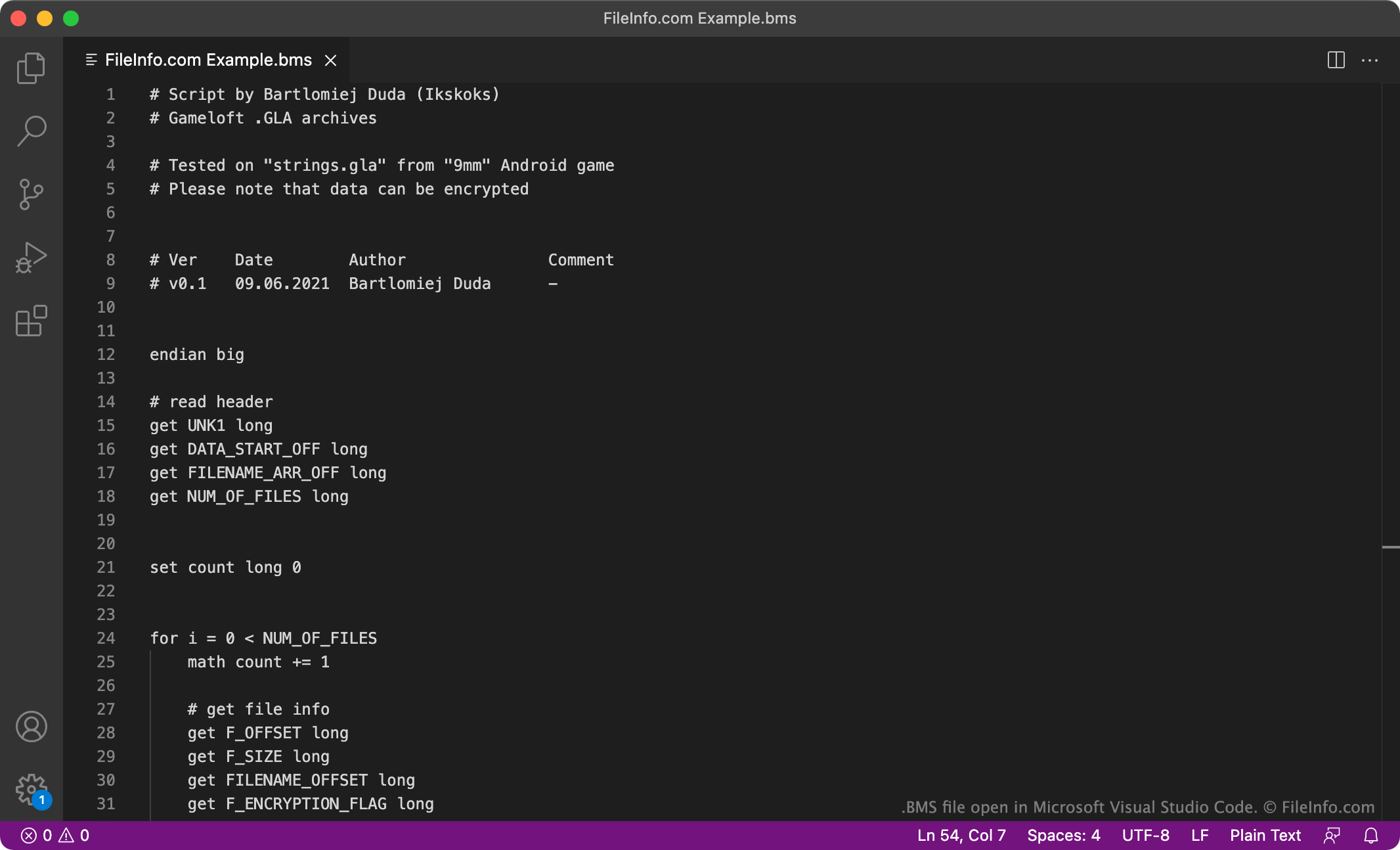
A BMS file is a plain text script used by QuickBMS, a file extraction tool used primarily to extract assets from video game asset archives. It contains directives written in the Binary MultiEx Script (BMS) language. You can open a BMS file in any text editor; you can run the script it contains in QuickBMS.

Mais informações

Captura de tela de um arquivo .bms em Microsoft Visual Studio Code
Arquivo BMS aberto em Microsoft Visual Studio Code

Luigi Auriemma's QuickBMS allows gamers and other users to extract files from archives saved in proprietary file formats. To do so, users must first create or download a BMS script that can correctly read the archive format. The user then inputs the BMS script into QuickBMS alongside a relevant archive, allowing QuickBMS to extract all the files the archive contains.

Gamers have created many BMS scripts that let themselves and others extract images, meshes, models, audio files, and more from popular games' asset archives. Each BMS script is written in the BMS language, which was originally developed for use with MultiEx Commander (MexCom), another file extraction tool. However, QuickBMS is now more popular than MultiEx Commander, so most gamers recognize BMS files as QuickBMS scripts.

Como abrir um arquivo BMS

You can open a BMS file in any text editor, such as Microsoft Notepad (Windows), Apple TextEdit (Mac), or GitHub Atom (cross-platform). Doing so allows you to edit the BMS directives the file contains.

To use a BMS file with QuickBMS (Windows), open the program and, when the Select BMS script window appears, navigate to and select your BMS file. Then, when the Select input archives window appears, select an archive that your BMS script is meant to be used with. QuickBMS will use your BMS script to extract the files your archive contains.

Abra mais de 400 formatos de arquivo com File Viewer Plus.Download gratuito

Programas que abrem arquivos BMS

Windows
Grátis
Incluído com o sistema operacional
Grátis
Grátis
Mac
Incluído com o sistema operacional
Grátis
Grátis
Linux
Grátis
Grátis
Grátis

Be-Music Source File

Desenvolvedor Urao Yane
Popularidade
3.1  |  9 Votos
 

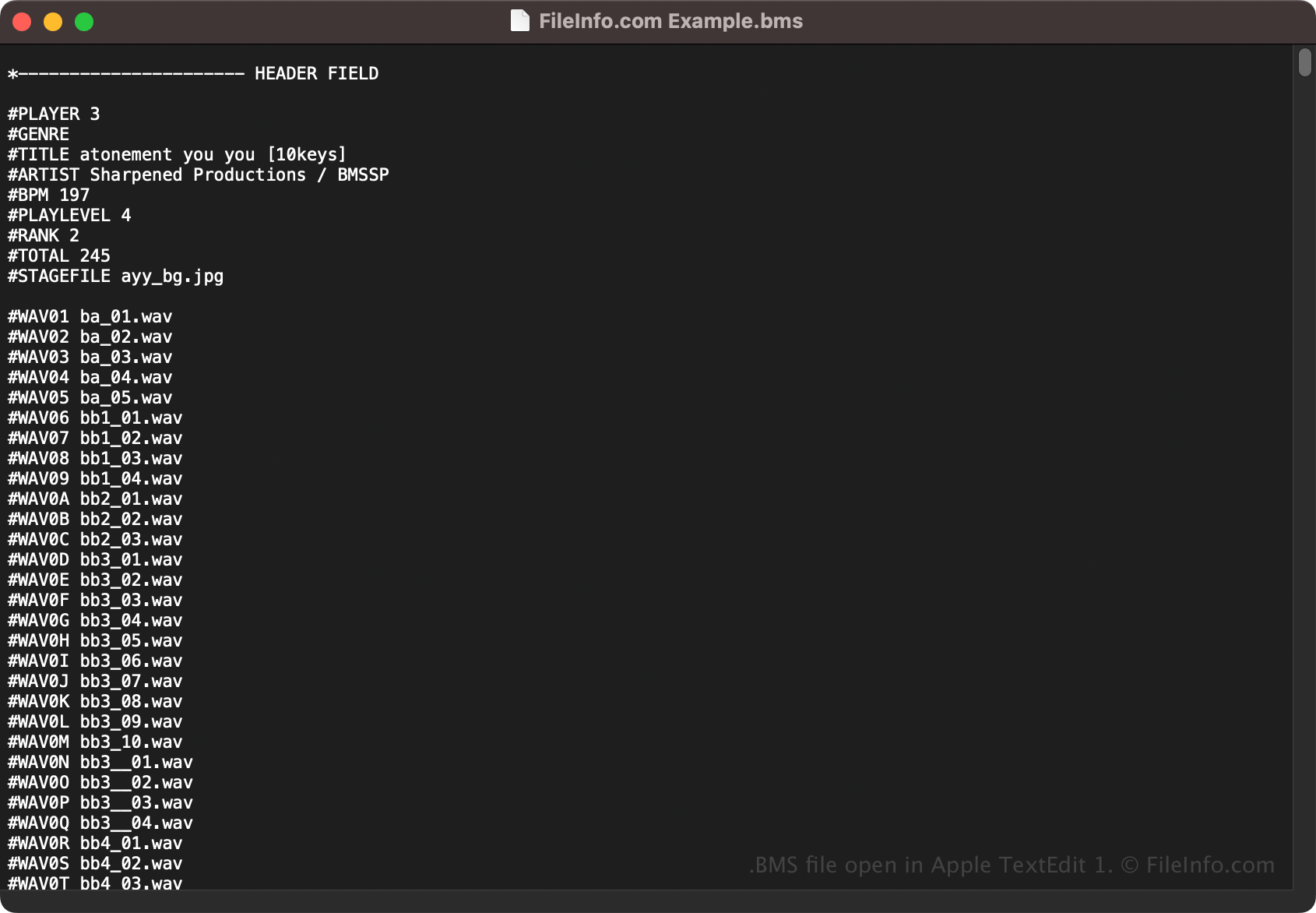
A BMS file is a song data file saved in the text-based Be-Music Source (BMS) format developed by Urao Yane for the BM98 program based on the now-discontinued BeatMania DJ rhythm game. It contains song information, which includes the song title, artist, genre, BPM (beats per minute), number of players, note positions, and references to sound effect files.

Mais informações

Captura de tela de um arquivo .bms em Apple TextEdit 1
Arquivo BMS aberto em Apple TextEdit 1

Konami developed BeatMania and initially released it in 1997. In the game, you are a club DJ who must move the controls in step with the song playing (the songs are each saved as BMS files) to gain the audience's approval. To advance to the next level (a more difficult song), you have to achieve a certain level of audience approval.

Due to the popularity of BeatMania, gamers developed various PC-based clones of BeatMania. One of the developers, Urao Yane, developed the BMS format in 1998 to store songs for BM98, a simulated version of BeatMania used to practice charts.

While Yane and others ceased developing BM98, developers of other BeatMania variants added support for Yane's BMS song format and continued to improve it. BMS has since become one of the most common formats in the beat rhythm gaming community.

NOTA: BMS may also stand for "Be-Music Script."

Como abrir um arquivo BMS

You can open BMS files with various beat players, including beatoraja (multiplatform), Lunatic Rave 2 (Windows), and Bemusic Bemuse (Web). Since BMS files store plain text, you can also open them with a text editor, such as Microsoft Notepad or Apple TextEdit.

Como converter um arquivo BMS

You can convert BMS files to the following formats with Be-Music Translator:

  • .OSU - Osu! Script
  • .QUA - Quaver Beatmap
  • .JSON - JavaScript Object Notation File

Programas que abrem arquivos BMS

Windows
Grátis
Be-Music Translator  —  Descontinuado
Grátis
Mac
Grátis
Be-Music Translator  —  Descontinuado
Grátis
Linux
Grátis
Be-Music Translator  —  Descontinuado
Grátis
Web
Categoria: Jogo
Atualizado: 2023-10-27

TheEngine 3D Model

Desenvolvedor 1C Company
Popularidade
2.5  |  2 Votos
 

A BMS file is a 3D model used by a video game developed with TheEngine, a Russian graphics engine used by games published by 1C Company. It is used to show an object in-game. For example, the Dawn of Magic series uses 3D models saved as BMS files (stored in .BM archives).

Mais informações

Several video games published by 1C Company, including games in the Dawn of Magic (Blood Magic) and King's Bounty series, use TheEngine as their 3D graphics engine. Each of these games also uses 3D models saved in the BMS format.

Most players will never encounter or need to open a game's BMS files. However, video game modders sometimes enjoy opening, examining, editing, and replacing a game's BMS files, to modify a game's gameplay.

NOTA: Some TheEngine 3D models are instead saved as .BMA files.

Como abrir um arquivo BMS

You can use 3D Object Converter to open BMS files and view the models they contain. To do so, select File → Open... from the program's menu bar. Then, navigate to and open your BMS file. The 3D model your BMS file contains will then appear in 3D Object Converter.

Como converter um arquivo BMS

3D Object Converter can convert BMS files to dozens of 3D model formats, including the following common formats (and many app-specific formats):

  • .OBJ - Wavefront 3D Object
  • .PLY - Polygon Model
  • .3DS - 3D Studio Scene
  • .OFF - Object File Format

To convert a BMS file, open it in 3D Object Converter and select File → Save as.... Then, choose the format to which you want to convert your BMS file, and save the file.

Programas que abrem ou fazem referência a arquivos BMS

Windows
Teste grátis
Various 1C Company TheEngine video games
Mac
Teste grátis
Various 1C Company TheEngine video games
Linux
Teste grátis
Categoria: Jogo
Atualizado: 2023-05-11

BIOWRAP Multi-Layer Security File

Desenvolvedor Nation Technologies
Popularidade
2.0  |  2 Votos
 

Encrypted file generated in the BIOWRAP Multi-Layer Security (BMS) format; can incorporate both biometric and digital authentication mechanisms; may contain any type of digital data such as a text document or a large business data archive; used for safely sending digital files using email attachments, discs, flash drives, and other mediums.

Mais informações

BMS files can be opened with the free BIOWRAP Reader desktop application. They can also be viewed through the BIOWRAP online website application, which runs in a Web browser. Additionally, they can be accessed using the BIOWRAP Reader Web Service, which allows BMS documents to be integrated into existing document process flow platforms.

BMS files are generated using Nation Technologies' BIOWRAP software (Professional, Enterprise, and Industry editions). This software and the BIOWRAP Web interface enable users to specify retention rights and fine grained access control constraints, which limit file access based on specific criteria.

The BIOWRAP System utilizes identity-based encryption to certify the identity and credentials (company, group, industry, etc.) of an individual creating encrypted files. Encrypted files are stamped with the level of authentication used to perform the encryption. Supported identification mechanisms include biometrics, x509 PKI certificates, and BIOWRAP usernames and passwords.

NOTA: BIOWRAP Reader has been discontinued.

Programas que abrem arquivos BMS

Windows
Nation Technologies BIOWRAP Reader
Categoria: Dados
Atualizado: 2018-02-15

Verificado por FileInfo.com

A equipe do FileInfo.com pesquisou de forma independente todos os formatos de arquivo e programas listados nesta página. Nosso objetivo é 100% de precisão, e só publicamos informações sobre tipos de arquivo que verificamos.

Se quiser sugerir adições ou atualizações a esta página, avise-nos.