

.TTML Rozszerzenie pliku
Plik napisów Timed Text Markup Language
| Deweloper | W3C |
| Popularność |
3,9 | 10 Głosów |
Czym jest plik TTML?
Plik TTML to plik napisów zapisany w formacie Timed Text Markup Language (TTML), który jest rozszerzeniem formatu .XML. Jest przeznaczony do odtwarzania jako ścieżka napisów wraz z towarzyszącym jej materiałem wideo. Każdy plik TTML zawiera informacje w postaci zwykłego tekstu, które określają styl, czas wyświetlania i treść jego napisów.
Więcej informacji
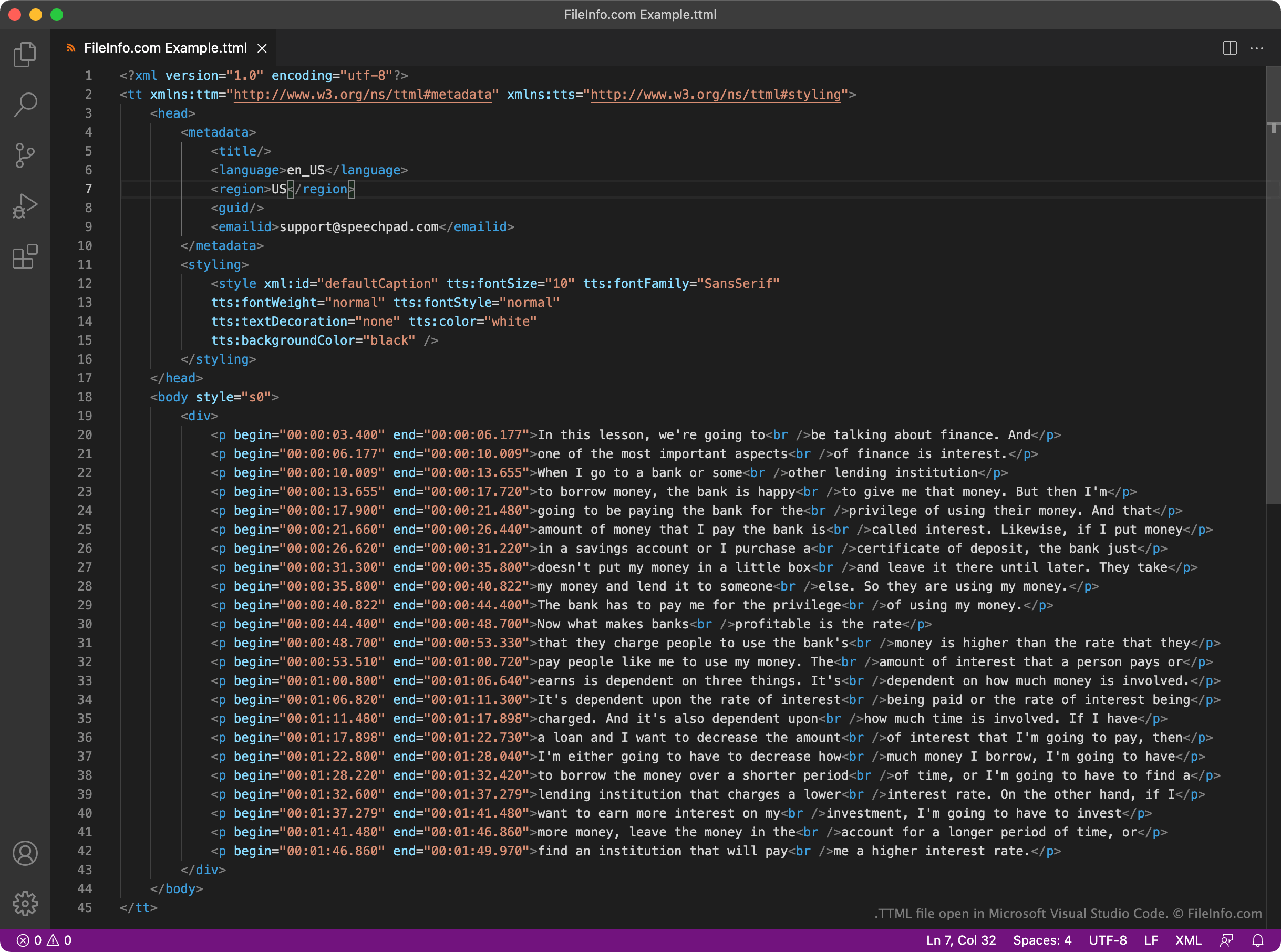
World Wide Web Consortium (W3C) stworzyło format TTML jako jednolity standard napisów opartych na XML. Każdy plik TTML zawiera stały zestaw elementów nagłówka i treści używanych do odtwarzania napisów oraz określania metadanych dotyczących tych napisów. Na przykład każdy plik TTML zawiera element <styling>, który określa styl tekstu napisów, oraz element <language>, który określa język napisów.
Właściwe napisy zawarte w pliku TTML znajdują się w jego sekcji <body>. Każdy wiersz napisów w pliku jest zapisany jako osobny akapit (<p></p>) wraz z odpowiadającym mu czasem rozpoczęcia i zakończenia zapisanym w formacie HH:MM:SS:SSS.
Ponieważ TTML jest szeroko stosowanym formatem, wiele odtwarzaczy wideo, platform i usług streamingowych obsługuje napisy oparte na TTML. Na przykład użytkownicy YouTube mogą przesyłać napisy TTML wraz ze swoimi filmami.
Jak otworzyć plik TTML
Plik TTML i zawarte w nim napisy można otworzyć i edytować w programie GitHub Atom (wieloplatformowym), Microsoft Visual Studio Code (wieloplatformowym) lub dowolnym innym edytorze tekstu albo kodu źródłowego. Edytory kodu źródłowego, takie jak Atom i Visual Studio Code, oferują podświetlanie składni oraz inne funkcje, które ułatwiają edytowanie plików TTML.
Pliku TTML można użyć do dodania napisów do filmu w programie VideoLAN VLC media player (wieloplatformowym). Aby to zrobić:
- Rozpocznij odtwarzanie filmu, z którym chcesz użyć pliku TTML.
- Wybierz .
- Przejdź do pliku TTML i otwórz go.