

.TTML Přípona souboru
Soubor titulků v jazyce Timed Text Markup Language
| Vývojář | W3C |
| Popularita |
3,9 | 10 hlasů |
Co je soubor TTML?
Soubor TTML je soubor titulků uložený ve formátu Timed Text Markup Language (TTML), který je rozšířením formátu .XML. Je určen k přehrávání jako stopa titulků společně s příslušným videem. Každý soubor TTML obsahuje informace v podobě prostého textu, které určují styl, časování a text jeho titulků.
Další informace
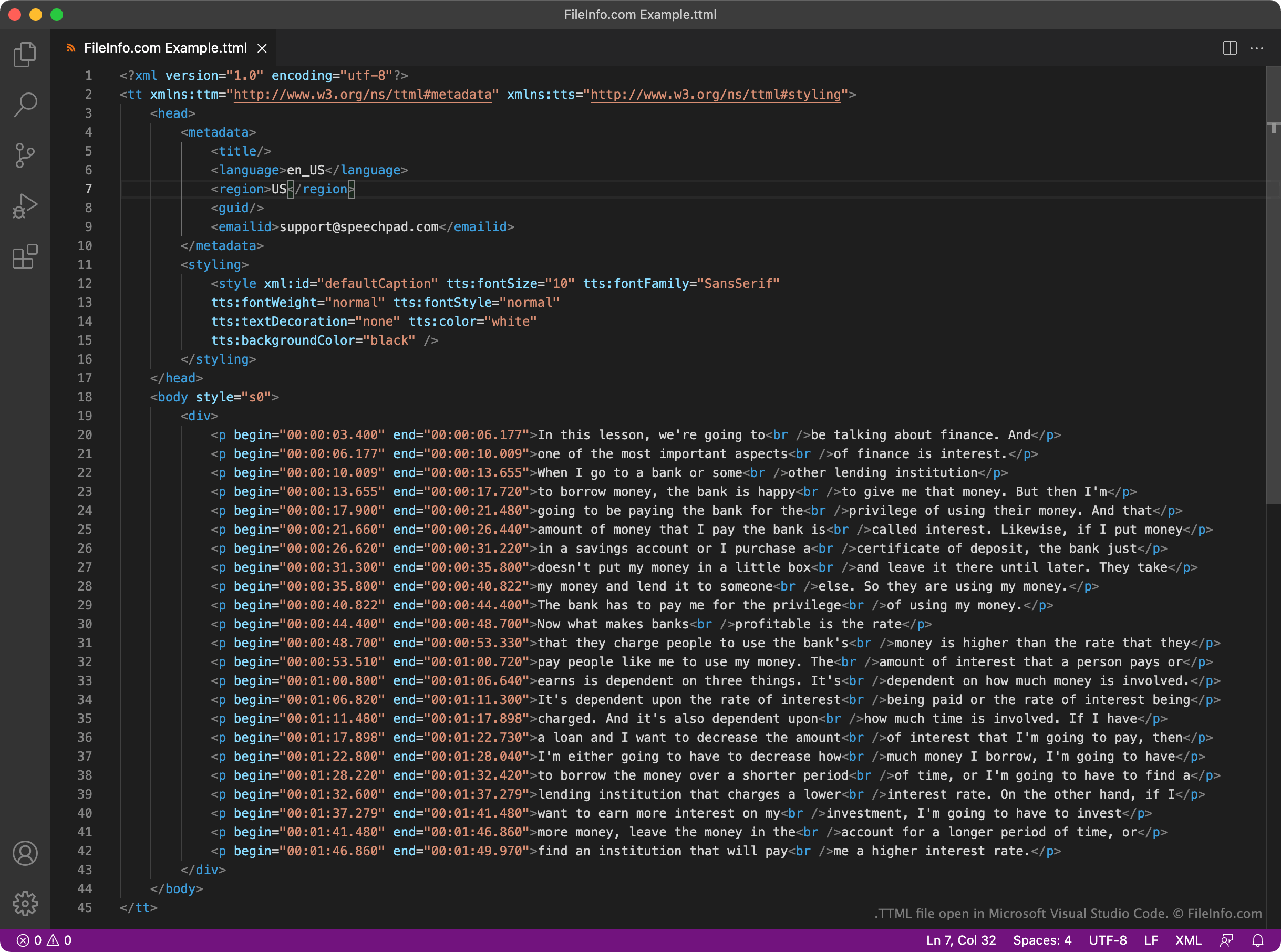
World Wide Web Consortium (W3C) vytvořilo formát TTML jako jednotný standard pro titulky založené na XML. Každý soubor TTML obsahuje pevně stanovenou sadu prvků záhlaví a těla, které se používají k přehrávání titulků a k určení metadat o těchto titulcích. Každý soubor TTML například obsahuje prvek <styling>, který určuje styl textu titulků, a prvek <language>, který určuje jazyk titulků.
Samotné titulky obsažené v souboru TTML se nacházejí v části <body>. Každý řádek titulků v souboru je zapsán jako samostatný odstavec (<p></p>) s uvedeným časem začátku a konce ve formátu HH:MM:SS:SSS.
Protože je TTML široce podporovaný formát, mnoho videopřehrávačů, platforem a streamovacích služeb podporuje titulky založené na TTML. Uživatelé YouTube mohou například nahrát titulky TTML společně se svými videi.
Jak otevřít soubor TTML
Soubor TTML můžete otevřít a upravit titulky, které obsahuje, v programu GitHub Atom (pro více platforem), Microsoft Visual Studio Code (pro více platforem) nebo v jakémkoli jiném editoru textu či zdrojového kódu. Editory zdrojového kódu, jako jsou Atom a Visual Studio Code, obsahují zvýrazňování syntaxe a další funkce, které usnadňují úpravu souborů TTML.
Soubor TTML můžete použít k přidání titulků k videu v programu VideoLAN VLC media player (pro více platforem). Postupujte takto:
- Začněte přehrávat video, se kterým chcete soubor TTML použít.
- Vyberte možnost .
- Vyhledejte a otevřete soubor TTML.