

.TTML 파일 확장자
Timed Text Markup Language 자막 파일
| 개발사 | W3C |
| 인기도 |
3.9 | 10 표 |
TTML 파일이란 무엇인가요?
TTML 파일은 Timed Text Markup Language (TTML) 형식으로 저장된 자막 파일이며, .XML 형식의 확장 형식입니다. 함께 제공되는 비디오와 함께 자막 트랙으로 재생되도록 만들어졌습니다. 각 TTML 파일에는 자막의 스타일, 타이밍, 텍스트를 지정하는 일반 텍스트 정보가 포함되어 있습니다.
추가 정보
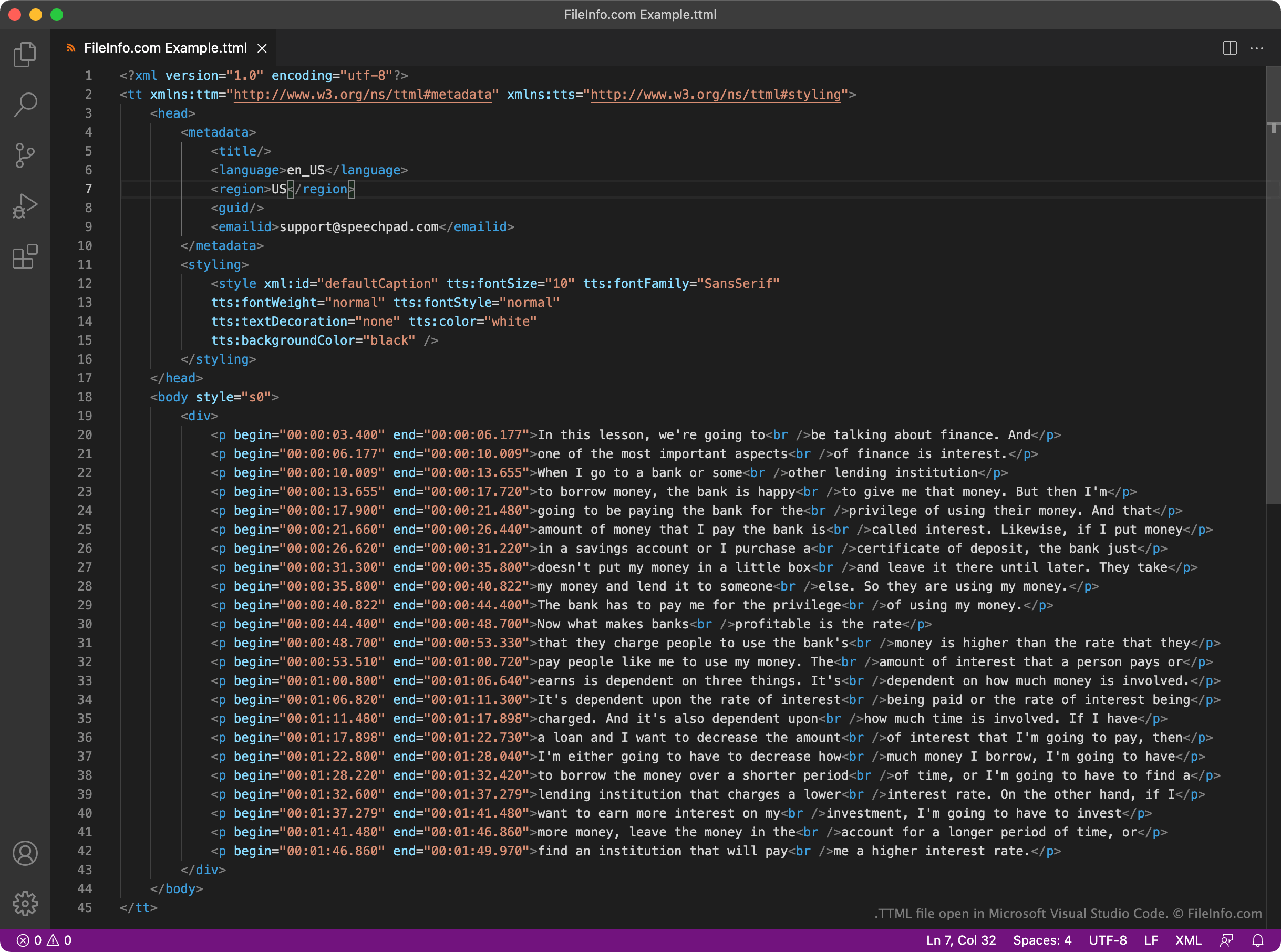
World Wide Web Consortium (W3C)은 XML 기반 자막을 위한 통일된 표준으로 사용하기 위해 TTML 형식을 만들었습니다. 각 TTML 파일에는 자막을 재생하고 해당 자막에 대한 메타데이터를 지정하는 데 사용되는 고정된 헤더 및 본문 요소 집합이 포함되어 있습니다. 예를 들어 각 TTML 파일에는 자막 텍스트의 스타일을 지정하는 <styling> 요소와 자막의 언어를 지정하는 <language> 요소가 포함되어 있습니다.
TTML 파일에 실제로 포함된 자막은 <body> 섹션에서 찾을 수 있습니다. 파일의 자막은 각 줄마다 별도의 단락(<p></p>)으로 작성되며, HH:MM:SS:SSS 형식의 시작 시간과 종료 시간이 함께 기록됩니다.
TTML은 널리 사용되는 형식이므로 많은 비디오 플레이어, 플랫폼, 스트리밍 서비스에서 TTML 기반 자막을 지원합니다. 예를 들어 YouTube 사용자는 비디오와 함께 TTML 자막을 업로드할 수 있습니다.
TTML 파일을 여는 방법
GitHub Atom(멀티플랫폼), Microsoft Visual Studio Code(멀티플랫폼) 또는 다른 텍스트 편집기나 소스 코드 편집기에서 TTML 파일을 열고 포함된 자막을 편집할 수 있습니다. Atom 및 Visual Studio Code와 같은 소스 코드 편집기에는 TTML 파일을 더 쉽게 편집할 수 있도록 구문 강조 표시 및 기타 기능이 포함되어 있습니다.
VideoLAN VLC media player(멀티플랫폼)에서 TTML 파일을 사용하여 비디오에 자막을 추가할 수 있습니다. 방법은 다음과 같습니다.
- TTML 파일을 사용하려는 비디오 재생을 시작합니다.
- 을 선택합니다.
- TTML 파일이 있는 위치로 이동하여 파일을 엽니다.