

.TTML Dateiendung
Untertiteldatei in der Timed Text Markup Language
| Entwickler | W3C |
| Beliebtheit |
3,9 | 10 Stimmen |
Was ist eine TTML-Datei?
Eine TTML-Datei ist eine Untertiteldatei, die im Format der Timed Text Markup Language (TTML) gespeichert ist, einer Erweiterung des .XML-Formats. Sie ist dafür vorgesehen, parallel zu einem zugehörigen Video als Untertitelspur wiedergegeben zu werden. Jede TTML-Datei enthält Informationen im Klartext, die den Stil, die Zeitangaben und den Text ihrer Untertitel festlegen.
Weitere Informationen
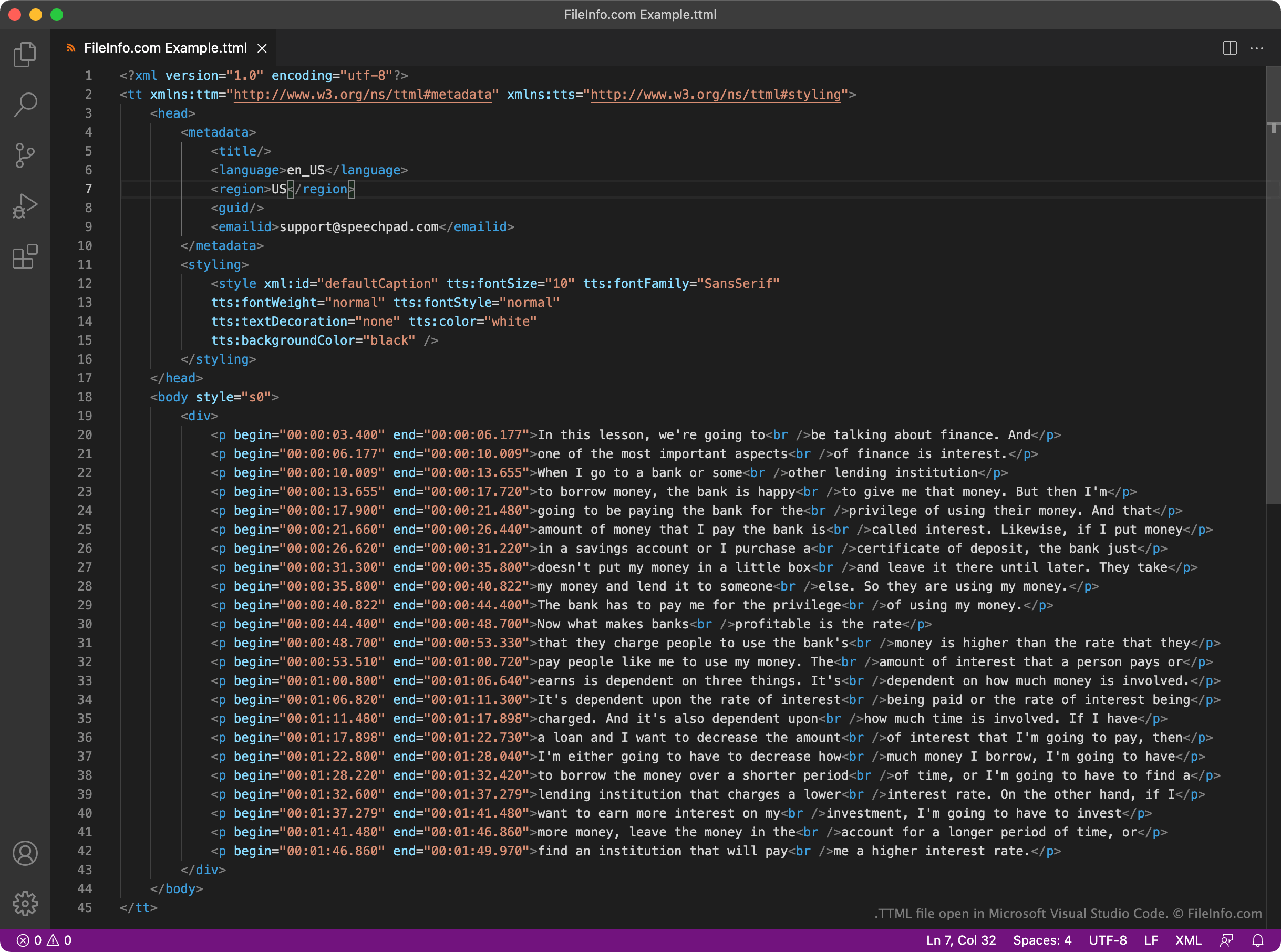
Das World Wide Web Consortium (W3C) erstellte das TTML-Format als einheitlichen Standard für XML-basierte Untertitel. Jede TTML-Datei enthält einen festen Satz von Kopf- und Körperelementen, die zur Wiedergabe der Untertitel und zur Angabe von Metadaten zu diesen Untertiteln verwendet werden. Beispielsweise enthält jede TTML-Datei ein <styling>-Element, das den Textstil ihrer Untertitel festlegt, und ein <language>-Element, das die Sprache ihrer Untertitel angibt.
Die eigentlichen Untertitel einer TTML-Datei befinden sich in ihrem Abschnitt <body>. Jede Zeile der Untertitel der Datei wird als separater Absatz (<p></p>) geschrieben, zusammen mit einer Anfangs- und Endzeit im Format HH:MM:SS:SSS.
Da TTML ein weit verbreitetes Format ist, unterstützen viele Videoplayer, Plattformen und Streamingdienste TTML-basierte Untertitel. Beispielsweise können YouTube-Nutzer TTML-Untertitel zusammen mit ihren Videos hochladen.
So öffnen Sie eine TTML-Datei
Sie können eine TTML-Datei öffnen und die darin enthaltenen Untertitel in GitHub Atom (plattformübergreifend), Microsoft Visual Studio Code (plattformübergreifend) oder jedem anderen Text- oder Quelltexteditor bearbeiten. Quelltexteditoren wie Atom und Visual Studio Code bieten Syntaxhervorhebung und weitere Funktionen, die das Bearbeiten von TTML-Dateien erleichtern.
Sie können eine TTML-Datei verwenden, um einem Video in VideoLAN VLC media player (plattformübergreifend) Untertitel hinzuzufügen. Gehen Sie dazu wie folgt vor:
- Starten Sie die Wiedergabe des Videos, für das Sie Ihre TTML-Datei verwenden möchten.
- Wählen Sie aus.
- Navigieren Sie zu Ihrer TTML-Datei und öffnen Sie sie.