

.TTML Extension de fichier
Fichier de sous-titres Timed Text Markup Language
| Développeur | W3C |
| Popularité |
3,9 | 10 Votes |
Qu'est-ce qu'un fichier TTML ?
Un fichier TTML est un fichier de sous-titres enregistré au format Timed Text Markup Language (TTML), qui est une extension du format .XML. Il est destiné à être lu comme piste de sous-titres avec une vidéo associée. Chaque fichier TTML contient des informations en texte brut qui indiquent le style, le minutage et le texte de ses sous-titres.
Plus d'informations
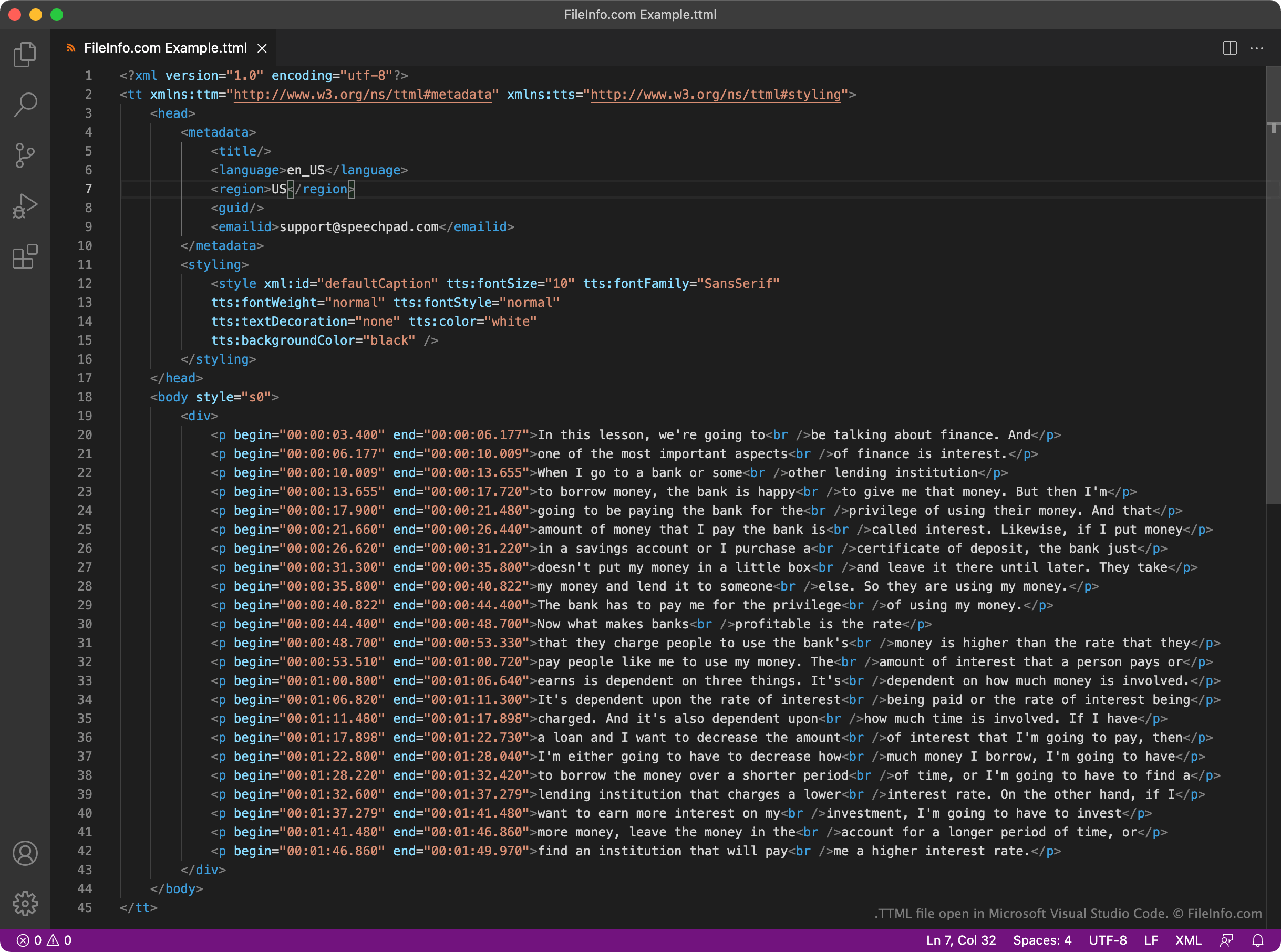
Le World Wide Web Consortium (W3C) a créé le format TTML pour servir de norme uniforme pour les sous-titres basés sur XML. Chaque fichier TTML contient un ensemble fixe d’éléments d’en-tête et de corps utilisés pour lire les sous-titres et spécifier les métadonnées associées à ces sous-titres. Par exemple, chaque fichier TTML comprend un élément <styling> qui spécifie le style du texte de ses sous-titres et un élément <language> qui spécifie la langue de ses sous-titres.
Les sous-titres proprement dits contenus dans un fichier TTML se trouvent dans sa section <body>. Chaque ligne de sous-titres du fichier est écrite comme un paragraphe distinct (<p></p>), avec une heure de début et de fin correspondante au format HH:MM:SS:SSS.
Comme TTML est un format largement accepté, de nombreux lecteurs vidéo, plateformes et services de diffusion en continu prennent en charge les sous-titres basés sur TTML. Par exemple, les utilisateurs de YouTube peuvent importer des sous-titres TTML avec leurs vidéos.
Comment ouvrir un fichier TTML
Vous pouvez ouvrir un fichier TTML et modifier les sous-titres qu’il contient dans GitHub Atom (multiplateforme), Microsoft Visual Studio Code (multiplateforme) ou tout autre éditeur de texte ou de code source. Les éditeurs de code source, comme Atom et Visual Studio Code, comprennent la coloration syntaxique et d’autres fonctionnalités qui facilitent la modification des fichiers TTML.
Vous pouvez utiliser un fichier TTML pour ajouter des sous-titres à une vidéo dans VideoLAN VLC media player (multiplateforme). Pour ce faire :
- Commencez à lire la vidéo avec laquelle vous souhaitez utiliser votre fichier TTML.
- Sélectionnez .
- Accédez à votre fichier TTML et ouvrez-le.