

.CSL Rozszerzenie pliku
Biblioteka symboli Corel
| Deweloper | Corel |
| Popularność |
3,5 | 6 Głosów |
Plik CSL to biblioteka symboli używana przez program CorelDRAW — aplikację do tworzenia grafiki wektorowej i projektowania układu stron, wchodzącą w skład pakietu CorelDRAW Graphics Suite. Przechowuje co najmniej jeden symbol, który użytkownicy mogą eksportować z dokumentów i importować do dokumentów (np. plików .CDR i .CDRT) w formacie Corel Symbol Library (CSL). Przykłady symboli, które może zawierać plik CSL, to kształty, tekst i obrazy.
Więcej informacji
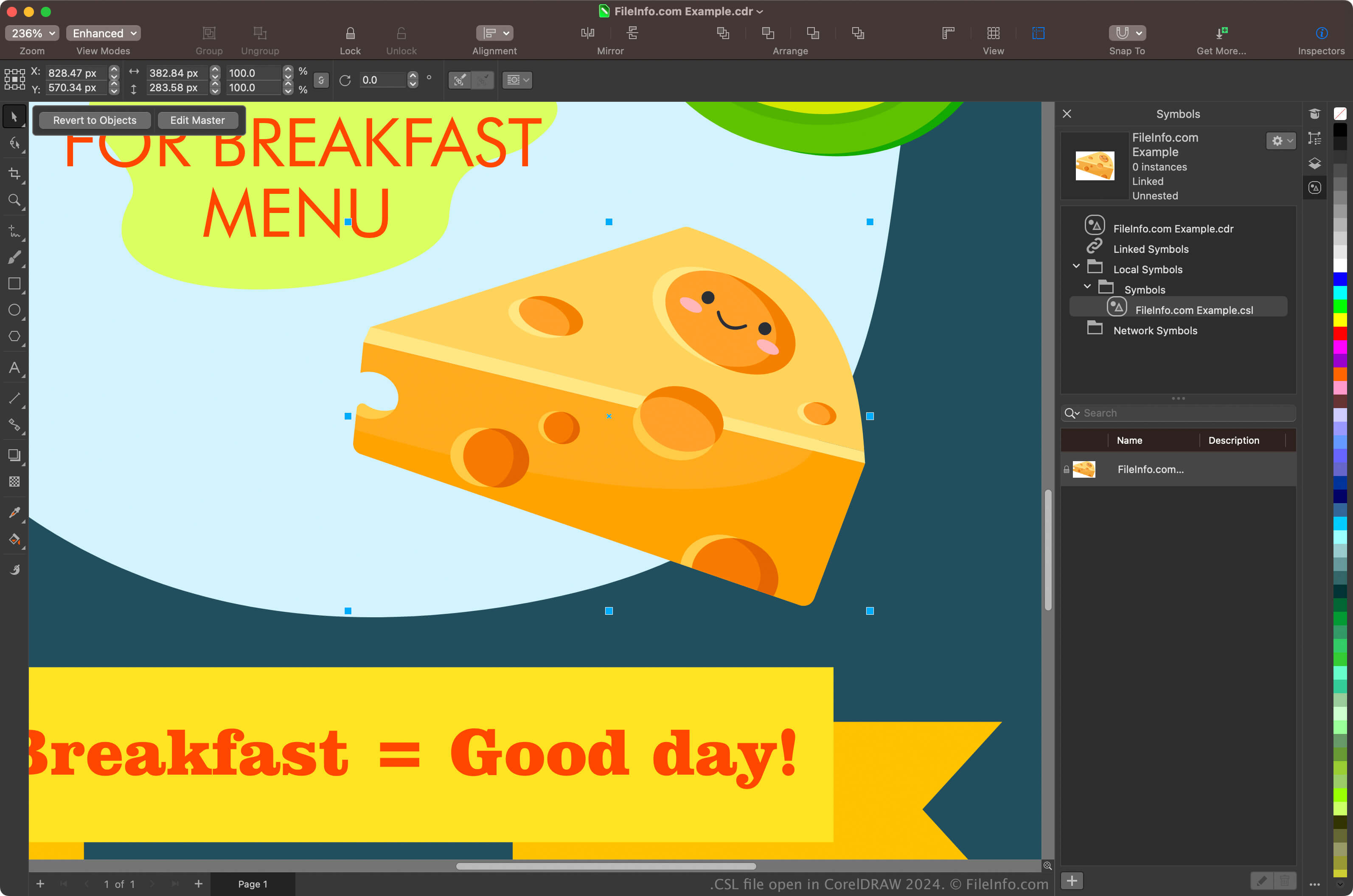
Głównymi użytkownikami pakietu CorelDRAW Graphics Suite są projektanci graficzni i fotografowie cyfrowi. Aplikacja CorelDRAW wchodząca w skład pakietu umożliwia użytkownikom tworzenie symboli z obiektów w dokumentach, zachowywanie ich i ponowne używanie w innych dokumentach.
Aby utworzyć symbol w programie CorelDRAW, zaznacz obiekt w dokumencie i kliknij. Po utworzeniu symbolu możesz wyeksportować go (i inne symbole) jako bibliotekę, klikając. Symbole możesz także wyświetlić w dockerze Symbole, wybierając.
UWAGA: Program CorelDRAW domyślnie zapisuje pliki CSL w lokalizacji Documents\Corel\Corel Content\Symbols. Na komputerze Mac pliki CSL można znaleźć na przykład w następującej lokalizacji:
Macintosh HD/Users/[username]/Documents/Corel/Corel Content/Symbols
Jak otworzyć plik CSL
Pliki CSL można otwierać za pomocą aplikacji CorelDRAW wchodzącej w skład pakietu CorelDRAW Graphics Suite (Windows i macOS). Aby otworzyć plik CSL w programie CorelDRAW, wybierz.
Pliki CSL można także otwierać z poziomu dockera Symbole. W tym celu wybierz, aby otworzyć docker, kliknij ikonę koła zębatego w dockerze, a następnie wybierz.