.CSL 파일 확장자

CineStyle Color Lookup File

개발사 Technicolor
인기도
3.4  |  8 투표
 

CSL 파일이란 무엇인가요?

File used by CineStyle Color Assist, a program used for applying CineStyle color profiles to Canon EOS DSLR cameras; formatted in XML and contains metadata describing a 3D color lookup table; helps boost the dynamic range of the camera to improve picture quality.

추가 정보

참고: Technicolor discontinued CineStyle Color Assist.

File Viewer Plus(으)로 400개 이상의 파일 형식을 여세요.무료 다운로드

CSL 파일을 여는 프로그램

Windows
Technicolor CineStyle Color Assist  —  단종됨
무료
카테고리: 데이터
업데이트: 2012-07-13

Corel Symbol Library

개발사 Corel
인기도
3.5  |  6 투표
 

A CSL file is a symbol library used by CorelDRAW, a vector illustrating and page layout designing application included with CorelDRAW Graphics Suite. It stores one or more symbols that users can export and import from and to documents (e.g., .CDR and .CDRT files) in the Corel Symbol Library (CSL) format. Examples of symbols a CSL file may contain include shapes, text, and images.

추가 정보

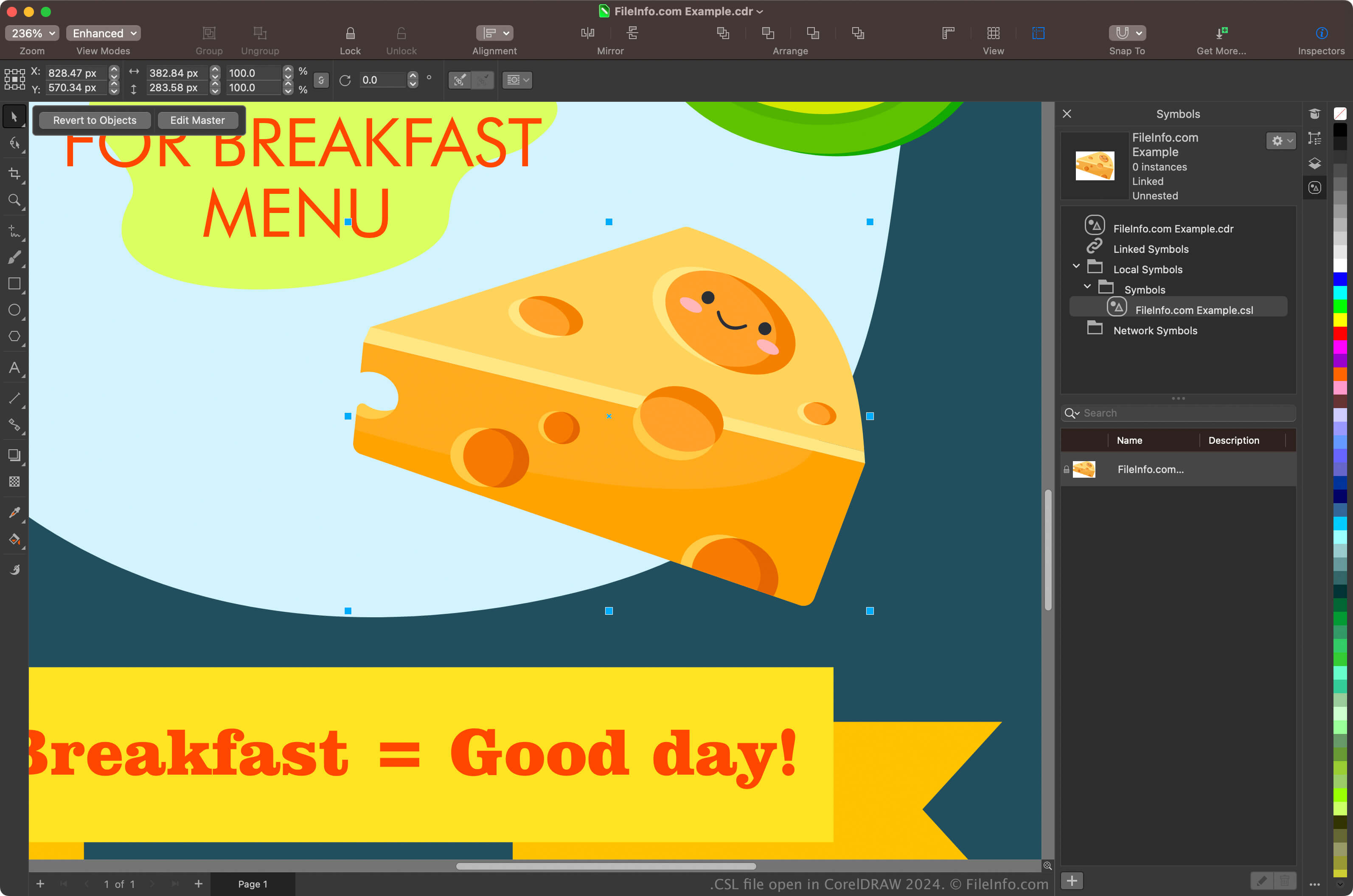
CorelDRAW Graphics Suite 2024에서 열린 .csl 파일의 스크린샷
CorelDRAW Graphics Suite 2024에서 열린 CSL 파일

Graphic designers and digital photographers are the primary users of the CorelDRAW Graphics Suite. The CorelDRAW app included with the suite allows users to create symbols from objects in their documents, preserve them, and reuse them in other documents.

To create a symbol with CorelDRAW, select an object in your document and click Object → Symbol → Create New Symbol. After creating the symbol, you can export it (and others) as a library by clicking Object → Symbol → Export Library. You can also view your symbols in the Symbols docker by selecting Object → Symbol → Symbols.

참고: CorelDRAW saves CSL files in the Documents\​Corel\​Corel Content\​Symbols location by default. For example, you can find CSL files in the following location on a Mac:

Macintosh HD/​Users/​[username]/​Documents/​Corel/​Corel Content/​Symbols

CSL 파일을 여는 방법

You can open CSL files with the CorelDRAW application included with CorelDRAW Graphics Suite (Windows and macOS). To open a CSL file with CorelDRAW, select File → Open.

You can also open CSL files from the Symbols docker by selecting Object → Symbol → Symbols to open the docker, clicking the gear icon in the docker, and then selecting Import Library.

CSL 파일을 여는 프로그램

Windows
Mac
카테고리: 데이터
업데이트: 2024-05-22

검증자 FileInfo.com

FileInfo.com 팀 이 페이지에 나열된 모든 파일 형식과 소프트웨어 프로그램을 독자적으로 조사했습니다. 저희의 목표는 100% 정확성이며, 검증한 파일 유형에 대한 정보만 게시합니다.

이 페이지에 추가하거나 업데이트할 내용을 제안하고 싶으시면 알려 주세요.