

.CSL Dateiendung
Corel-Symbolbibliothek
| Entwickler | Corel |
| Beliebtheit |
3,5 | 6 Stimmen |
Eine CSL-Datei ist eine Symbolbibliothek, die von CorelDRAW verwendet wird, einer Vektorgrafik- und Seitenlayout-Anwendung, die in der CorelDRAW Graphics Suite enthalten ist. Sie speichert ein oder mehrere Symbole, die Benutzer im Core Symbol Library (CSL)-Format aus Dokumenten (z. B. .CDR- und .CDRT-Dateien) exportieren und in Dokumente importieren können. Beispiele für Symbole, die eine CSL-Datei enthalten kann, sind Formen, Text und Bilder.
Weitere Informationen
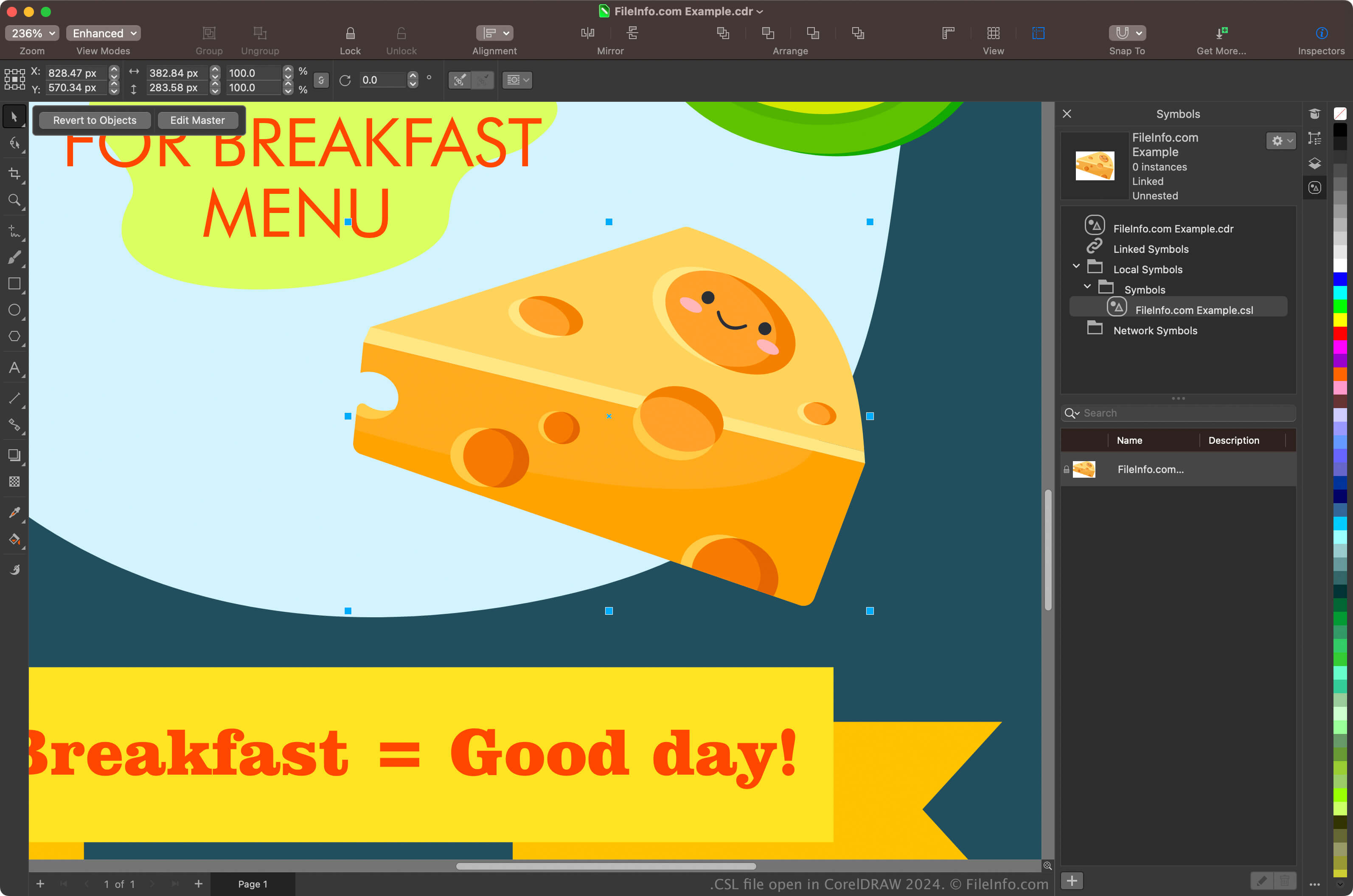
Grafikdesigner und Digitalfotografen sind die Hauptnutzer der CorelDRAW Graphics Suite. Die in der Suite enthaltene CorelDRAW-App ermöglicht es Benutzern, aus Objekten in ihren Dokumenten Symbole zu erstellen, diese zu speichern und in anderen Dokumenten wiederzuverwenden.
Um mit CorelDRAW ein Symbol zu erstellen, wählen Sie ein Objekt in Ihrem Dokument aus und klicken Sie auf . Nachdem Sie das Symbol erstellt haben, können Sie es (und andere Symbole) als Bibliothek exportieren, indem Sie auf klicken. Sie können Ihre Symbole auch im Andockfenster „Symbols“ anzeigen, indem Sie auswählen.
HINWEIS: CorelDRAW speichert CSL-Dateien standardmäßig am Speicherort Documents\Corel\Corel Content\Symbols. Auf einem Mac finden Sie CSL-Dateien beispielsweise am folgenden Speicherort:
Macintosh HD/Users/[username]/Documents/Corel/Corel Content/Symbols
So öffnen Sie eine CSL-Datei
Sie können CSL-Dateien mit der in der CorelDRAW Graphics Suite enthaltenen CorelDRAW-Anwendung (Windows und macOS) öffnen. Um eine CSL-Datei mit CorelDRAW zu öffnen, wählen Sie .
Sie können CSL-Dateien auch über das Andockfenster „Symbols“ öffnen. Wählen Sie dazu , um das Andockfenster zu öffnen, klicken Sie auf das Zahnradsymbol im Andockfenster und wählen Sie anschließend aus.