.CSL ファイル拡張子

CineStyle Color Lookup File

開発元 Technicolor
人気度
3.4  |  8 
 

CSLファイルとは?

File used by CineStyle Color Assist, a program used for applying CineStyle color profiles to Canon EOS DSLR cameras; formatted in XML and contains metadata describing a 3D color lookup table; helps boost the dynamic range of the camera to improve picture quality.

詳細情報

注: Technicolor discontinued CineStyle Color Assist.

File Viewer Plusで400種類以上のファイル形式を開けます。無料ダウンロード

CSLファイルを開くプログラム

Windows
Technicolor CineStyle Color Assist  —  提供終了
無料
カテゴリ: データ
更新日: 2012-07-13

Corel Symbol Library

開発元 Corel
人気度
3.5  |  6 
 

A CSL file is a symbol library used by CorelDRAW, a vector illustrating and page layout designing application included with CorelDRAW Graphics Suite. It stores one or more symbols that users can export and import from and to documents (e.g., .CDR and .CDRT files) in the Corel Symbol Library (CSL) format. Examples of symbols a CSL file may contain include shapes, text, and images.

詳細情報

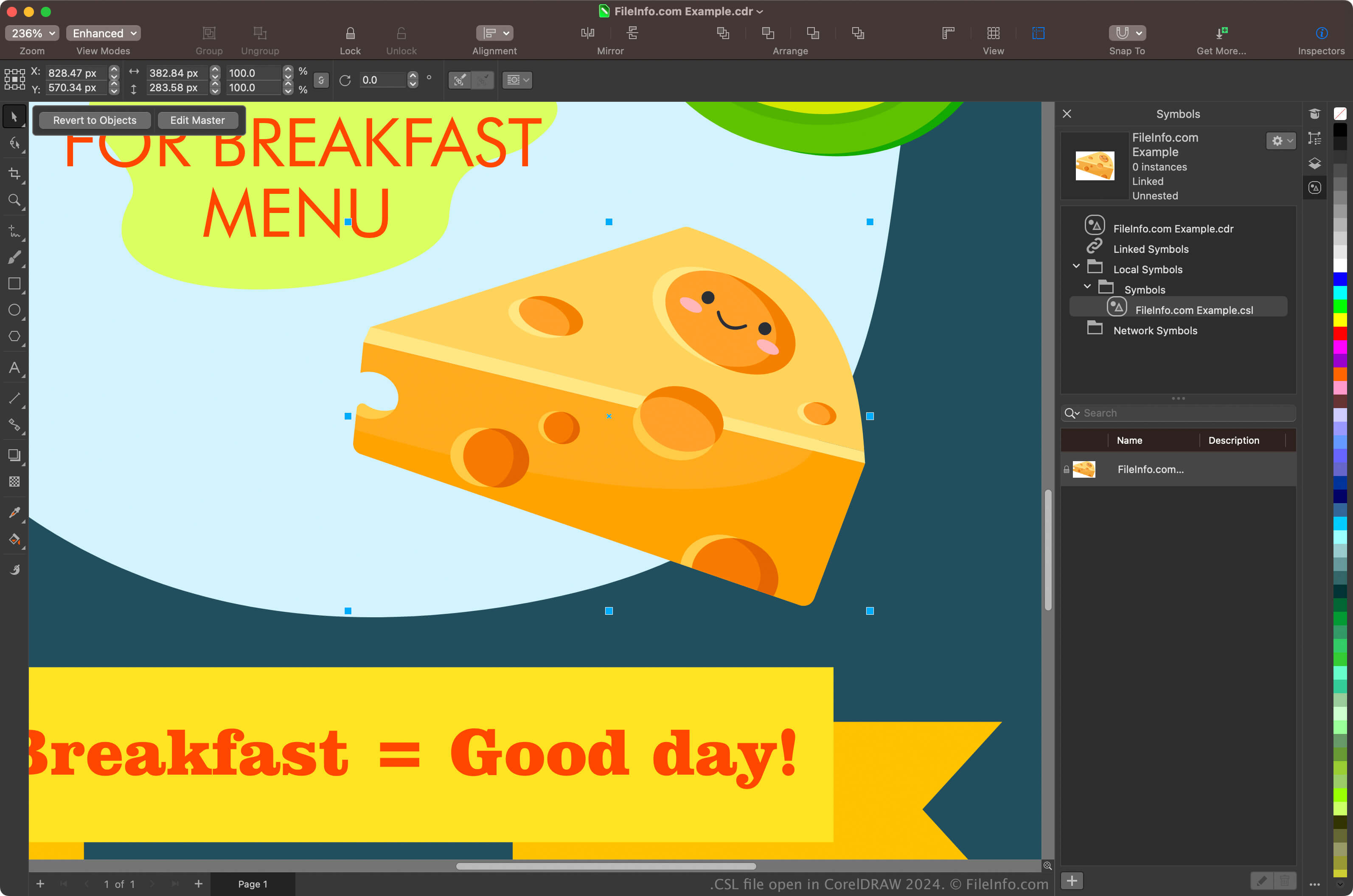
CorelDRAW Graphics Suite 2024で開いた.cslファイルのスクリーンショット
CorelDRAW Graphics Suite 2024で開いたCSLファイル

Graphic designers and digital photographers are the primary users of the CorelDRAW Graphics Suite. The CorelDRAW app included with the suite allows users to create symbols from objects in their documents, preserve them, and reuse them in other documents.

To create a symbol with CorelDRAW, select an object in your document and click Object → Symbol → Create New Symbol. After creating the symbol, you can export it (and others) as a library by clicking Object → Symbol → Export Library. You can also view your symbols in the Symbols docker by selecting Object → Symbol → Symbols.

注: CorelDRAW saves CSL files in the Documents\​Corel\​Corel Content\​Symbols location by default. For example, you can find CSL files in the following location on a Mac:

Macintosh HD/​Users/​[username]/​Documents/​Corel/​Corel Content/​Symbols

CSLファイルの開き方

You can open CSL files with the CorelDRAW application included with CorelDRAW Graphics Suite (Windows and macOS). To open a CSL file with CorelDRAW, select File → Open.

You can also open CSL files from the Symbols docker by selecting Object → Symbol → Symbols to open the docker, clicking the gear icon in the docker, and then selecting Import Library.

CSLファイルを開くプログラム

Windows
Mac
カテゴリ: データ
更新日: 2024-05-22

検証者 FileInfo.com

FileInfo.comチーム は、このページに掲載されているすべてのファイル形式とソフトウェアについて独自に調査しました。 私たちの目標は100%の正確性であり、検証済みのファイルタイプに関する情報のみを公開しています。

このページへの追加や更新をご提案いただける場合は、お知らせください。