

.CSL Extension de fichier
Bibliothèque de symboles Corel
| Développeur | Corel |
| Popularité |
3,5 | 6 Votes |
Un fichier CSL est une bibliothèque de symboles utilisée par CorelDRAW, une application d'illustration vectorielle et de mise en page incluse dans CorelDRAW Graphics Suite. Il stocke un ou plusieurs symboles que les utilisateurs peuvent exporter et importer depuis et vers des documents (par ex., .CDR et .CDRT) au format Corel Symbol Library (CSL). Les symboles qu'un fichier CSL peut contenir comprennent notamment des formes, du texte et des images.
Plus d'informations
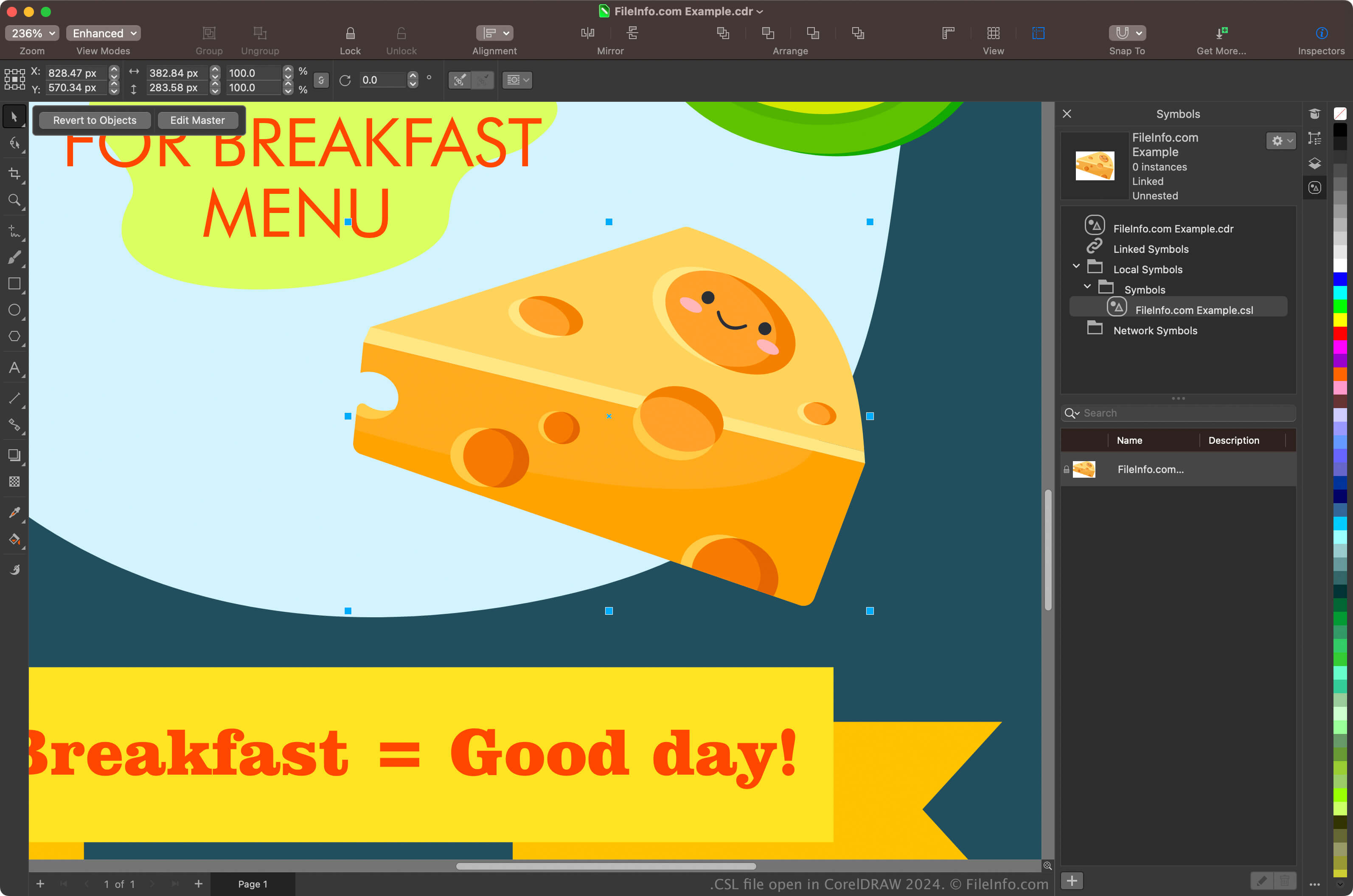
Les graphistes et les photographes numériques sont les principaux utilisateurs de CorelDRAW Graphics Suite. L'application CorelDRAW incluse dans la suite permet aux utilisateurs de créer des symboles à partir d'objets dans leurs documents, de les conserver et de les réutiliser dans d'autres documents.
Pour créer un symbole avec CorelDRAW, sélectionnez un objet dans votre document et cliquez sur . Après avoir créé le symbole, vous pouvez l'exporter (ainsi que d'autres symboles) sous forme de bibliothèque en cliquant sur . Vous pouvez également afficher vos symboles dans le panneau Symboles en sélectionnant .
REMARQUE : CorelDRAW enregistre par défaut les fichiers CSL à l'emplacement Documents\Corel\Corel Content\Symbols. Par exemple, vous pouvez trouver les fichiers CSL à l'emplacement suivant sur un Mac :
Macintosh HD/Users/[username]/Documents/Corel/Corel Content/Symbols
Comment ouvrir un fichier CSL
Vous pouvez ouvrir les fichiers CSL avec l'application CorelDRAW incluse dans CorelDRAW Graphics Suite (Windows et macOS). Pour ouvrir un fichier CSL avec CorelDRAW, sélectionnez .
Vous pouvez également ouvrir les fichiers CSL depuis le panneau Symboles en sélectionnant pour ouvrir le panneau, en cliquant sur l'icône en forme d'engrenage dans le panneau, puis en sélectionnant .