

.TSX Bestandsextensie
Tiled-tegelset
| Ontwikkelaar | Thorbjørn Lindeijer |
| Populariteit |
2,4 | 5 stemmen |
Een TSX-bestand is een tegelset die is gemaakt voor gebruik met Tiled, een 2D-level-editor voor videogames. Het bevat XML-gegevens die worden gebruikt om een bronafbeelding (meestal een .PNG-bestand) te laden en die afbeelding in tegels te verdelen. Nadat een TSX-bestand is geladen, kunnen Tiled-gebruikers de tegels die erin worden beschreven op een Tiled-levelkaart plaatsen (.TMX-bestand).
Meer informatie
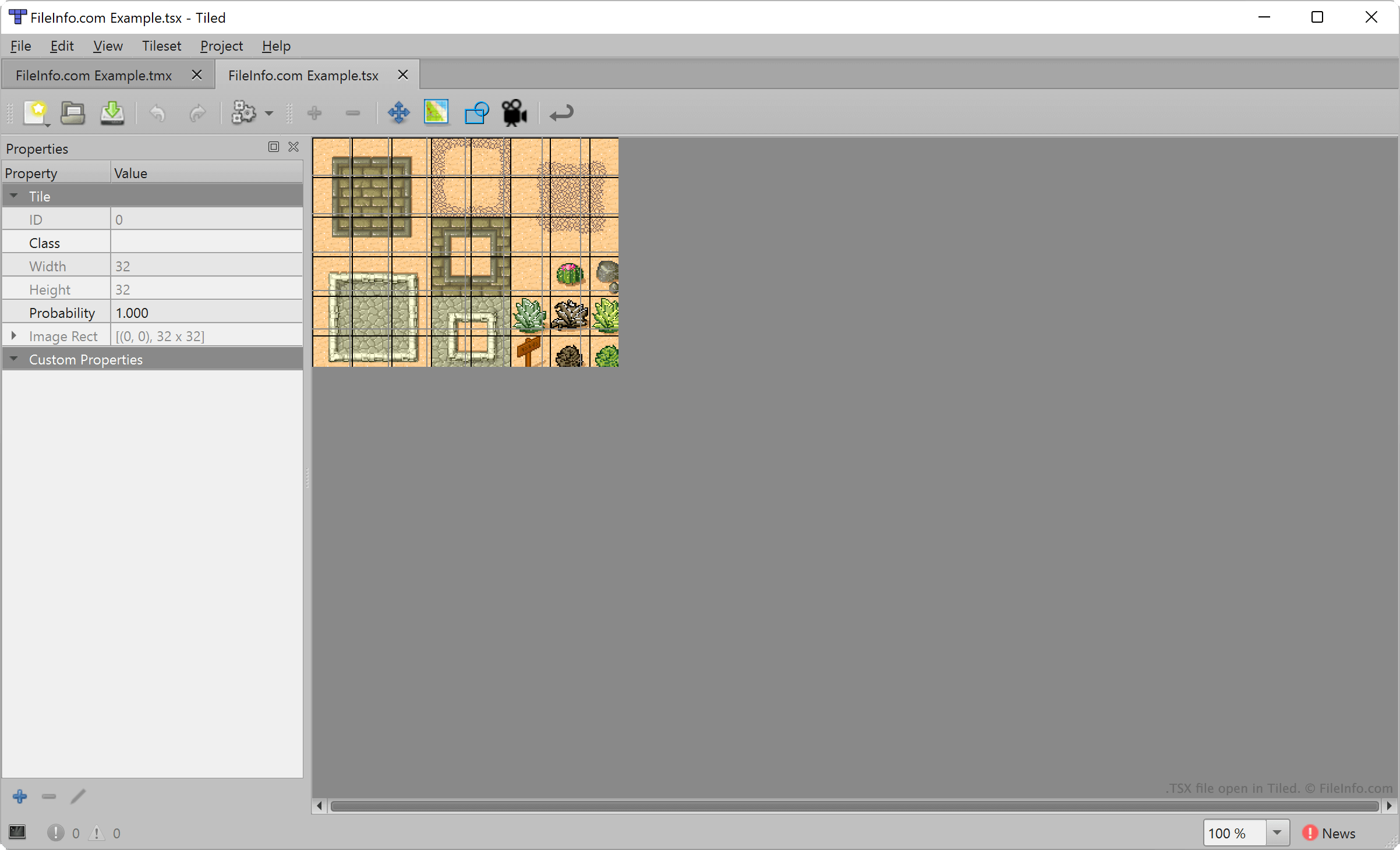
Met Tiled kunnen ontwikkelaars van videogames 2D-levelkaarten maken en exporteren voor gebruik in projecten voor gameontwikkeling. Elke kaart bestaat uit een reeks geplaatste terreintegels, die zijn geselecteerd uit een of meer TSX-bestanden.
Om een TSX-bestand te maken, selecteren ontwikkelaars in de menubalk van Tiled. Vervolgens importeren ze een afbeelding waaruit hun tegelset zal bestaan (meestal een rechthoekige afbeelding met verschillende terreinkenmerken) en geven ze het gebied van elke tegel op (standaard 32 x 32 pixels). Tiled koppelt de tegelgrootte-instellingen van de ontwikkelaar vervolgens aan de geïmporteerde afbeelding en maakt een tegelset.
TSX-bestanden bevatten echter geen kopie van de afbeelding die een Tiled-gebruiker heeft geïmporteerd om die tegelset te maken. In plaats daarvan bevatten ze een verwijzing naar de locatie waar de geïmporteerde afbeelding is opgeslagen. Als je de afbeelding waarnaar een TSX-bestand verwijst verplaatst, kan Tiled die tegelset dus niet laden.
Een TSX-bestand openen
Je kunt een TSX-bestand openen met Tiled om de tegelset die erin wordt beschreven te laden en te bewerken. Selecteer daarvoor . Ga vervolgens naar je TSX-bestand en open het.
Om een TSX-bestand toe te voegen aan de lijst met beschikbare tegelsets tijdens het maken van een Tiled-kaart (.TMX-bestand), selecteer je . Ga vervolgens naar je TSX-bestand en open het.
Indien nodig kun je een TSX-bestand ook openen met Microsoft Visual Studio Code of een andere teksteditor om de XML-geformatteerde tekst die het bevat te bekijken.