.TSX Rozszerzenie pliku

React TypeScript File

Deweloper Microsoft
Popularność
4.0  |  29 Głosów
 

Czym jest plik TSX?

A TSX file is a TypeScript (.TS) file written using JSX syntax. It contains code that is most likely part of a single-page or mobile application. TSX files can be opened in any text editor, but are meant to be opened in source code editors.

Więcej informacji

JSX, also known as JavaScript XML, is an extension to the JavaScript programming language. Developers use JSX syntax when developing user interfaces and other application components using React, an open source JavaScript library developed and maintained by Facebook.

Developers working in the TypeScript programming language, which is a variant of JavaScript, can use JSX syntax within their development projects. When they do, they save their in-progress JSX-laden code as TSX files, before eventually transforming those files into .JSX (React JavaScript) or .JS (JavaScript) files.

Jak otworzyć plik TSX

Because TSX files are plain text files, you can open them in any text editor. However, TSX files are meant to be opened and edited in source code editors, such as Microsoft Visual Studio (Windows) or Github Atom (cross-platform). Source code editors provide helpful editing tools and, with the TypeScript package installed, highlight TypeScript and JSX syntax correctly.

Otwórz ponad 400 formatów plików za pomocą File Viewer Plus.Bezpłatne pobieranie

Programy otwierające pliki TSX

Windows
Bezpłatny
Bezpłatny
Mac
Bezpłatny
Bezpłatny
Linux
Bezpłatny
Bezpłatny

Tiled Tileset

Deweloper Thorbjørn Lindeijer
Popularność
2.4  |  5 Głosów
 

A TSX file is a tileset created for use with Tiled, a 2D video game level editor. It contains XML data used to load a source image (typically a .PNG file) and divide that image into tiles. After loading a TSX file, Tiled users can place the tiles it describes on a Tiled level map (.TMX file).

Więcej informacji

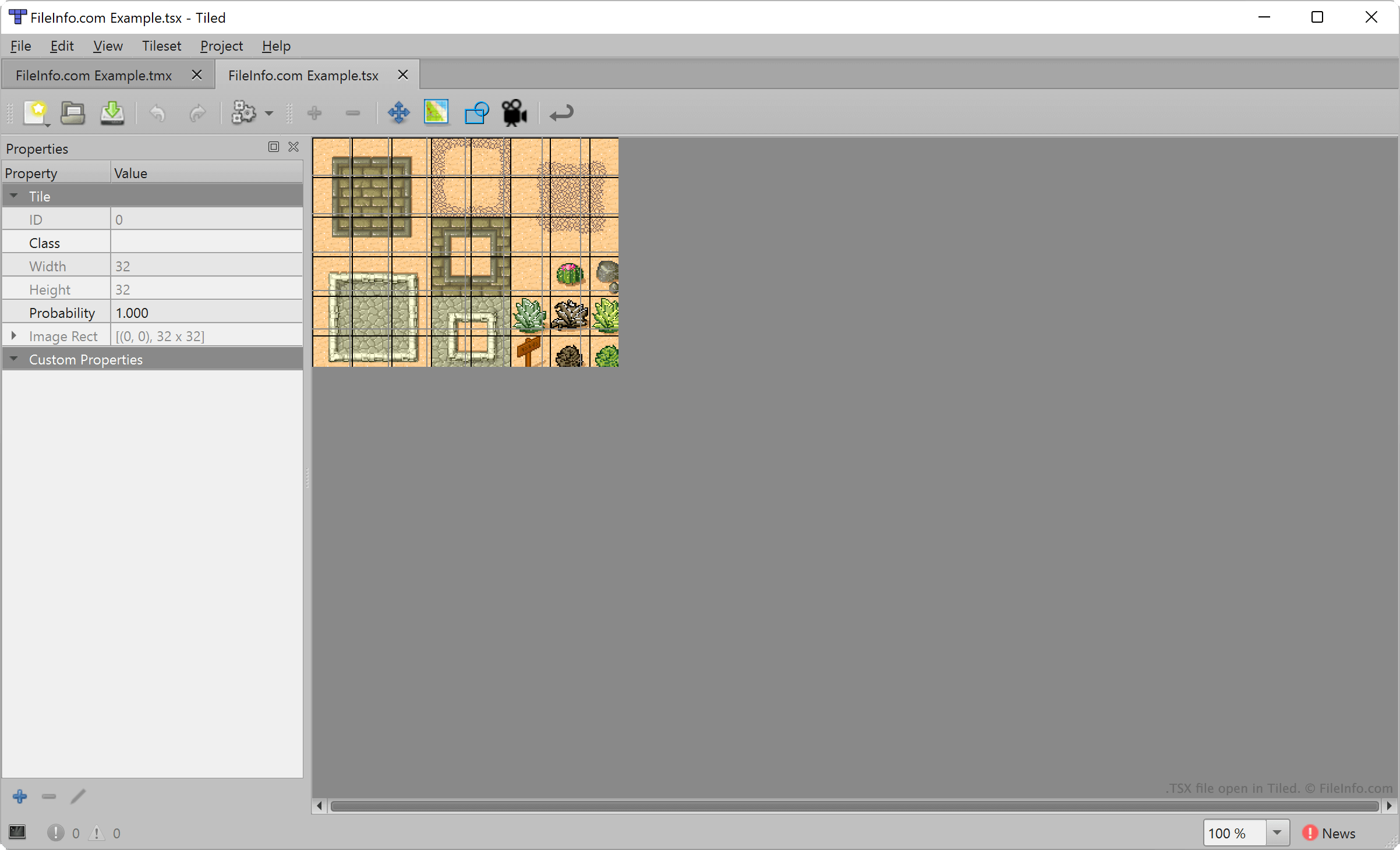
Zrzut ekranu pliku .tsx w Tiled
Plik TSX otwarty w Tiled

Tiled allows video game developers to create and export 2D level maps, for use in game development projects. Each map consists of a set of placed terrain tiles, selected from one or more TSX files.

To create a TSX file, developers select New → New Tileset... from Tiled's menu bar. They then import an image that will comprise their tileset (typically, a rectangular image consisting of several terrain features) and specify the area of each tile (by default, 32 x 32 pixels). Tiled then maps the developer's tile size settings to the image they imported, creating a tileset.

However, TSX files do not contain a copy of the image a Tiled user imported to create that tileset. Instead, they contain a reference to the location at which the imported image is stored. Thus, if you move the image a TSX file references, Tiled will not be able to load that tileset.

Jak otworzyć plik TSX

You can open a TSX file with Tiled, to load and edit the tileset it describes. To do so, select File → Open File or Project.... Then, navigate to and open your TSX file.

To add a TSX file to the list of available tilesets while creating a Tiled map (.TMX file), select Map → Add External Tileset.... Then, navigate to and open your TSX file.

If necessary, you can also open a TSX file with Microsoft Visual Studio Code or any other text editor, to view the XML-formatted text it contains.

Jak przekonwertować plik TSX

You can use Tiled to export the tileset a TSX file describes as a .JSON file or .LUA file. To do so, open your TSX file in Tiled, and then select File → Export. Choose the file type to which you want to convert your TSX file, and then click Save.

Programy otwierające pliki TSX

Windows
Bezpłatny
Mac
Bezpłatny
Linux
Bezpłatny
Android
Bezpłatny
Kategoria: Gra
Zaktualizowano: 2023-07-26

Zweryfikowane przez FileInfo.com

Zespół FileInfo.com niezależnie zbadał wszystkie formaty plików i programy wymienione na tej stronie. Naszym celem jest 100% dokładność i publikujemy wyłącznie informacje o zweryfikowanych typach plików.

Jeśli chcesz zaproponować dodatki lub aktualizacje tej strony, daj nam znać.