

.TSX Extension de fichier
Jeu de tuiles Tiled
| Développeur | Thorbjørn Lindeijer |
| Popularité |
2,4 | 5 Votes |
Un fichier TSX est un jeu de tuiles créé pour être utilisé avec Tiled, un éditeur de niveaux de jeux vidéo en 2D. Il contient des données XML utilisées pour charger une image source (généralement un fichier .PNG) et diviser cette image en tuiles. Après avoir chargé un fichier TSX, les utilisateurs de Tiled peuvent placer les tuiles qu'il décrit sur une carte de niveau Tiled (fichier.TMX).
Plus d'informations
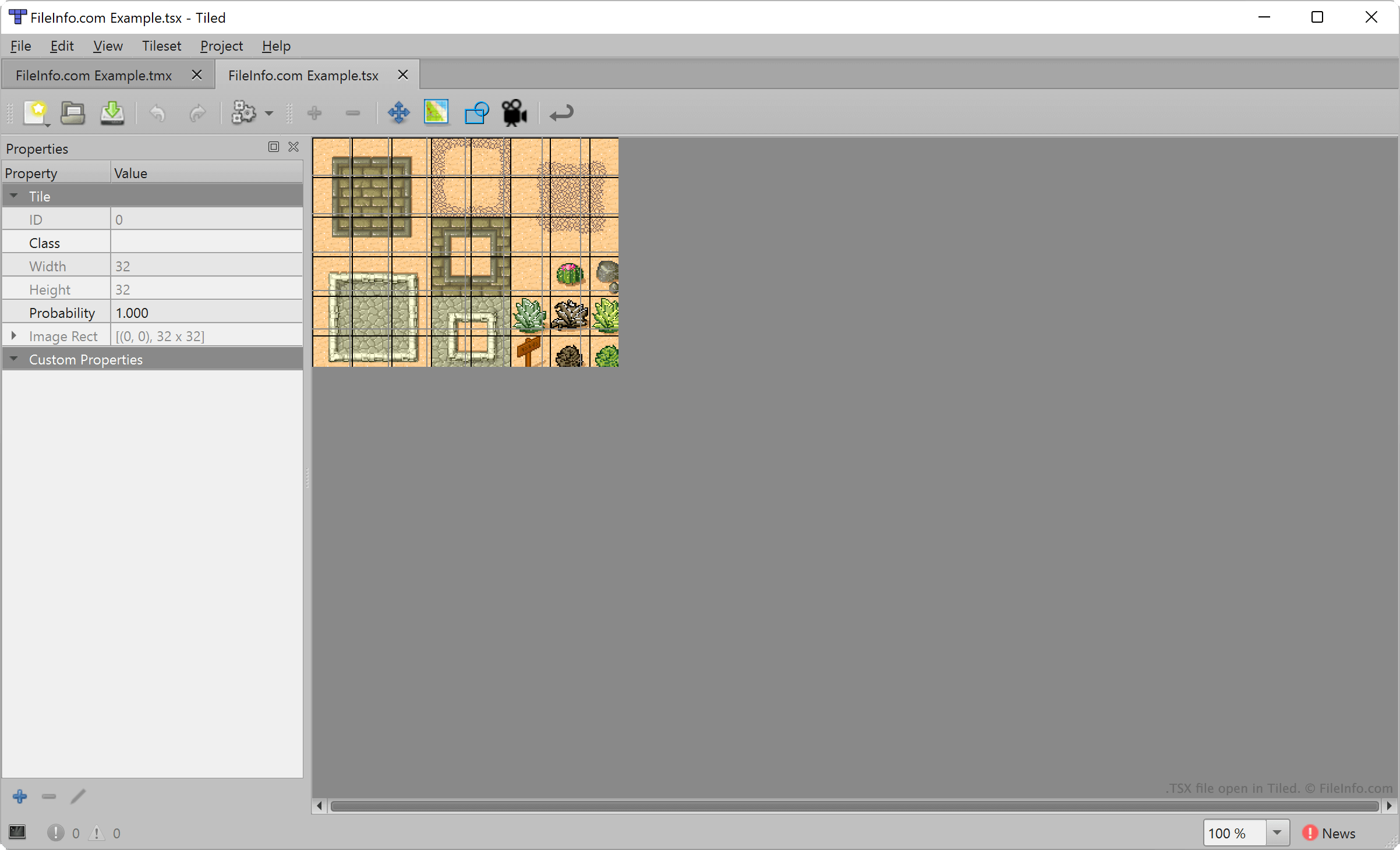
Tiled permet aux développeurs de jeux vidéo de créer et d'exporter des cartes de niveaux en 2D, destinées à être utilisées dans des projets de développement de jeux. Chaque carte se compose d'un ensemble de tuiles de terrain placées, sélectionnées dans un ou plusieurs fichiers TSX.
Pour créer un fichier TSX, les développeurs sélectionnent dans la barre de menus de Tiled. Ils importent ensuite une image qui constituera leur jeu de tuiles (généralement une image rectangulaire composée de plusieurs éléments de terrain) et indiquent la zone de chaque tuile (32 x 32 pixels par défaut). Tiled associe alors les paramètres de taille des tuiles du développeur à l'image importée et crée un jeu de tuiles.
Cependant, les fichiers TSX ne contiennent pas une copie de l'image importée par l'utilisateur de Tiled pour créer ce jeu de tuiles. Ils contiennent plutôt une référence à l'emplacement où l'image importée est enregistrée. Ainsi, si vous déplacez l'image référencée par un fichier TSX, Tiled ne pourra pas charger ce jeu de tuiles.
Comment ouvrir un fichier TSX
Vous pouvez ouvrir un fichier TSX avec Tiled pour charger et modifier le jeu de tuiles qu'il décrit. Pour ce faire, sélectionnez . Accédez ensuite à votre fichier TSX et ouvrez-le.
Pour ajouter un fichier TSX à la liste des jeux de tuiles disponibles lors de la création d'une carte Tiled (fichier.TMX), sélectionnez . Accédez ensuite à votre fichier TSX et ouvrez-le.
Si nécessaire, vous pouvez également ouvrir un fichier TSX avec Microsoft Visual Studio Code ou tout autre éditeur de texte afin d'afficher le texte au format XML qu'il contient.
Comment convertir un fichier TSX
Vous pouvez utiliser Tiled pour exporter le jeu de tuiles décrit par un fichier TSX sous forme de fichier .JSON ou de fichier .LUA. Pour ce faire, ouvrez votre fichier TSX dans Tiled, puis sélectionnez . Choisissez le type de fichier dans lequel vous souhaitez convertir votre fichier TSX, puis cliquez sur .