

.TSV Extension de fichier
Fichier de valeurs séparées par des tabulations
| Développeur | N/D |
| Popularité |
3,6 | 109 Votes |
Qu'est-ce qu'un fichier TSV ?
Un fichier TSV contient un tableau de données en texte brut enregistré au format de valeurs séparées par des tabulations. Le tableau est divisé en colonnes, séparées par des tabulations, et en lignes, séparées par des retours à la ligne. En général, les utilisateurs ouvrent les fichiers TSV avec Microsoft Excel, Google Sheets et d'autres applications de feuille de calcul, afin d'afficher les données qu'ils contiennent sous forme de feuille de calcul.
Plus d'informations
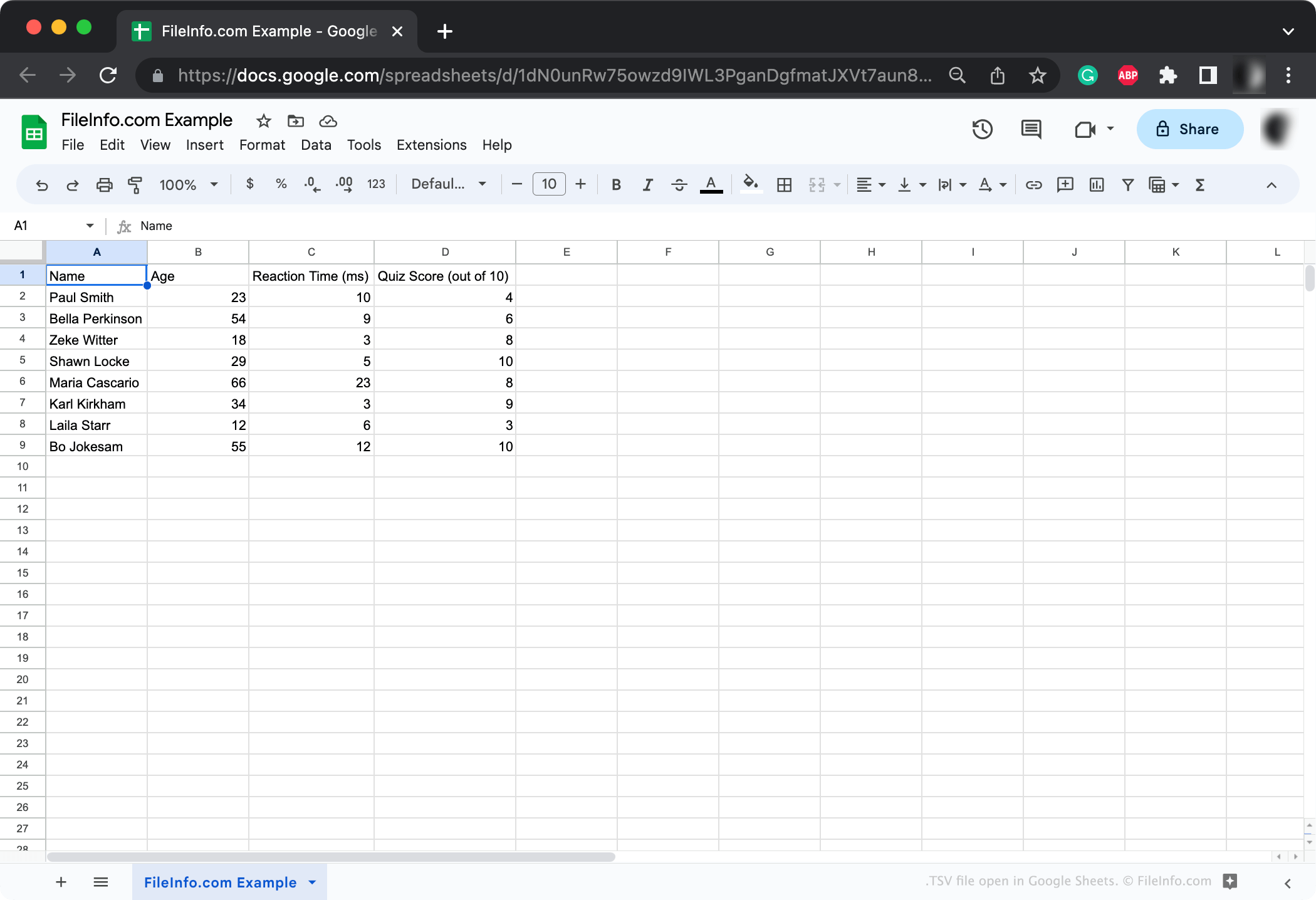
TSV est un format standard largement pris en charge, principalement utilisé pour transférer des données entre des applications et des bases de données. Par exemple, un chercheur dont les résultats sont enregistrés dans un format de base de données propriétaire peut exporter ces résultats sous forme de fichier TSV. Il peut ensuite partager ce fichier TSV avec d'autres personnes, qui pourront l'ouvrir dans n'importe quelle application de feuille de calcul.
Chaque fichier TSV contient un ou plusieurs tableaux de données. Ces tableaux sont structurés à l'aide de tabulations, qui délimitent les colonnes, et de retours à la ligne, qui délimitent les lignes. En général, chaque tableau commence par une ligne d'en-tête qui décrit les données qui suivent.
Les fichiers TSV ressemblent aux fichiers .CSV (valeurs séparées par des virgules) et s'utilisent de manière très similaire. (La principale différence entre les deux formats est que les fichiers CSV utilisent des virgules, plutôt que des tabulations, pour séparer les colonnes.) La plupart des applications qui prennent en charge le format TSV prennent également en charge le format CSV, et inversement.
REMARQUE : Les fichiers TSV peuvent parfois être enregistrés avec l'extension .TAB.
Comment créer un fichier TSV
La plupart des applications de feuille de calcul et de base de données qui vous permettent d'exporter des jeux de données vous permettent de les exporter au format TSV. Par exemple, Google Sheets et les versions de bureau de Microsoft Excel et Apple Numbers vous permettent d'exporter des feuilles de calcul sous forme de fichiers TSV.
Si nécessaire, vous pouvez également créer manuellement un fichier TSV avec Microsoft Notepad, Apple TextEdit ou tout autre éditeur de texte (mais cela peut demander beaucoup de travail si votre jeu de données contient beaucoup de données).
Comment ouvrir un fichier TSV

En général, il est préférable d'ouvrir les fichiers TSV avec Microsoft Excel, Apple Numbers, Google Sheets ou une autre application de feuille de calcul. Ces applications affichent les données contenues dans un fichier TSV dans un format structuré et facile à analyser. Elles vous permettent également de modifier et de manipuler facilement les données contenues dans votre fichier TSV, ou de convertir le fichier dans un autre format de feuille de calcul si nécessaire.
Cependant, vous pouvez également ouvrir les fichiers TSV avec Microsoft Notepad, Apple TextEdit ou tout autre éditeur de texte. Ces programmes affichent le ou les tableaux de données contenus dans votre fichier TSV, mais ne les mettent pas en forme aussi élégamment que les applications de feuille de calcul.
Comment convertir un fichier TSV
Les applications de feuille de calcul comme Microsoft Excel, Apple Numbers et Google Sheets peuvent convertir les fichiers TSV dans plusieurs autres formats, notamment divers formats de feuille de calcul et de document. Par exemple, les versions Windows et Mac de Microsoft Excel peuvent convertir les fichiers TSV dans les formats suivants :
- .XLSX - Feuille de calcul Microsoft Excel
- .XLS - Feuille de calcul Microsoft Excel (ancienne version)
- .XLSB - Feuille de calcul binaire Microsoft Excel
- .ODS - Feuille de calcul OpenDocument
- .DIF - Format d'échange de données
- .PDF - Format de document portable
- .RTF - Format de texte enrichi
- .TXT - Texte brut
- .HTM, .HTML - Page Web HTML
- .XML - Langage de balisage extensible
- .MHT, .MHTML - Archive HTML MIME
- .XPS - Spécification papier XML (Windows uniquement)