

.TSX Dateiendung
Tiled-Kachelsatz
| Entwickler | Thorbjørn Lindeijer |
| Beliebtheit |
2,4 | 5 Stimmen |
Eine TSX-Datei ist ein Kachelset, das zur Verwendung mit Tiled, einem 2D-Level-Editor für Videospiele, erstellt wurde. Sie enthält XML-Daten, die zum Laden eines Quellbilds (typischerweise einer .PNG-Datei) und zum Aufteilen dieses Bilds in Kacheln verwendet werden. Nach dem Laden einer TSX-Datei können Tiled-Benutzer die darin beschriebenen Kacheln auf einer Tiled-Levelkarte (.TMX-Datei) platzieren.
Weitere Informationen
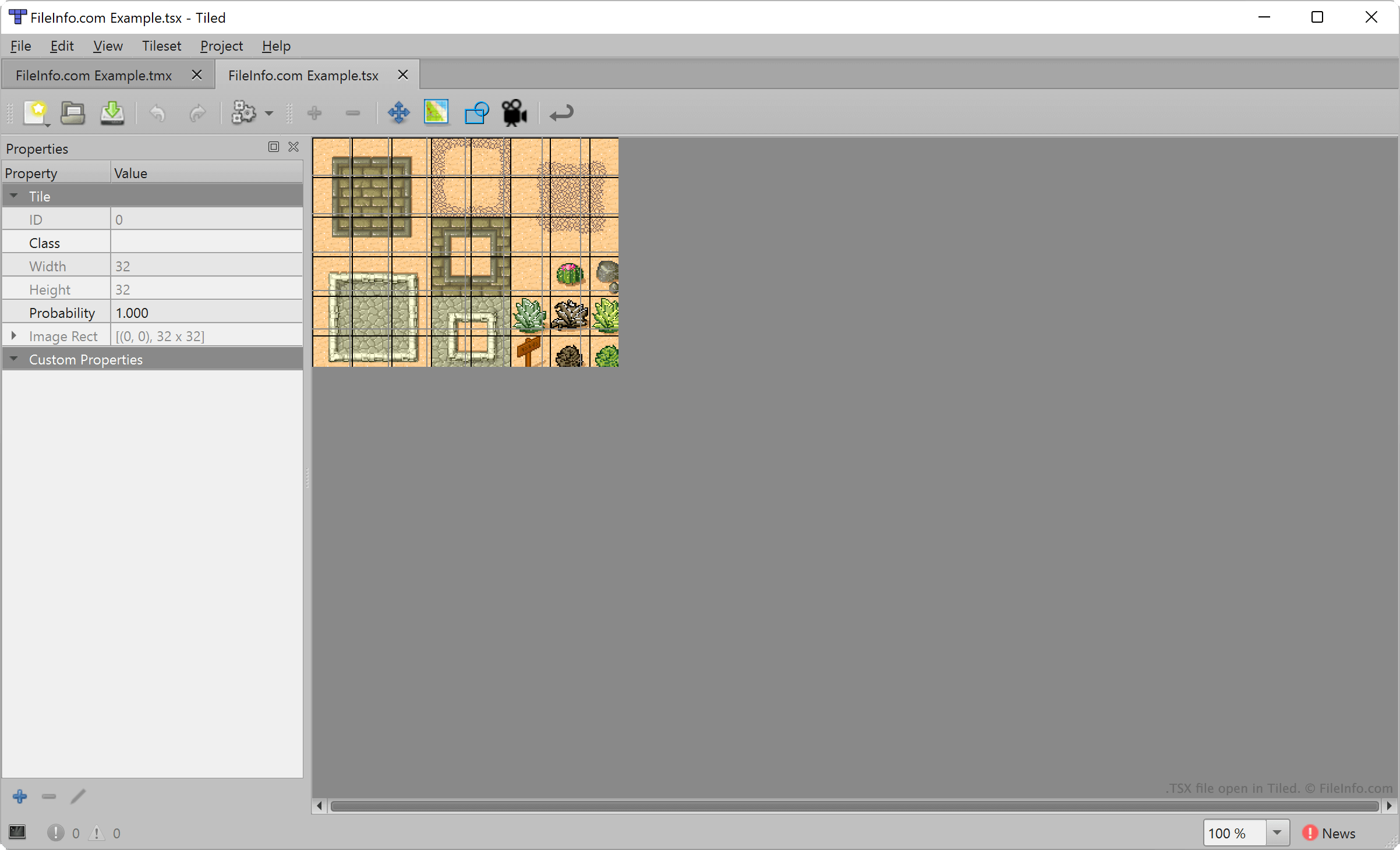
Mit Tiled können Videospielentwickler 2D-Levelkarten erstellen und exportieren, um sie in Projekten zur Spieleentwicklung zu verwenden. Jede Karte besteht aus einer Reihe platzierter Geländekacheln, die aus einer oder mehreren TSX-Dateien ausgewählt werden.
Um eine TSX-Datei zu erstellen, wählen Entwickler in der Menüleiste von Tiled aus. Anschließend importieren sie ein Bild, das ihr Kachelset bilden soll (typischerweise ein rechteckiges Bild mit mehreren Geländemerkmalen), und legen den Bereich jeder Kachel fest (standardmäßig 32 x 32 Pixel). Tiled ordnet dann die Einstellungen des Entwicklers für die Kachelgröße dem importierten Bild zu und erstellt ein Kachelset.
TSX-Dateien enthalten jedoch keine Kopie des Bilds, das ein Tiled-Benutzer zum Erstellen des Kachelsets importiert hat. Stattdessen enthalten sie einen Verweis auf den Speicherort des importierten Bilds. Wenn Sie also das Bild verschieben, auf das eine TSX-Datei verweist, kann Tiled dieses Kachelset nicht laden.
So öffnen Sie eine TSX-Datei
Sie können eine TSX-Datei mit Tiled öffnen, um das darin beschriebene Kachelset zu laden und zu bearbeiten. Wählen Sie dazu aus. Navigieren Sie anschließend zu Ihrer TSX-Datei und öffnen Sie sie.
Um eine TSX-Datei beim Erstellen einer Tiled-Karte (.TMX-Datei) zur Liste der verfügbaren Kachelsets hinzuzufügen, wählen Sie aus. Navigieren Sie anschließend zu Ihrer TSX-Datei und öffnen Sie sie.
Bei Bedarf können Sie eine TSX-Datei auch mit Microsoft Visual Studio Code oder einem anderen Texteditor öffnen, um den darin enthaltenen XML-formatierten Text anzuzeigen.
So konvertieren Sie eine TSX-Datei
Sie können Tiled verwenden, um das von einer TSX-Datei beschriebene Kachelset als .JSON-Datei oder .LUA-Datei zu exportieren. Öffnen Sie dazu Ihre TSX-Datei in Tiled und wählen Sie anschließend aus. Wählen Sie den Dateityp aus, in den Sie Ihre TSX-Datei konvertieren möchten, und klicken Sie anschließend auf .