

.NODES Bestandsextensie
AudioNodes-project
| Ontwikkelaar | AudioNodes |
| Populariteit |
3,3 | 4 stemmen |
Een NODES-bestand is een projectbestand dat is gemaakt door AudioNodes, een programma voor het maken van muziek. Het wordt gebruikt om een project en de bijbehorende audiobestanden in AudioNodes te laden. NODES-bestanden zijn hernoemde .ZIP-archieven die de audiobestanden bevatten die in een project zijn geïmporteerd, evenals een JSON-bestand waarin de structuur en instellingen van het project zijn vastgelegd.
Meer informatie
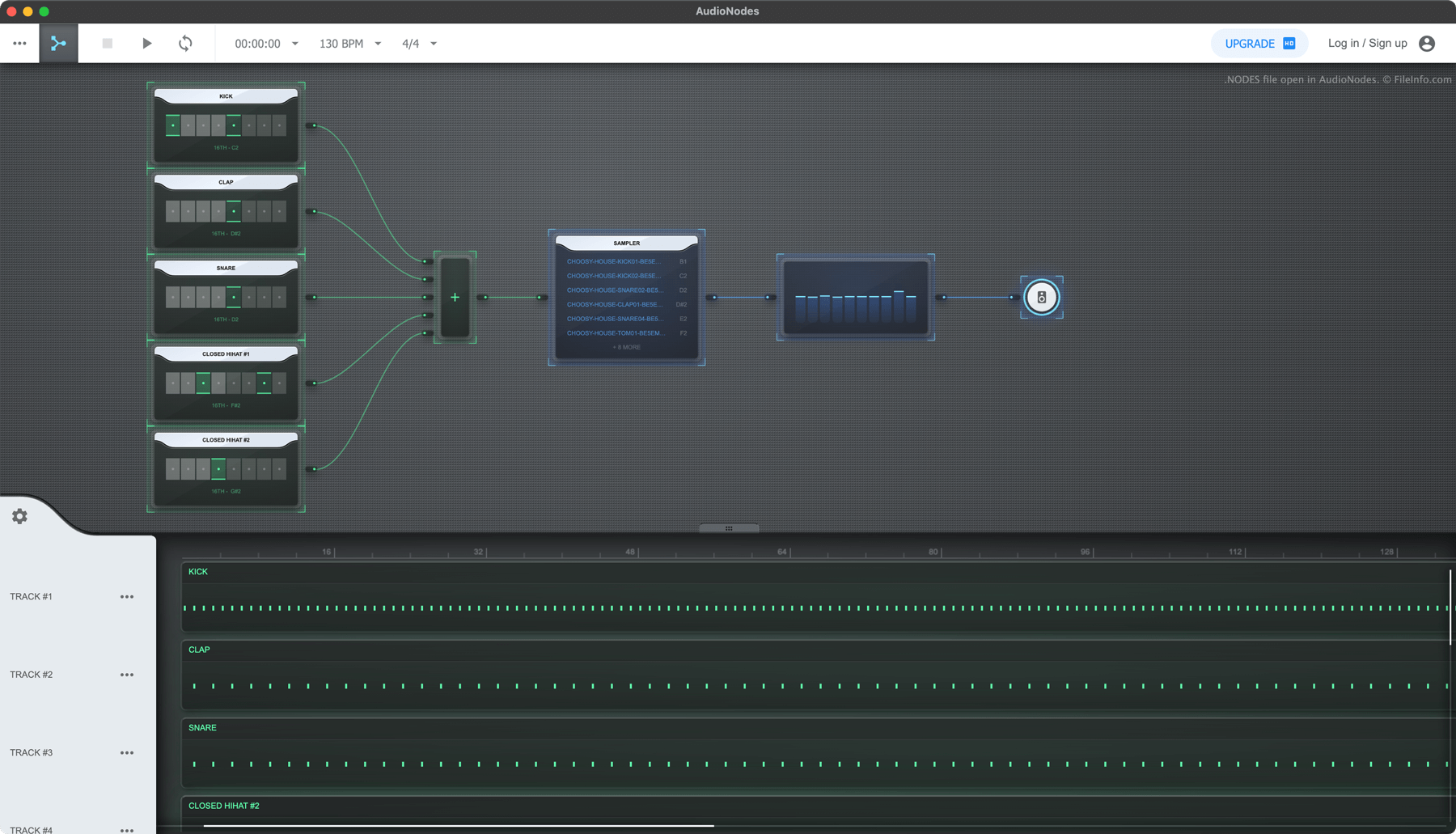
AudioNodes is een op knooppunten gebaseerd programma voor het maken van muziek waarmee je audio kunt importeren, maken en bewerken en je bewerkte audio vervolgens als nummer kunt exporteren. Het programma is beschikbaar voor Windows, Mac en Linux en is ook online beschikbaar.
Als je een AudioNodes-project wilt opslaan zodat je het later verder kunt bewerken, kun je dat doen door het menupictogram met de drie puntjes te selecteren en op te klikken. Hiermee wordt je project opgeslagen als NODES-bestand. Elk NODES-bestand bevat alle audio die in het project is geïmporteerd, evenals een JSON-bestand met de naam project.nodes. Project.nodes bevat gegevens in platte tekst waarin de instellingen en bewerkingen van het project zijn vastgelegd.
Een NODES-bestand openen
Je kunt een NODES-bestand openen met AudioNodes (voor meerdere platforms):
- Klik op het menu met de drie puntjes van AudioNodes.
- Selecteer
- Ga naar je NODES-bestand en open het.
Als je de audio- en JSON-bestanden in een NODES-bestand wilt bekijken, hernoem je het bestand zodat het de extensie .zip gebruikt en open je het zoals elk ZIP-bestand.
Een NODES-bestand converteren
Je kunt AudioNodes (voor meerdere platforms) gebruiken om het nummer in een NODES-bestand te exporteren naar de indelingen .WAV, .MP3 en .OGG. (De desktopversie van AudioNodes kan ook exporteren naar de indelingen .AAC, .FLAC en .M4A.) Ga hiervoor als volgt te werk:
- Open je NODES-bestand in AudioNodes.
- Klik op het menu met de drie puntjes.
- Selecteer .