

.NODES Dateiendung
AudioNodes-Projekt
| Entwickler | AudioNodes |
| Beliebtheit |
3,3 | 4 Stimmen |
Eine NODES-Datei ist eine von AudioNodes, einem Programm zur Musikerstellung, erstellte Projektdatei. Sie wird verwendet, um ein Projekt und die darin enthaltenen Audiodateien in AudioNodes zu laden. NODES-Dateien sind umbenannte .ZIP-Archive, die die in ein Projekt importierten Audiodateien sowie eine JSON-Datei enthalten, in der die Struktur und Einstellungen des Projekts festgelegt sind.
Weitere Informationen
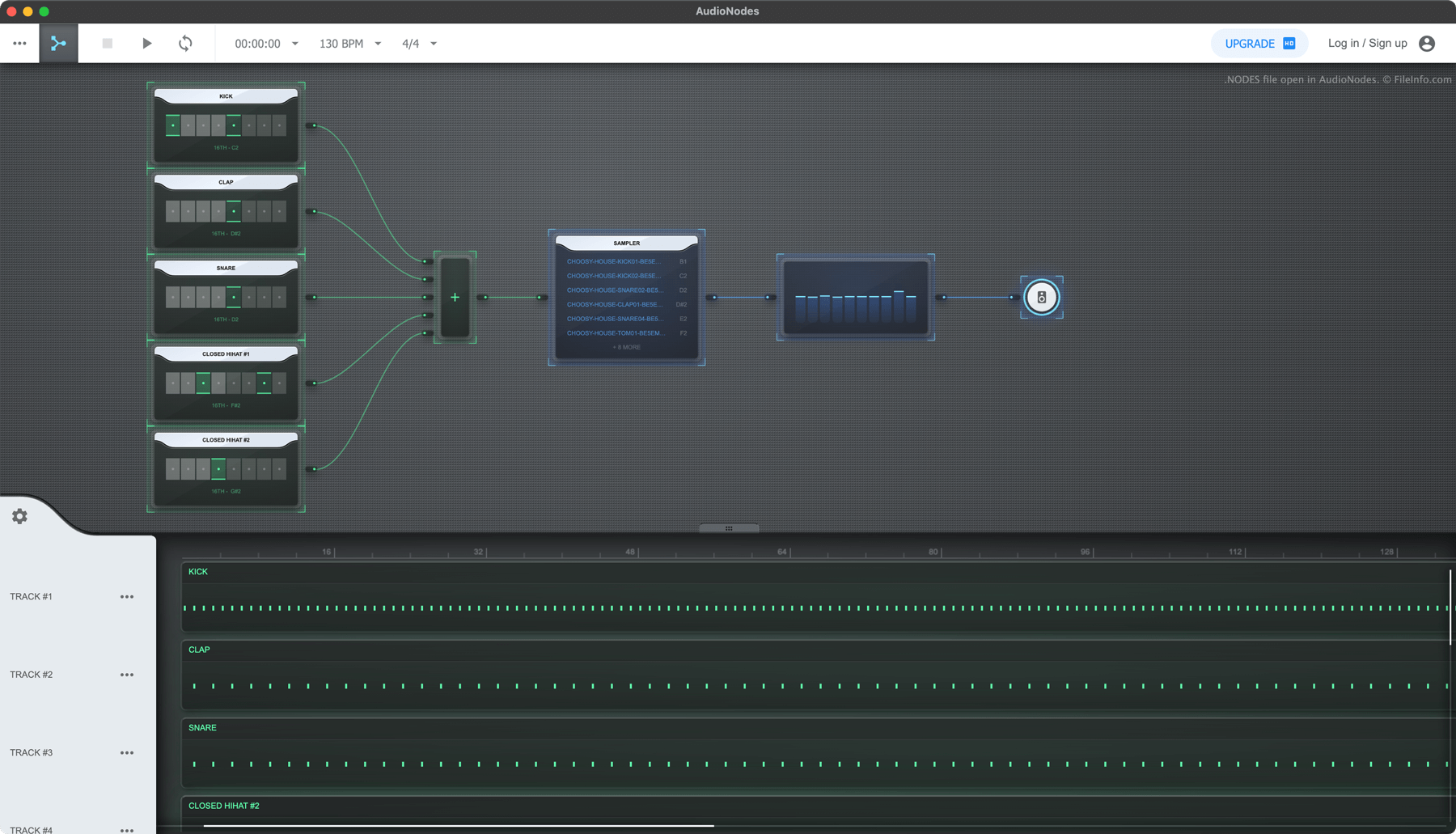
AudioNodes ist ein knotenbasiertes Programm zur Musikerstellung, mit dem Sie Audio importieren, erstellen und bearbeiten und anschließend das bearbeitete Audio als Song exportieren können. Das Programm ist für Windows, Mac und Linux sowie online verfügbar.
Wenn Sie ein AudioNodes-Projekt speichern möchten, damit Sie es später weiterbearbeiten können, wählen Sie das Dreipunkt-Menüsymbol und klicken auf . Dadurch wird Ihr Projekt als NODES-Datei gespeichert. Jede NODES-Datei enthält alle in das Projekt importierten Audiodateien sowie eine JSON-Datei namens project.nodes. Project.nodes enthält Klartext-Daten, die die Einstellungen und Bearbeitungen des Projekts festlegen.
So öffnen Sie eine NODES-Datei
Sie können eine NODES-Datei mit AudioNodes (plattformübergreifend) öffnen:
- Klicken Sie auf das Dreipunkt-Menü von AudioNodes.
- Wählen Sie
- Navigieren Sie zu Ihrer NODES-Datei und öffnen Sie sie.
Wenn Sie die Audio- und JSON-Dateien anzeigen möchten, die eine NODES-Datei enthält, benennen Sie die Datei so um, dass sie die Erweiterung .zip verwendet, und öffnen Sie sie wie jede ZIP-Datei.
So konvertieren Sie eine NODES-Datei
Sie können AudioNodes (plattformübergreifend) verwenden, um den in einer NODES-Datei enthaltenen Song in die Formate .WAV, .MP3 und .OGG zu exportieren. (Die Desktop-Version von AudioNodes kann außerdem in die Formate .AAC, .FLAC und .M4A exportieren.) Gehen Sie dazu wie folgt vor:
- Öffnen Sie Ihre NODES-Datei in AudioNodes.
- Klicken Sie auf das Dreipunkt-Menü.
- Wählen Sie .