

.NODES Extension de fichier
Projet AudioNodes
| Développeur | AudioNodes |
| Popularité |
3,3 | 4 Votes |
Un fichier NODES est un fichier de projet créé par AudioNodes, un programme de création musicale. Il sert à charger un projet et les fichiers audio qu'il contient dans AudioNodes. Les fichiers NODES sont des archives .ZIP renommées qui contiennent les fichiers audio importés dans un projet ainsi qu'un fichier JSON qui définit la structure et les paramètres du projet.
Plus d'informations
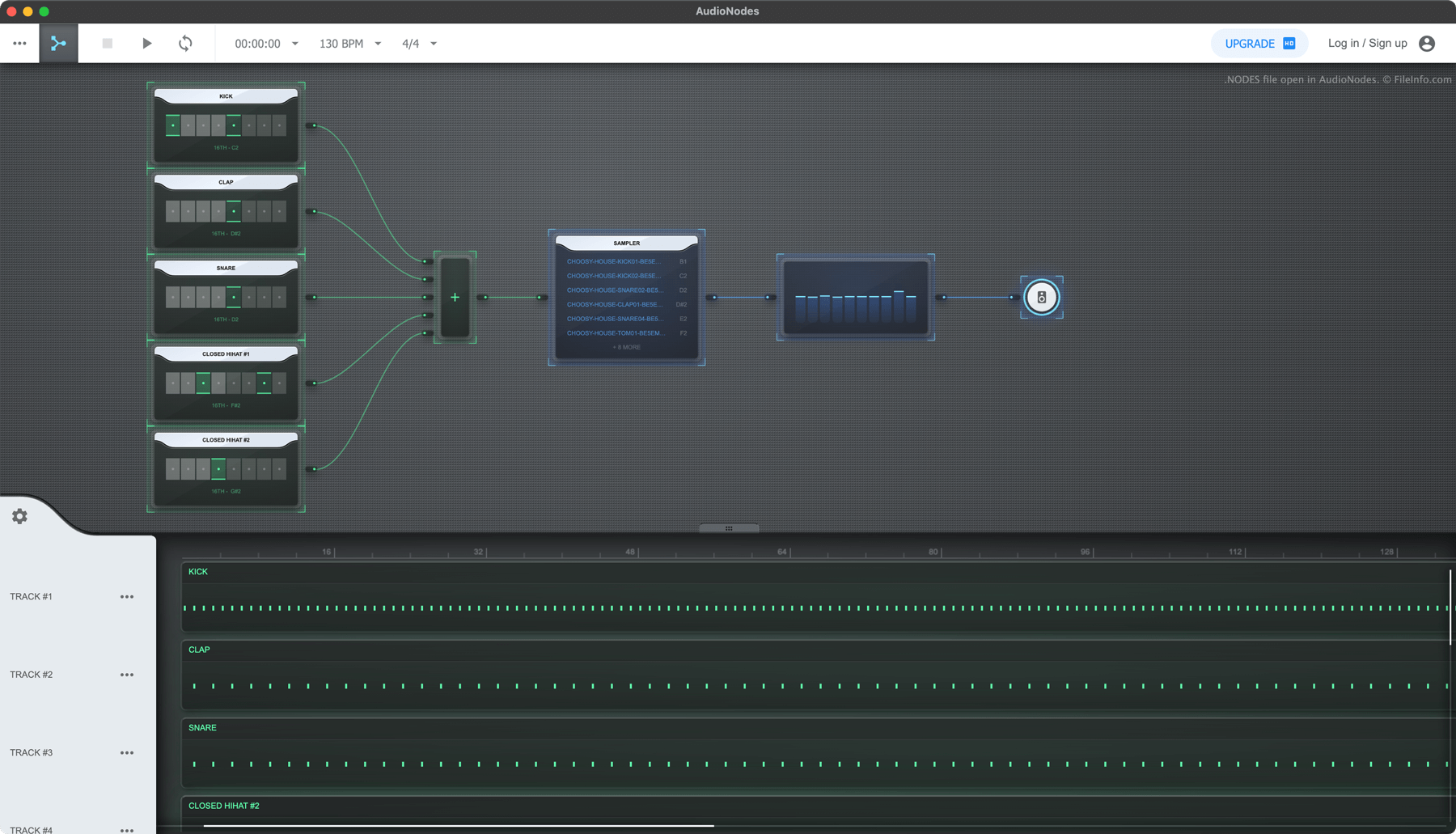
AudioNodes est un programme de création musicale basé sur des nœuds qui vous permet d'importer, de créer et de modifier des fichiers audio, puis d'exporter votre fichier audio modifié sous forme de chanson. Le programme est disponible pour Windows, Mac et Linux, ainsi qu'en ligne.
Si vous souhaitez enregistrer un projet AudioNodes afin de pouvoir continuer à le modifier ultérieurement, vous pouvez le faire en sélectionnant l'icône de menu à trois points et en cliquant sur . Votre projet est alors enregistré sous forme de fichier NODES. Chaque fichier NODES contient tous les fichiers audio importés dans le projet, ainsi qu'un fichier JSON nommé project.nodes. Project.nodes contient des données en texte brut qui définissent les paramètres et les modifications du projet.
Comment ouvrir un fichier NODES
Vous pouvez ouvrir un fichier NODES avec AudioNodes (multiplateforme) :
- Cliquez sur le menu à trois points d'AudioNodes.
- Sélectionnez
- Accédez à votre fichier NODES et ouvrez-le.
Si vous souhaitez afficher les fichiers audio et JSON contenus dans un fichier NODES, renommez le fichier afin qu'il utilise l'extension .zip, puis ouvrez-le comme vous le feriez avec n'importe quelle archive ZIP.
Comment convertir un fichier NODES
Vous pouvez utiliser AudioNodes (multiplateforme) pour exporter la chanson contenue dans un fichier NODES aux formats .WAV, .MP3 et .OGG. (La version de bureau d'AudioNodes peut également exporter aux formats .AAC, .FLAC et .M4A.) Pour ce faire :
- Ouvrez votre fichier NODES dans AudioNodes.
- Cliquez sur le menu à trois points.
- Sélectionnez .