

.MD Bestandsextensie
Markdown-documentatiebestand
| Ontwikkelaar | John Gruber |
| Populariteit |
4,0 | 409 stemmen |
Wat is een MD-bestand?
Een MD-bestand is een tekstbestand dat is geschreven in Markdown, een lichtgewicht opmaaktaal die wordt gebruikt om platte tekst op te maken. Het wordt opgeslagen in de indeling platte tekst, maar kan inline symbolen bevatten die bepalen hoe de tekst moet worden opgemaakt (bijvoorbeeld vetgedrukte tekst, inspringingen, koppen en tabelopmaak). Hoewel MD-bestanden als platte tekst worden opgeslagen, zetten gebruikers ze meestal om naar HTML om ze weer te geven op webpagina's of in documentatiesystemen.
Meer informatie
John Gruber maakte Markdown in 2004, met hulp van Aaron Swartz, om een eenvoudige en leesbare opmaaktaal te ontwerpen die eenvoudig naar HTML kon worden omgezet. Gruber publiceerde het oorspronkelijke Markdown-Perl-script samen met de specificatie op zijn website, Daring Fireball.
Gruber heeft de officiële Markdown-implementatie echter al jarenlang niet actief ontwikkeld en de oorspronkelijke specificatie niet bijgewerkt. Sindsdien hebben veel anderen uitgebreide versies en implementaties van Markdown gemaakt, zoals CommonMark en GitHub Flavored Markdown (GFM), en ook tools zoals Pandoc, om functies toe te voegen en de consistentie tussen platforms te verbeteren.
Markdown-gebruikers
Verschillende soorten gebruikers, waaronder softwareontwikkelaars, technische schrijvers en onderzoekers, gebruiken de Markdown-taal. Softwareontwikkelaars kunnen MD-bestanden bijvoorbeeld gebruiken om projectdocumentatie te maken, zoals README.md-bestanden waarin het doel, de installatie en het gebruik van hun software worden uitgelegd.
Technische schrijvers gebruiken Markdown vaak om gebruikershandleidingen, interne wiki's en documentatie voor ontwikkelaars te maken die eenvoudig naar HTML of andere indelingen kunnen worden omgezet met tools zoals MkDocs of Jekyll. Onderzoekers kunnen Markdown ten slotte gebruiken voor het schrijven van artikelen, notities en rapporten, vaak in combinatie met platforms zoals R Markdown of Jupyter Notebooks.
OPMERKING: Markdown-bestanden kunnen ook de extensie .markdown gebruiken (.MARKDOWN-bestanden).
Een MD-bestand openen
Je kunt MD-bestanden openen met elke teksteditor, waaronder:
- Microsoft Notepad (Windows)
- Apple TextEdit (Mac)
- Vim (Linux, Mac)
- Google Chrome Text (Chrome OS)
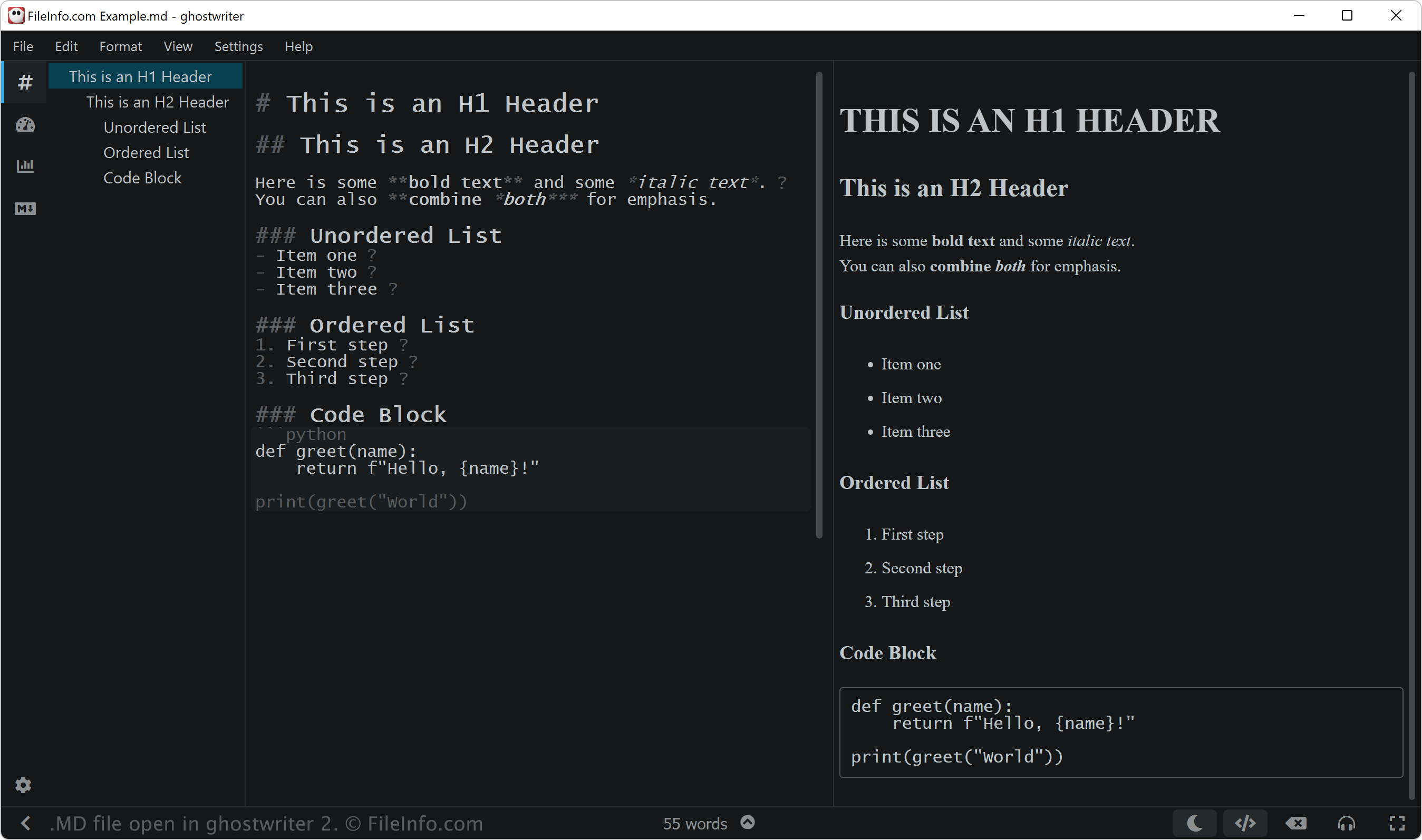
Als je een MD-bestand echter wilt bewerken, kun je het openen met een Markdown-editor. Markdown-editors bieden bewerkings- en controlefuncties waarmee je de Markdown-syntaxis correct kunt toepassen. Enkele Markdown-editors zijn:
- ghostwriter (Windows, Linux)
- MacDown (Mac)
- Caret (platformonafhankelijk)
- StackEdit (web)
Programma's die MD-bestanden openen
MuseData-muziekpartituur
| Ontwikkelaar | Walter B. Hewlett |
| Populariteit |
3,2 | 9 stemmen |
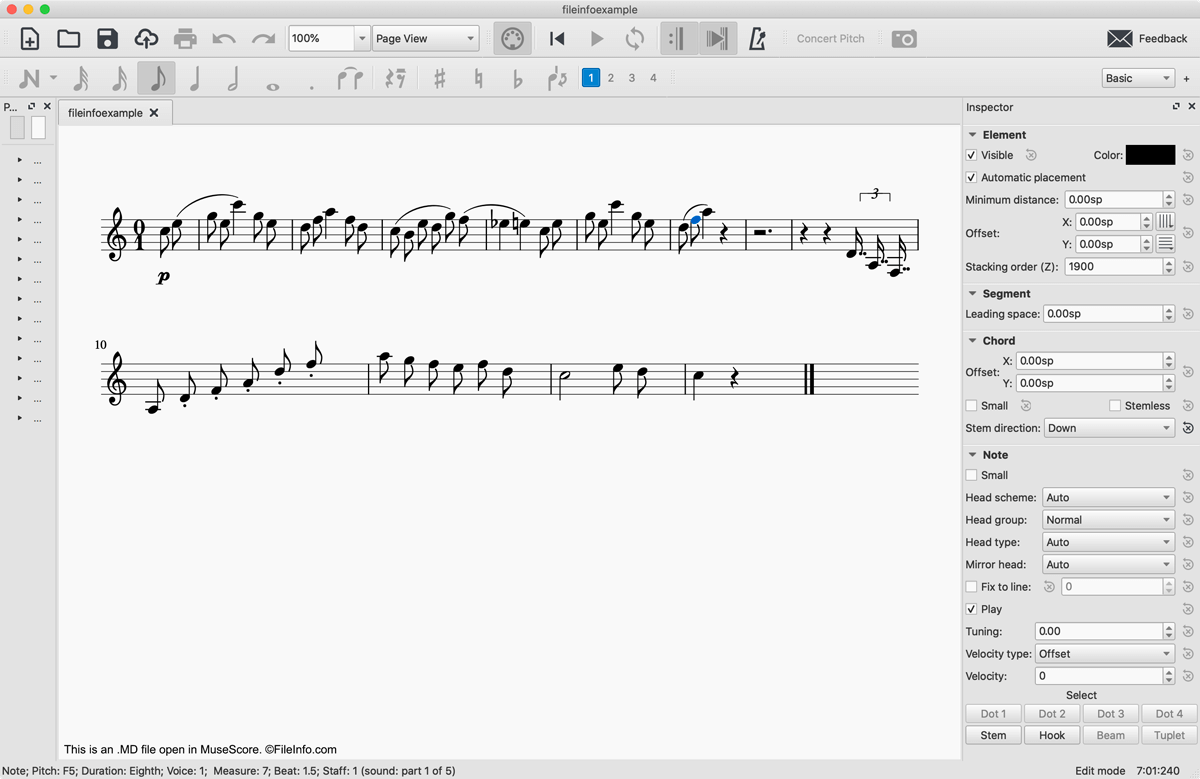
Een MD-bestand is een MuseData-muziekpartituur. Het bevat code in platte tekst die een muziekstuk weergeeft, en metadata met informatie over dat werk. Hoewel MD-bestanden niet meer veel worden gebruikt, kun je ze nog steeds openen met MuseScore en er bladmuziek mee maken.
Meer informatie
In 1983 ontwikkelde Walter B. Hewlett het MuseData-bestandsformaat voor muzieknotatie om de logische inhoud van muziekpartituren op een software-onafhankelijke manier weer te geven. Hiervoor ontwikkelde Hewlett een indeling die muzieknotatie in platte tekst gebruikte om de maten, noten, rusten en accenten in een muziekstuk weer te geven. MD-bestanden bevatten ook een koptekst in platte tekst met algemene informatie over het bestand, waaronder wanneer het bestand is gemaakt, welke muziekpartituur, beweging of partij het weergeeft en welke instrumenten worden gebruikt om deze te spelen.
Naarmate digitale muzieknotatie zich verder ontwikkelde, raakten MD-bestanden grotendeels verouderd. Er zijn echter nog steeds veel MD-bestanden online beschikbaar en je kunt ze openen met MuseScore, een gratis programma voor het componeren en noteren van muziek.
Een MD-bestand openen
Je kunt een MD-bestand openen met MuseScore door te selecteren. Als je een foutmelding krijgt waarin staat dat je MD-bestand beschadigd is. Klik dan op . Het MD-bestand verschijnt vervolgens in MuseScore als een muziekpartituur.
Als je alleen de muzieknotatie in platte tekst van een MD-bestand wilt bekijken, kun je het openen met elke teksteditor, zoals Microsoft Notepad, Apple TextEdit of Github Atom.
Een MD-bestand converteren
MuseScore kan MD-bestanden converteren naar verschillende indelingen:
- .MSCZ - Gecomprimeerde partituur van MuseScore
- .MSCX - Muziekpartituur van MuseScore
- .MXL - Gecomprimeerd MusicXML-bestand
- .MUSICXML - MusicXML-bestand
- .MID, .MIDI - MIDI-bestand
- .PDF - Portable Document Format
- .PNG - Portable Network Graphic
- .SVG - Scalable Vector Graphics
- .WAV - WAVE-audiobestand
- .MP3 - MP3-audiobestand
- .FLAC - Free Lossless Audio Codec-bestand
- .OGG - Ogg Vorbis-audiobestand