

.MD Přípona souboru
Dokumentační soubor Markdownu
| Vývojář | John Gruber |
| Popularita |
4,0 | 408 hlasů |
Co je soubor MD?
Soubor MD je textový soubor napsaný v jazyce Markdown, což je jednoduchý značkovací jazyk používaný k formátování prostého textu. Ukládá se ve formátu prostého textu, ale může obsahovat vložené symboly, které určují, jak se má text formátovat (např. tučné písmo, odsazení, nadpisy nebo formátování tabulek). Ačkoli se soubory MD ukládají jako prostý text, uživatelé je obvykle převádějí do formátu HTML, aby je mohli zobrazit na webových stránkách nebo v dokumentačních systémech.
Další informace
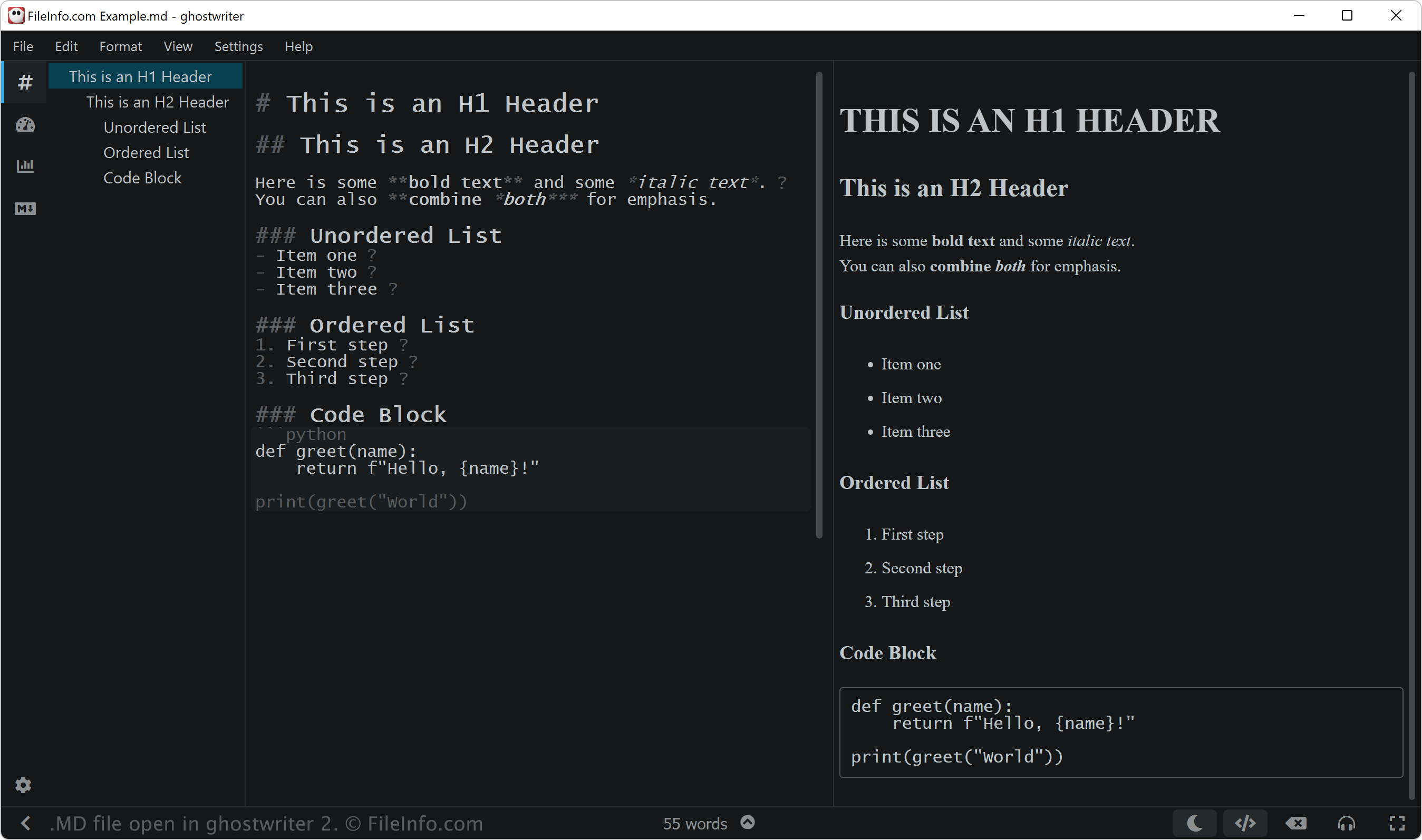
John Gruber vytvořil Markdown v roce 2004 s pomocí Aarona Swartze, aby navrhl jednoduchý a snadno čitelný značkovací jazyk, který by bylo možné snadno převádět do HTML. Gruber zveřejnil původní skript Markdownu v jazyce Perl spolu se specifikací na svém webu Daring Fireball.
Gruber však po mnoho let aktivně nevyvíjí oficiální implementaci Markdownu ani neaktualizuje původní specifikaci. Od té doby vytvořili mnozí další rozšířené verze a implementace Markdownu, například CommonMark a GitHub Flavored Markdown (GFM), a také nástroje jako Pandoc, které přidávají funkce a zlepšují konzistenci napříč platformami.
Uživatelé Markdownu
Jazyk Markdown používají různé typy uživatelů včetně vývojářů softwaru, technických autorů a výzkumníků. Vývojáři softwaru mohou například používat soubory MD k vytváření dokumentace k projektům, například souborů README.md, které vysvětlují účel, instalaci a používání jejich softwaru.
Techničtí autoři často používají Markdown k tvorbě uživatelských příruček, interních wiki a dokumentace pro vývojáře, kterou lze snadno převést do HTML nebo jiných formátů pomocí nástrojů, jako jsou MkDocs nebo Jekyll. Výzkumníci mohou Markdown využívat k psaní odborných prací, poznámek a zpráv, často v kombinaci s platformami, jako jsou R Markdown nebo Jupyter Notebooks.
POZNÁMKA: Soubory Markdown mohou také používat příponu .markdown (.MARKDOWN soubory).
Jak otevřít soubor MD
Soubory MD můžete otevřít v libovolném textovém editoru, například:
- Microsoft Notepad (Windows)
- Apple TextEdit (Mac)
- Vim (Linux, Mac)
- Google Chrome Text (Chrome OS)
Pokud však chcete soubor MD upravovat, můžete ho otevřít v editoru Markdownu. Editory Markdownu poskytují nástroje pro úpravy a kontrolu, které vám pomohou správně používat syntaxi Markdownu. Mezi editory Markdownu patří:
- ghostwriter (Windows, Linux)
- MacDown (Mac)
- Caret (pro různé platformy)
- StackEdit (web)
Programy, které otevírají soubory MD
Hudební partitura MuseData
| Vývojář | Walter B. Hewlett |
| Popularita |
3,2 | 9 hlasů |
Soubor MD je hudební partitura MuseData. Obsahuje kód ve prostém textu, který představuje hudební skladbu, a metadata popisující toto dílo. Přestože se soubory MD již běžně nepoužívají, stále je můžete otevřít v programu MuseScore a vytvořit z nich notový zápis.
Další informace
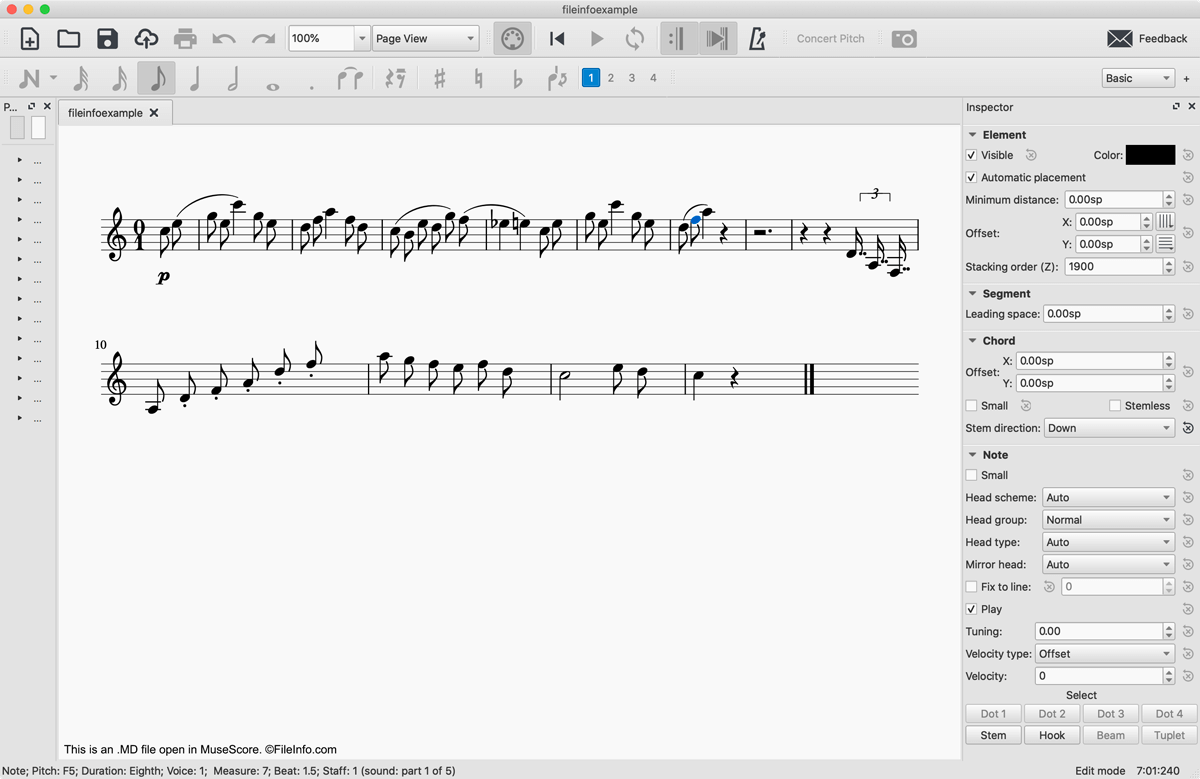
V roce 1983 vytvořil vývojář Walter B. Hewlett formát souborů hudební notace MuseData, který měl softwarově nezávislým způsobem reprezentovat logický obsah hudebních partitur. Za tímto účelem Hewlett vyvinul formát využívající notaci v prostém textu k reprezentaci taktů, not, pomlk a akcentů obsažených v hudební skladbě. Soubory MD také obsahují záhlaví v prostém textu s obecnými informacemi o souboru, včetně údaje, kdy byl soubor vytvořen, jakou hudební partituru, větu nebo část představuje a jaké nástroje se při jejím hraní používají.
S dalším vývojem digitální hudební notace se soubory MD z velké části staly zastaralými. Mnoho souborů MD je však stále dostupných online a můžete je otevřít v programu MuseScore, bezplatném programu pro komponování a notaci hudby.
Jak otevřít soubor MD
Soubor MD můžete otevřít v programu MuseScore výběrem možnosti . Pokud obdržíte chybovou zprávu oznamující, že je váš soubor MD poškozený. Pokud k tomu dojde, klikněte na . Soubor MD se poté v programu MuseScore zobrazí jako hudební partitura.
Pokud potřebujete pouze zobrazit notaci v prostém textu, kterou soubor MD obsahuje, můžete jej otevřít v libovolném textovém editoru, například v programech Microsoft Notepad, Apple TextEdit nebo Github Atom.
Jak převést soubor MD
MuseScore dokáže převést soubory MD do několika různých formátů:
- .MSCZ - Komprimovaná partitura MuseScore
- .MSCX - Hudební partitura MuseScore
- .MXL - Komprimovaný soubor MusicXML
- .MUSICXML - Soubor MusicXML
- .MID, .MIDI - Soubor MIDI
- .PDF - Portable Document Format
- .PNG - Portable Network Graphic
- .SVG - Scalable Vector Graphics
- .WAV - Zvukový soubor WAVE
- .MP3 - Zvukový soubor MP3
- .FLAC - Soubor Free Lossless Audio Codec
- .OGG - Zvukový soubor Ogg Vorbis