

.AMP Bestandsextensie
Photoshop-aanpassingskaart
| Ontwikkelaar | Adobe Systems |
| Populariteit |
2,9 | 10 stemmen |
Wat is een AMP-bestand?
Een AMP-bestand is een kleurcorrectiecurve die is gemaakt met het gereedschap Curves van Adobe Photoshop. Het bevat een aangepaste curve die met de hand is getekend. AMP-bestanden worden gebruikt om de kleuren van een afbeelding nauwkeurig af te stellen of te corrigeren.
Meer informatie
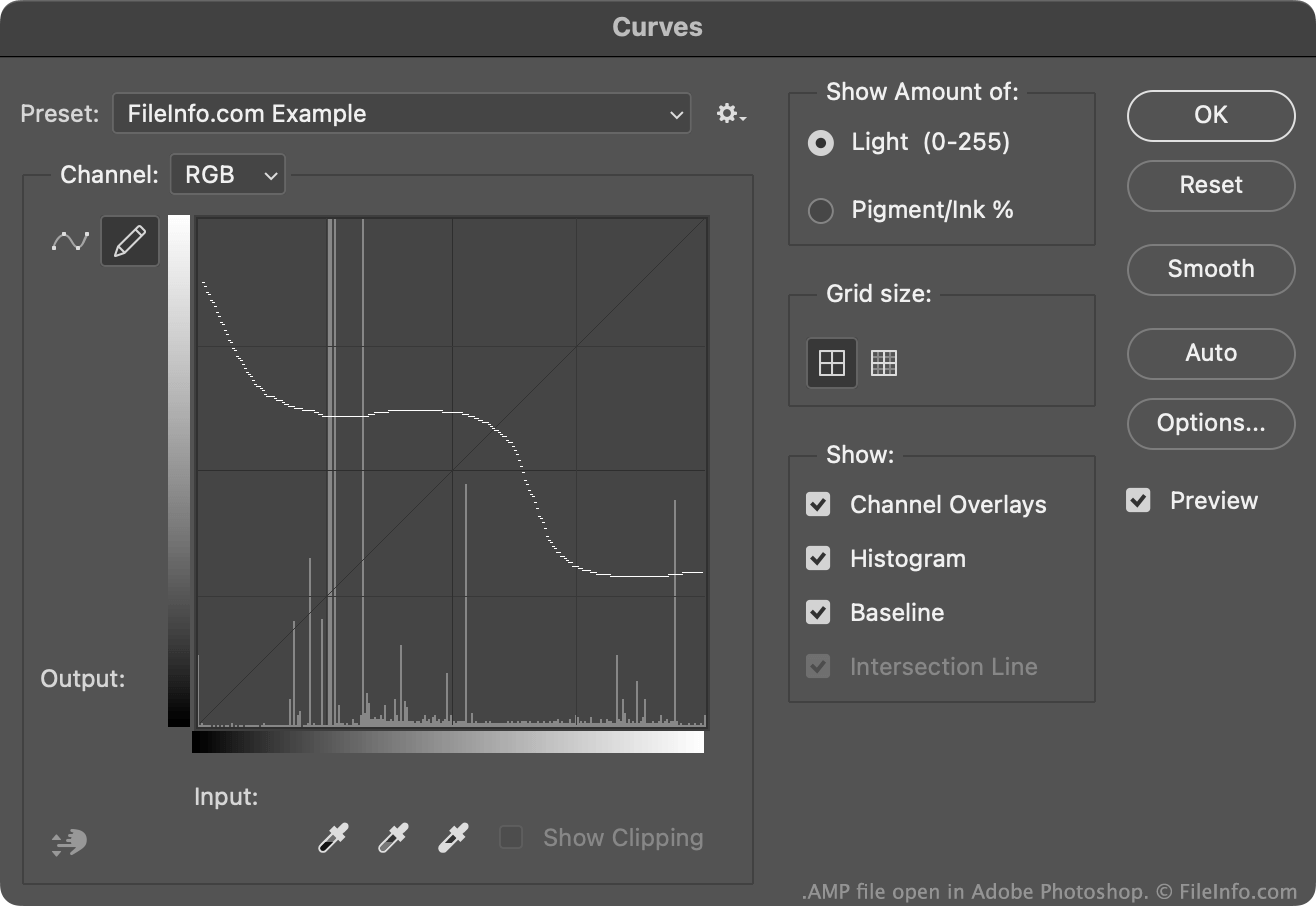
Doorgaans maken en bewaren Photoshop-gebruikers kleurcorrectiecurves als .ACV-bestanden. Deze bestanden bevatten curves die bestaan uit een verzameling geplaatste punten.
De curves in AMP-bestanden worden daarentegen uit de vrije hand getekend met het potlood dat beschikbaar is in het gereedschap Curves. Zo maak je een AMP-bestand:
- Open het gereedschap Curves ().
- Selecteer het potloodpictogram.
- Teken een aangepaste kleurcorrectiecurve.
- Selecteer het tandwielpictogram dat naast het veld verschijnt.
- Selecteer
Doorgaans slaat Photoshop AMP-bestanden op in de map Presets/Curves van een gebruiker.
Een AMP-bestand openen
Je kunt een AMP-bestand openen met Adobe Photoshop, in het gereedschap Curves:
- Open het gereedschap Curves ().
- Selecteer het tandwielpictogram dat naast het veld verschijnt.
- Selecteer .
- Navigeer naar je AMP-bestand en open het.
De kleurcorrectiecurve in je AMP-bestand verschijnt vervolgens in het gereedschap Curves, waar je deze kunt toepassen op de afbeelding die je bewerkt.