

.AMP Dateiendung
Photoshop-Anpassungskarte
| Entwickler | Adobe Systems |
| Beliebtheit |
2,9 | 10 Stimmen |
Was ist eine AMP-Datei?
Eine AMP-Datei ist eine von Adobe Photoshops Werkzeug „Gradationskurven“ erstellte Farbkorrekturkurve. Sie enthält eine benutzerdefinierte, von Hand gezeichnete Kurve. AMP-Dateien werden verwendet, um die Farben eines Bildes fein abzustimmen oder zu korrigieren.
Weitere Informationen
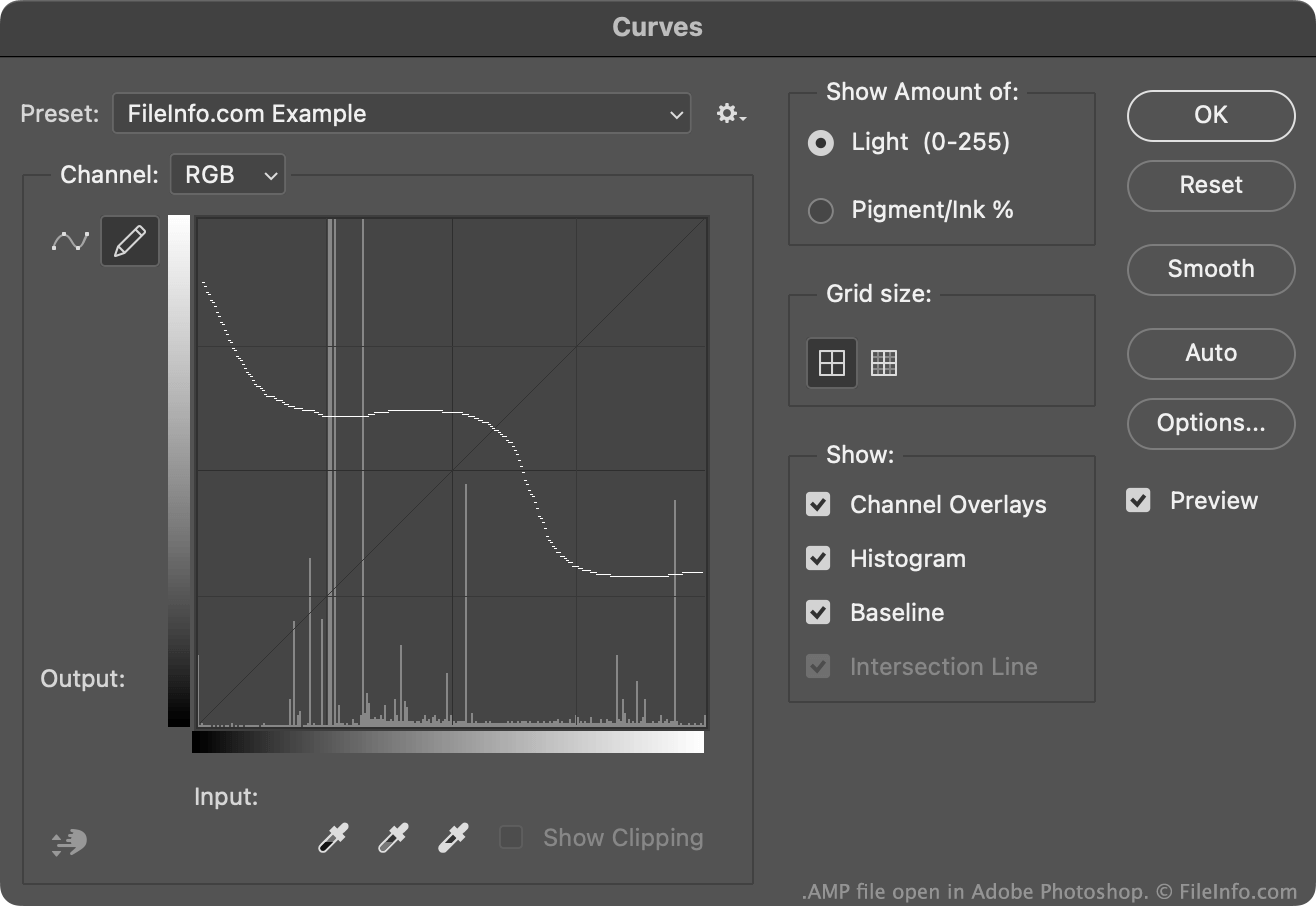
Normalerweise erstellen und speichern Photoshop-Benutzer Farbkorrekturkurven als .ACV-Dateien. Diese Dateien enthalten Kurven, die aus einer Reihe gesetzter Punkte bestehen.
Die Kurven in AMP-Dateien werden dagegen freihändig mit dem Bleistift gezeichnet, der im Werkzeug „Gradationskurven“ verfügbar ist. So erstellen Sie eine AMP-Datei:
- Öffnen Sie das Werkzeug „Gradationskurven“ ().
- Wählen Sie das Bleistiftsymbol aus.
- Zeichnen Sie eine benutzerdefinierte Farbkorrekturkurve.
- Wählen Sie das Zahnradsymbol neben dem Feld aus.
- Wählen Sie aus.
Normalerweise speichert Photoshop AMP-Dateien im Verzeichnis Presets/Curves eines Benutzers.
So öffnen Sie eine AMP-Datei
Sie können eine AMP-Datei mit Adobe Photoshop im Werkzeug „Gradationskurven“ öffnen:
- Öffnen Sie das Werkzeug „Gradationskurven“ ().
- Wählen Sie das Zahnradsymbol neben dem Feld aus.
- Wählen Sie aus.
- Navigieren Sie zu Ihrer AMP-Datei und öffnen Sie sie.
Die in Ihrer AMP-Datei enthaltene Farbkorrekturkurve wird anschließend im Werkzeug „Gradationskurven“ angezeigt. Dort können Sie sie auf das Bild anwenden, das Sie bearbeiten.