

.AMP Přípona souboru
Mapa úprav Photoshopu
| Vývojář | Adobe Systems |
| Popularita |
2,9 | 10 hlasů |
Co je soubor AMP?
Soubor AMP je křivka úprav barev vytvořená nástrojem Křivky v programu Adobe Photoshop. Obsahuje vlastní křivku nakreslenou od ruky. Soubory AMP slouží k jemnému doladění nebo opravě barev obrázku.
Další informace
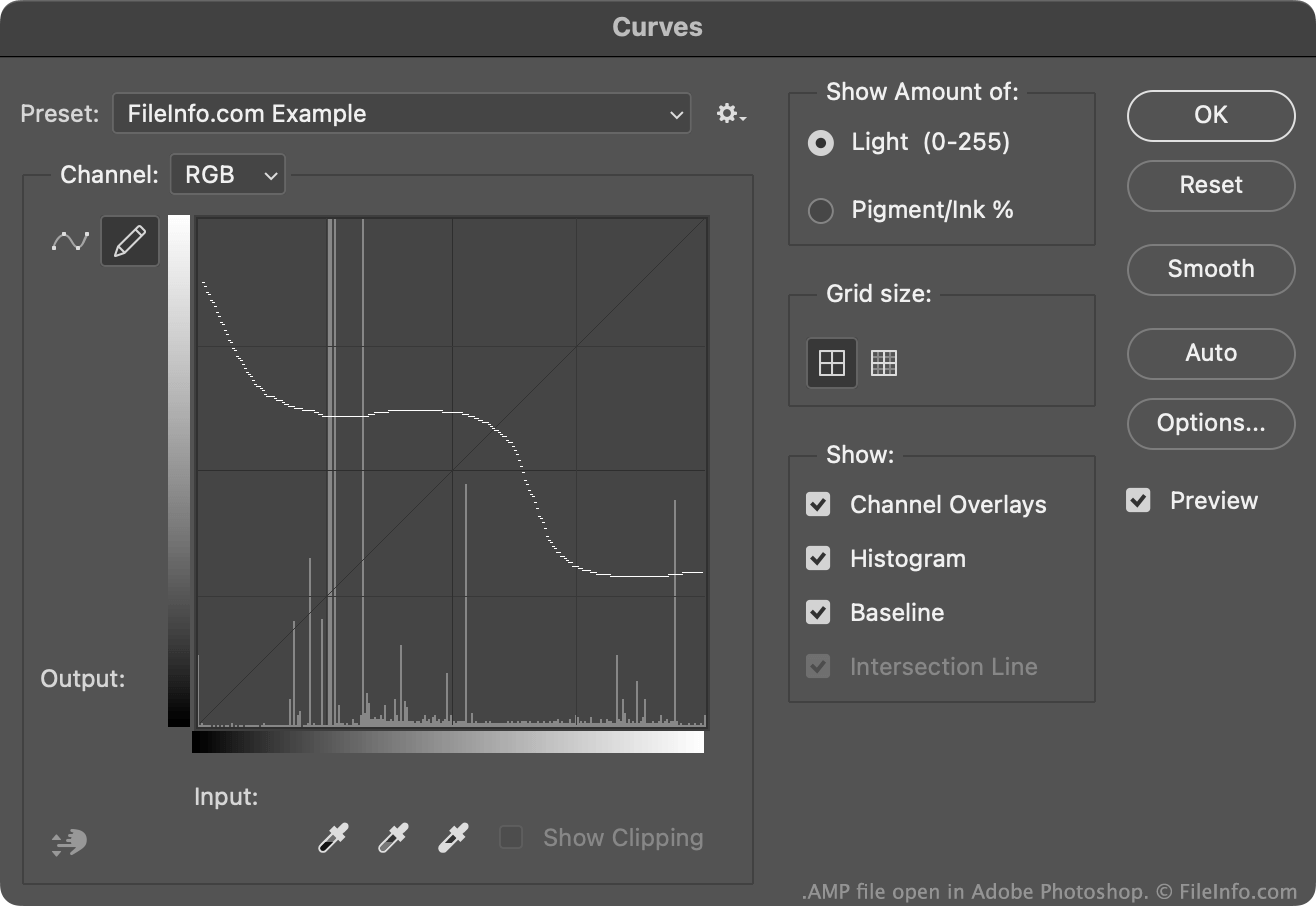
Uživatelé Photoshopu obvykle vytvářejí a ukládají křivky úprav barev jako soubory .ACV. Tyto soubory obsahují křivky tvořené skupinou umístěných bodů.
Křivky obsažené v souborech AMP jsou naproti tomu nakreslené od ruky pomocí tužky dostupné v nástroji Křivky. Vytvoření souboru AMP:
- Otevřete nástroj Křivky ().
- Vyberte ikonu tužky.
- Nakreslete vlastní křivku úprav barev.
- Vyberte ikonu ozubeného kola, která se zobrazí vedle pole .
- Vyberte
Photoshop obvykle ukládá soubory AMP do adresáře Presets/Curves uživatele.
Jak otevřít soubor AMP
Soubor AMP můžete otevřít v programu Adobe Photoshop v nástroji Křivky:
- Otevřete nástroj Křivky ().
- Vyberte ikonu ozubeného kola, která se zobrazí vedle pole .
- Vyberte .
- Přejděte k souboru AMP a otevřete jej.
Křivka úprav barev obsažená v souboru AMP se poté zobrazí v nástroji Křivky, kde ji můžete použít na upravovaný obrázek.
Programy, které otevírají soubory AMP
Windows
Zkušební verze zdarma
Mac
Zkušební verze zdarma