

.AMP Rozszerzenie pliku
Mapa korekcji programu Photoshop
| Deweloper | Adobe Systems |
| Popularność |
2,9 | 10 Głosów |
Czym jest plik AMP?
Plik AMP to krzywa korekcji kolorów utworzona za pomocą narzędzia Krzywe w programie Adobe Photoshop. Zawiera niestandardową krzywą narysowaną odręcznie. Pliki AMP służą do precyzyjnego dostrajania lub korygowania kolorów obrazu.
Więcej informacji
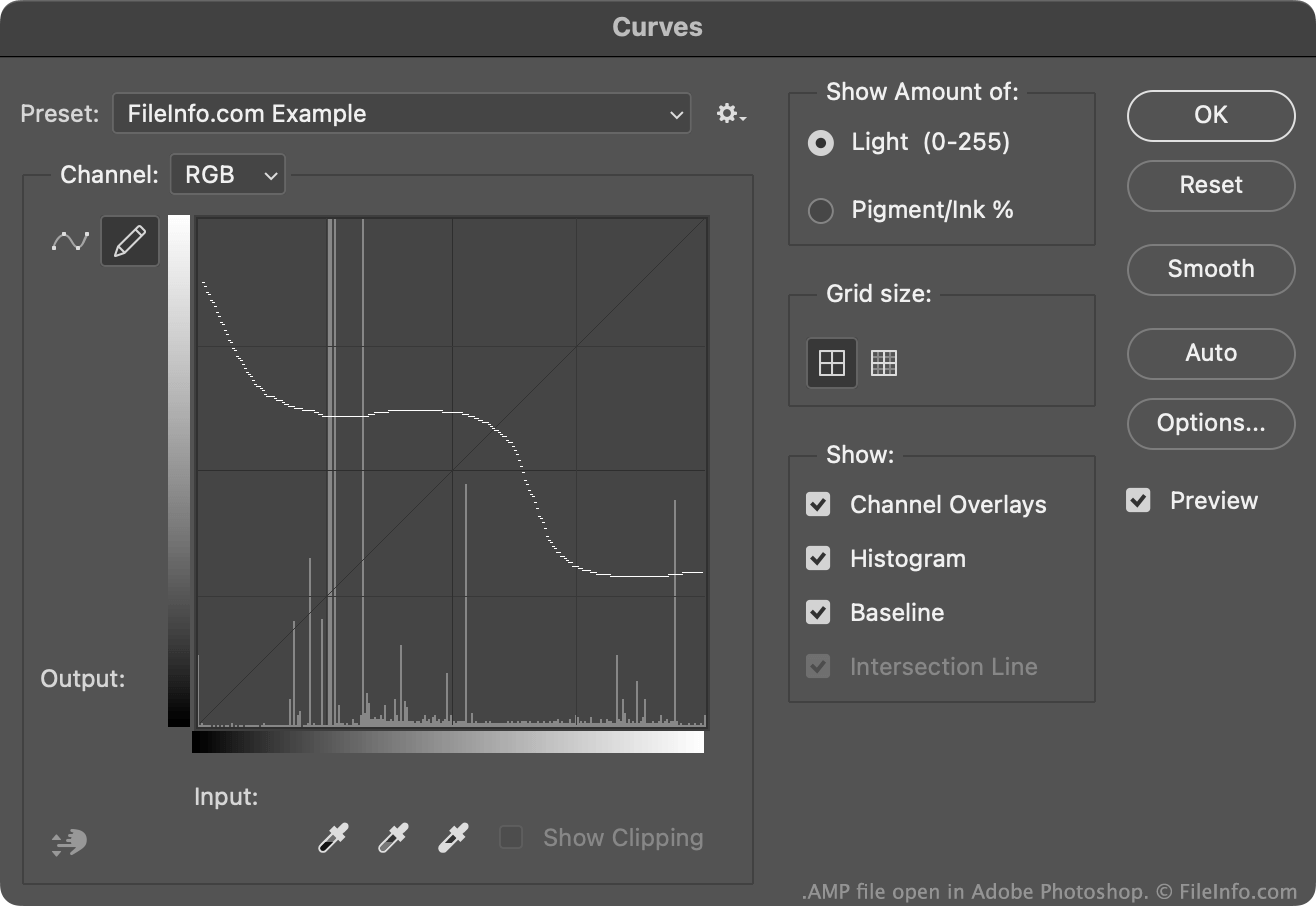
Zazwyczaj użytkownicy programu Photoshop tworzą i zapisują krzywe korekcji kolorów jako pliki .ACV. Pliki te zawierają krzywe składające się ze zbioru umieszczonych punktów.
Krzywe zawarte w plikach AMP są natomiast rysowane odręcznie za pomocą ołówka dostępnego w narzędziu Krzywe. Aby utworzyć plik AMP:
- Otwórz narzędzie Krzywe ().
- Wybierz ikonę ołówka.
- Narysuj niestandardową krzywą korekcji kolorów.
- Wybierz ikonę koła zębatego widoczną obok pola .
- Wybierz
Zazwyczaj program Photoshop przechowuje pliki AMP w katalogu użytkownika Presets/Curves.
Jak otworzyć plik AMP
Plik AMP można otworzyć za pomocą programu Adobe Photoshop w narzędziu Krzywe:
- Otwórz narzędzie Krzywe ().
- Wybierz ikonę koła zębatego widoczną obok pola .
- Wybierz .
- Przejdź do pliku AMP i otwórz go.
Krzywa korekcji kolorów zawarta w pliku AMP pojawi się w narzędziu Krzywe, gdzie można zastosować ją do edytowanego obrazu.