

.ACV Přípona souboru
Barevná korekční křivka Photoshopu
| Vývojář | Adobe Systems |
| Popularita |
3,8 | 5 hlasů |
Co je soubor ACV?
Soubor ACV je barevná korekční křivka vytvořená nástrojem Křivky v programu Adobe Photoshop. Obsahuje nastavení, která Photoshop používá ke změně barev obrázku. Soubory ACV se často používají k jemnému doladění nebo opravě barev obrázku před tiskem nebo publikováním.
Další informace
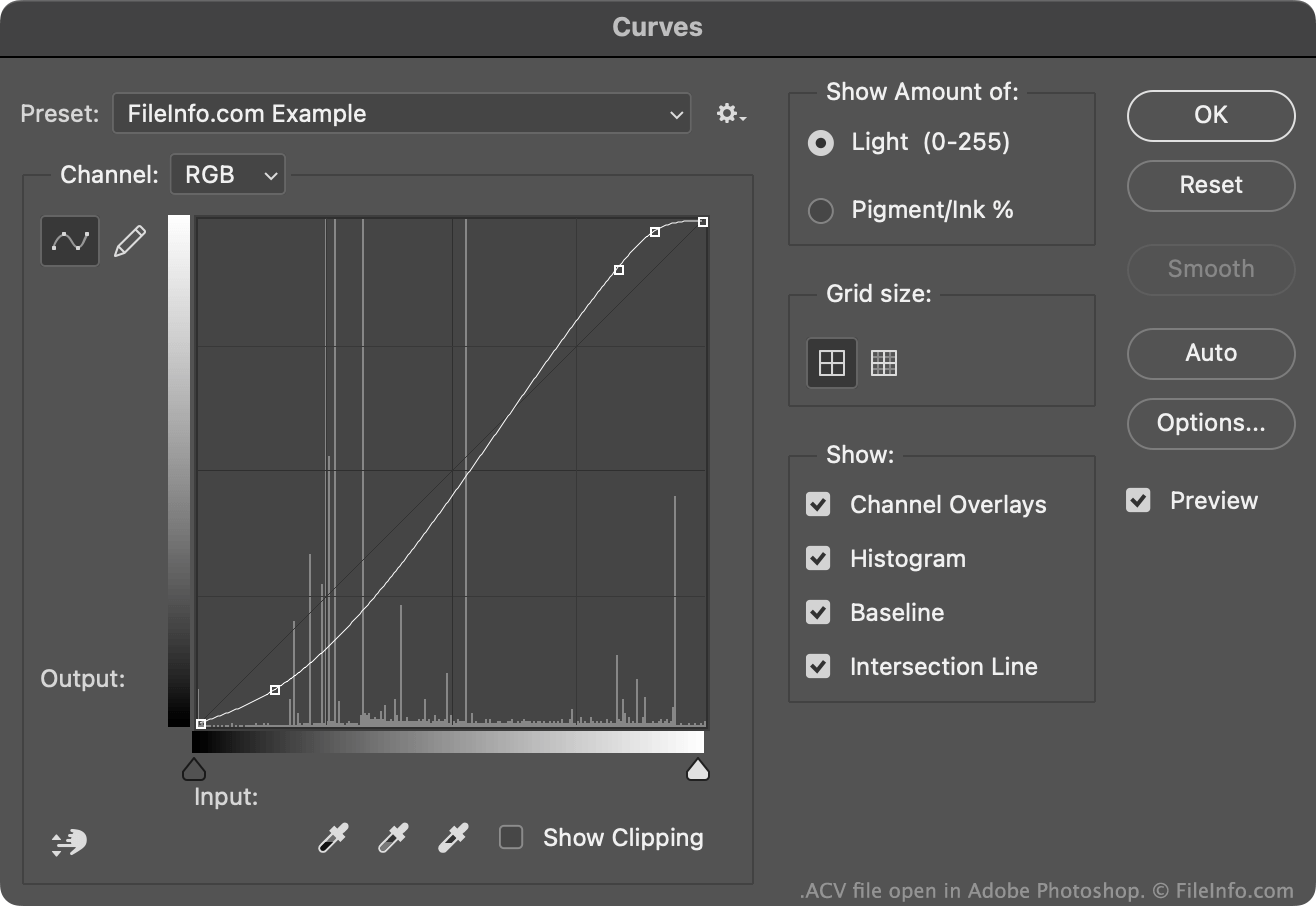
Nástroj Křivky v programu Photoshop umožňuje upravovat barvy obrázku pomocí výchozí nebo vlastní barevné korekční křivky. Většina těchto křivek se ukládá jako soubory ACV. (Křivky nakreslené pomocí volného kreslení v nástroji Křivky se ukládají jako soubory .AMP.)
Výchozí soubory ACV, které Photoshop obsahuje, se ukládají do adresáře Presets/Curves. Chcete-li vytvořit vlastní soubor ACV:
- Otevřete nástroj Křivky ().
- Pomocí nástroje pro úpravu křivky upravte křivku podle svých představ přidáním nebo přesunutím bodů.
- Vyberte ikonu ozubeného kola, která se zobrazí vedle pole .
- Vyberte možnost
Tím se vlastní křivka uloží jako soubor ACV do vašeho uživatelského adresáře Presets/Curves.
Jak otevřít soubor ACV
Soubor ACV můžete otevřít v programu Adobe Photoshop pomocí nástroje Křivky:
- Otevřete nástroj Křivky ().
- Vyberte ikonu ozubeného kola, která se zobrazí vedle pole .
- Vyberte možnost .
- Přejděte k souboru ACV a otevřete ho.
Barevná korekční křivka obsažená v souboru ACV se poté zobrazí v nástroji Křivky, kde ji můžete použít na upravovaný obrázek.