.ACV ファイル拡張子

Photoshop Adjustment Curve

開発元 Adobe Systems
人気度
3.8  |  5 
 

ACVファイルとは?

An ACV file is a color adjustment curve created by Adobe Photoshop's Curves tool. It contains settings Photoshop uses to alter an image's colors. ACV files are often used to fine-tune or correct an image's colors before printing or publication.

詳細情報

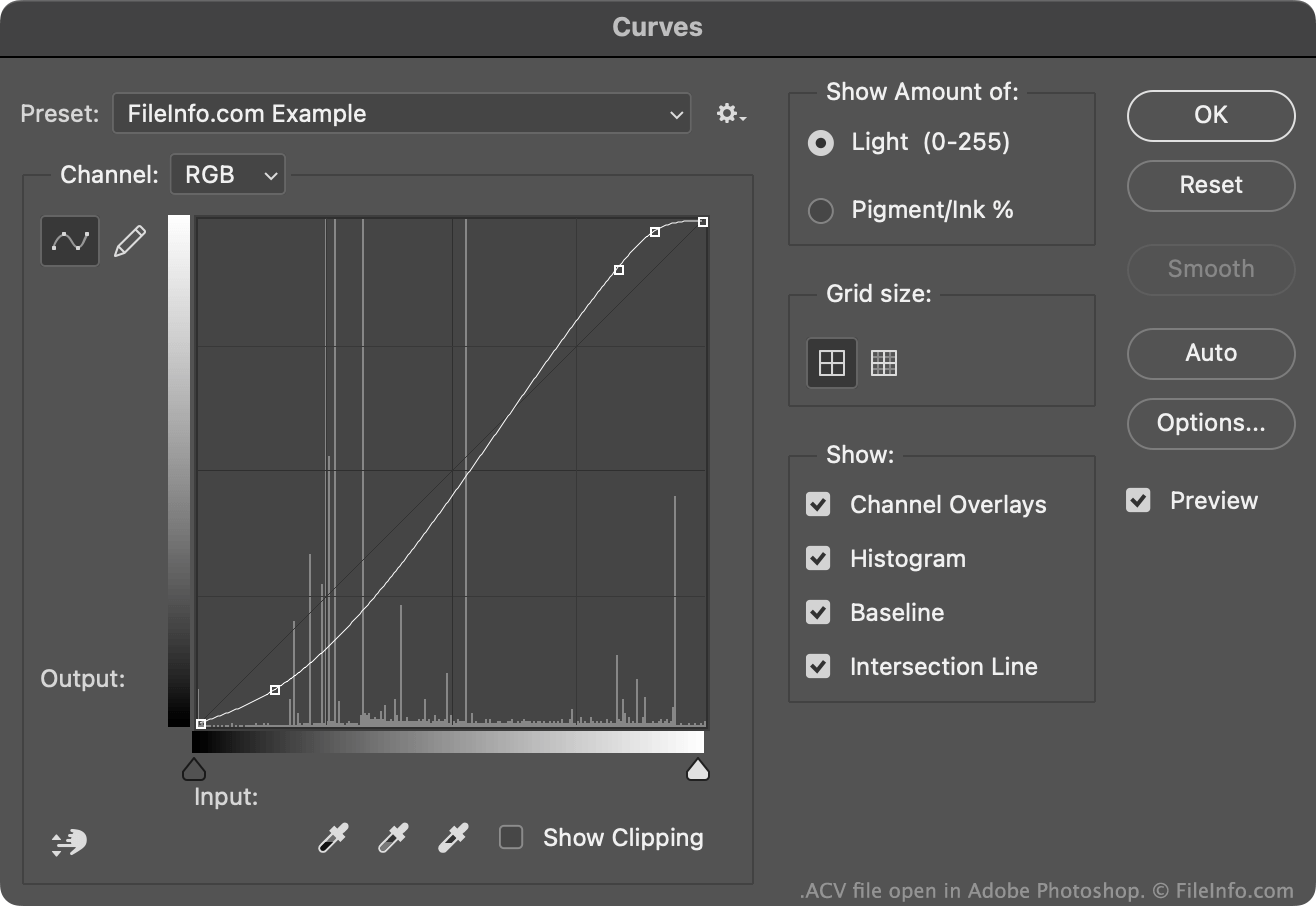
Adobe Photoshopで開いた.acvファイルのスクリーンショット
Adobe Photoshopで開いたACVファイル

Photoshop's Curves tool allows you to modify an image's colors using either a default or custom color adjustment curve. Most of these curves are saved as ACV files. (Curves drawn using the Curves tool's freehand setting are saved as .AMP files.)

The default ACV files Photoshop includes are saved in its Presets/​Curves directory. To create your own ACV file:

  1. Open the Curves tool (Image → Adjustments → Curves...).
  2. Use the curve editing tool to adjust your curve to your liking, by adding and/or moving points.
  3. Select the Gear icon that appears next to the Preset: field.
  4. Select Save Preset...

This will save your custom curve as an ACV file, in your user-specific Presets/​Curves directory.

ACVファイルの開き方

You can open an ACV file with Adobe Photoshop, in the Curves tool:

  1. Open the Curves tool (Image → Adjustments → Curves...).
  2. Select the Gear icon that appears next to the Preset: field.
  3. Select Load Preset....
  4. Navigate to and open your ACV file.

The color adjustment curve your ACV file contains will then appear in the Curves tool, where you can apply it to the image you are editing.

File Viewer Plusで400種類以上のファイル形式を開けます。無料ダウンロード

ACVファイルを開くプログラム

Windows
無料体験版
Mac
無料体験版
カテゴリ: 設定
更新日: 2023-01-10

検証者 FileInfo.com

FileInfo.comチーム は、このページに掲載されているPhotoshop Adjustment Curveファイル形式とMac and Windowsアプリについて独自に調査しました。 私たちの目標は100%の正確性であり、検証済みのファイルタイプに関する情報のみを公開しています。

このページへの追加や更新をご提案いただける場合は、お知らせください。