

.ACV Extensão de arquivo
Curva de ajuste do Photoshop
| Desenvolvedor | Adobe Systems |
| Popularidade |
3,8 | 5 Votos |
O que é um arquivo ACV?
Um arquivo ACV é uma curva de ajuste de cores criada pela ferramenta Curvas do Adobe Photoshop. Ele contém configurações que o Photoshop usa para alterar as cores de uma imagem. Os arquivos ACV são frequentemente usados para ajustar ou corrigir as cores de uma imagem antes da impressão ou publicação.
Mais informações
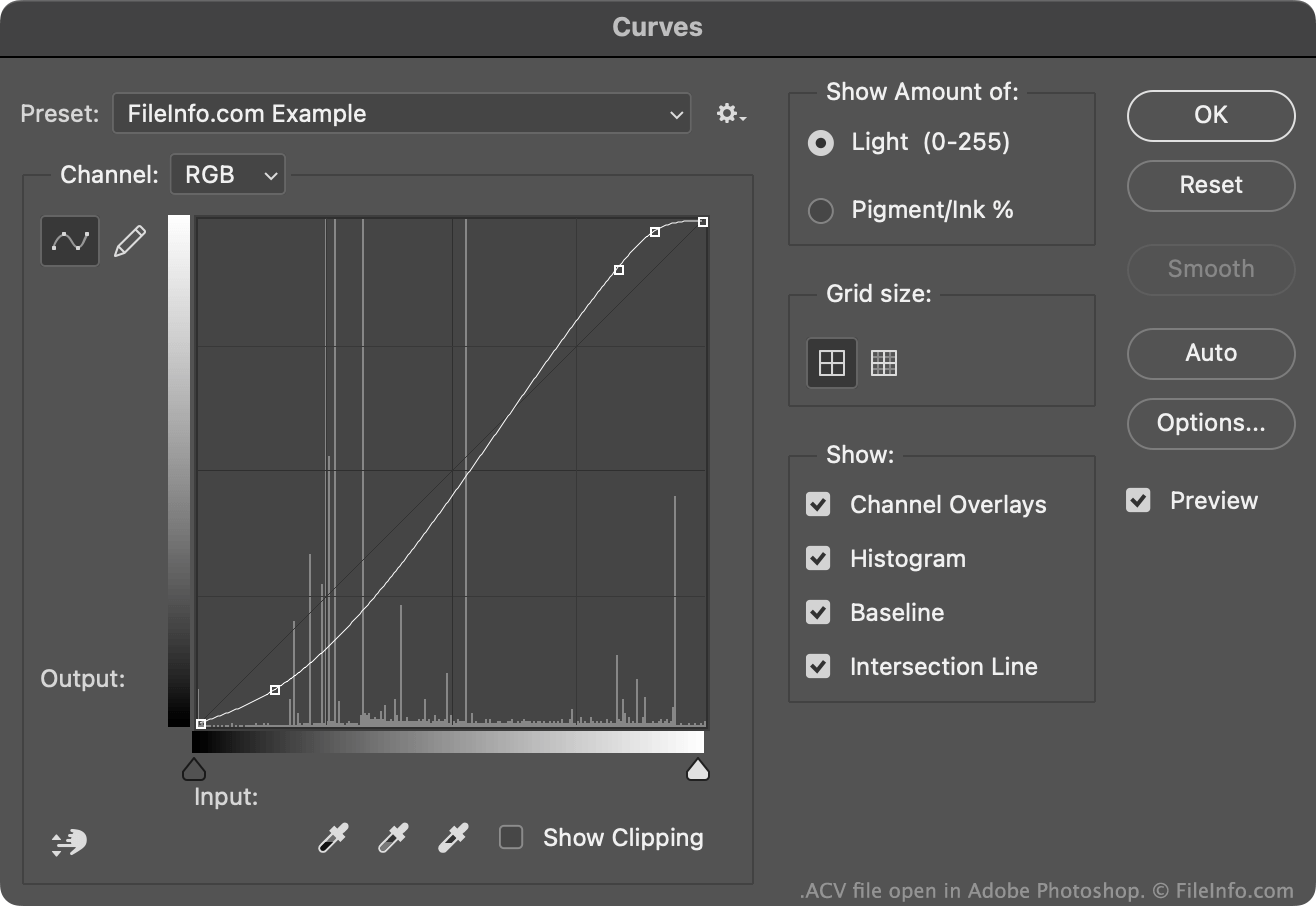
A ferramenta Curvas do Photoshop permite modificar as cores de uma imagem usando uma curva de ajuste de cores padrão ou personalizada. A maioria dessas curvas é salva como arquivos ACV. (As curvas desenhadas usando a configuração à mão livre da ferramenta Curvas são salvas como arquivos .AMP.)
Os arquivos ACV padrão incluídos no Photoshop são salvos no diretório Presets/Curves. Para criar seu próprio arquivo ACV:
- Abra a ferramenta Curvas ().
- Use a ferramenta de edição de curvas para ajustar sua curva como preferir, adicionando e/ou movendo pontos.
- Selecione o ícone de engrenagem que aparece ao lado do campo .
- Selecione
Isso salvará sua curva personalizada como um arquivo ACV no diretório Presets/Curves específico do seu usuário.
Como abrir um arquivo ACV
Você pode abrir um arquivo ACV com o Adobe Photoshop, na ferramenta Curvas:
- Abra a ferramenta Curvas ().
- Selecione o ícone de engrenagem que aparece ao lado do campo .
- Selecione .
- Navegue até seu arquivo ACV e abra-o.
A curva de ajuste de cores contida no arquivo ACV aparecerá na ferramenta Curvas, onde você poderá aplicá-la à imagem que está editando.