

.ACV Dateiendung
Photoshop-Farbkorrekturkurve
| Entwickler | Adobe Systems |
| Beliebtheit |
3,8 | 5 Stimmen |
Was ist eine ACV-Datei?
Eine ACV-Datei ist eine Farbkorrekturkurve, die mit dem Werkzeug „Gradationskurven“ von Adobe Photoshop erstellt wurde. Sie enthält Einstellungen, mit denen Photoshop die Farben eines Bildes verändert. ACV-Dateien werden häufig verwendet, um die Farben eines Bildes vor dem Drucken oder Veröffentlichen fein abzustimmen oder zu korrigieren.
Weitere Informationen
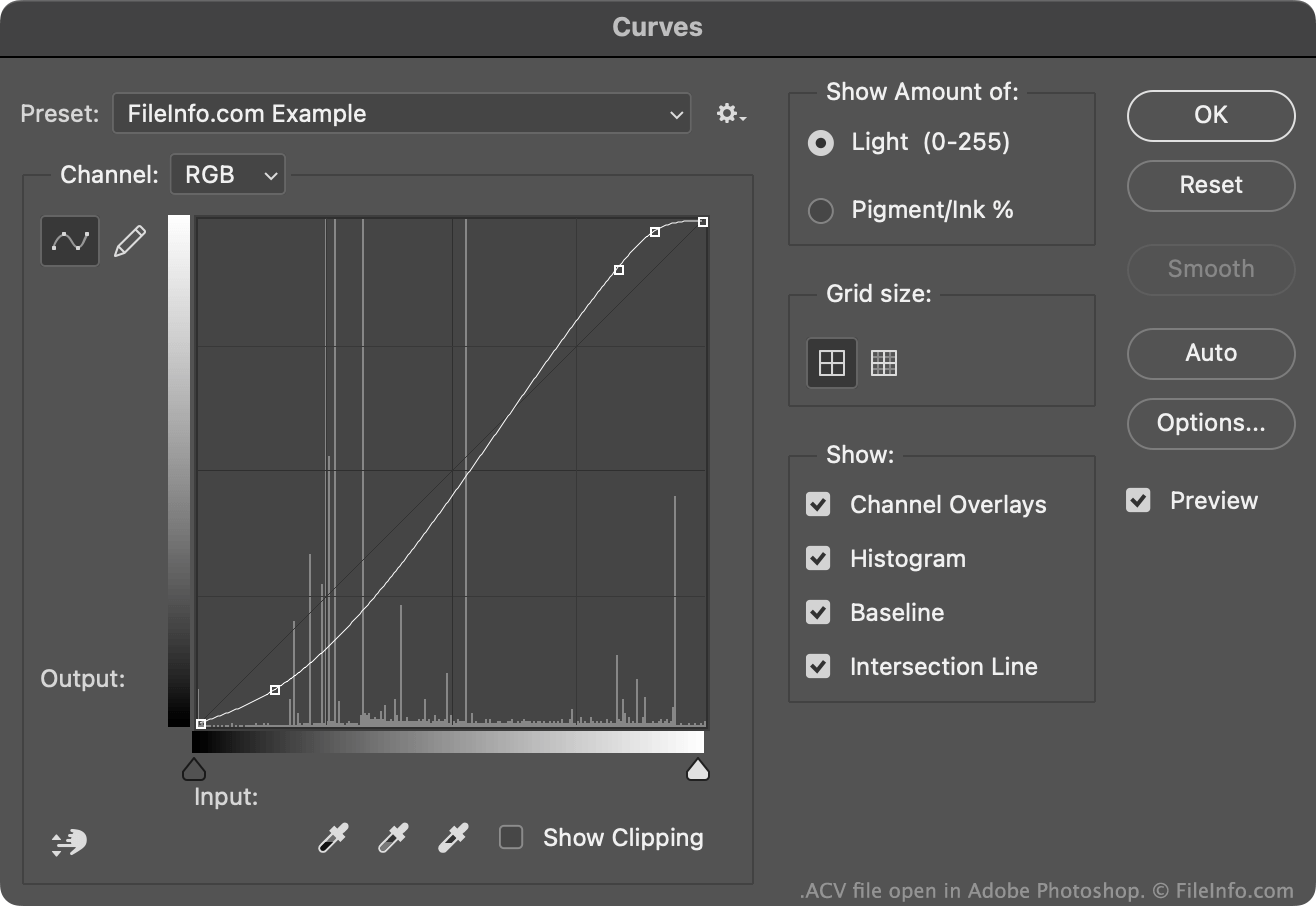
Mit dem Werkzeug „Gradationskurven“ von Photoshop können Sie die Farben eines Bildes mithilfe einer standardmäßigen oder benutzerdefinierten Farbkorrekturkurve ändern. Die meisten dieser Kurven werden als ACV-Dateien gespeichert. (Mit der Freihandeinstellung des Werkzeugs „Gradationskurven“ gezeichnete Kurven werden als .AMP-Dateien gespeichert.)
Die von Photoshop enthaltenen standardmäßigen ACV-Dateien werden in seinem Verzeichnis Presets/Curves gespeichert. So erstellen Sie Ihre eigene ACV-Datei:
- Öffnen Sie das Werkzeug „Gradationskurven“ ().
- Passen Sie Ihre Kurve mithilfe des Kurvenbearbeitungswerkzeugs nach Ihren Vorstellungen an, indem Sie Punkte hinzufügen und/oder verschieben.
- Wählen Sie das Zahnradsymbol neben dem Feld aus.
- Wählen Sie aus.
Dadurch wird Ihre benutzerdefinierte Kurve als ACV-Datei in Ihrem benutzerspezifischen Verzeichnis Presets/Curves gespeichert.
So öffnen Sie eine ACV-Datei
Sie können eine ACV-Datei mit Adobe Photoshop im Werkzeug „Gradationskurven“ öffnen:
- Öffnen Sie das Werkzeug „Gradationskurven“ ().
- Wählen Sie das Zahnradsymbol neben dem Feld aus.
- Wählen Sie aus.
- Navigieren Sie zu Ihrer ACV-Datei und öffnen Sie sie.
Die Farbkorrekturkurve aus Ihrer ACV-Datei wird anschließend im Werkzeug „Gradationskurven“ angezeigt, wo Sie sie auf das Bild anwenden können, das Sie bearbeiten.