

.AFPUB Bestandsextensie
Affinity Publisher-document
| Ontwikkelaar | Serif |
| Populariteit |
4,3 | 6 stemmen |
Wat is een AFPUB-bestand?
Een AFPUB-bestand is een project voor paginaopmaak dat is gemaakt met Serif Affinity Publisher, een alternatief voor desktop publishing voor Adobe InDesign. Het bevat informatie over de paginaopmaak, waaronder tekst, afbeeldingen, illustraties en andere elementen van Affinity Publisher. Gebruikers van Affinity Publisher slaan opmaken van tijdschriften, brochures, flyers, uitnodigingen, boeken en webpagina's vaak op als AFPUB-bestanden.
Meer informatie
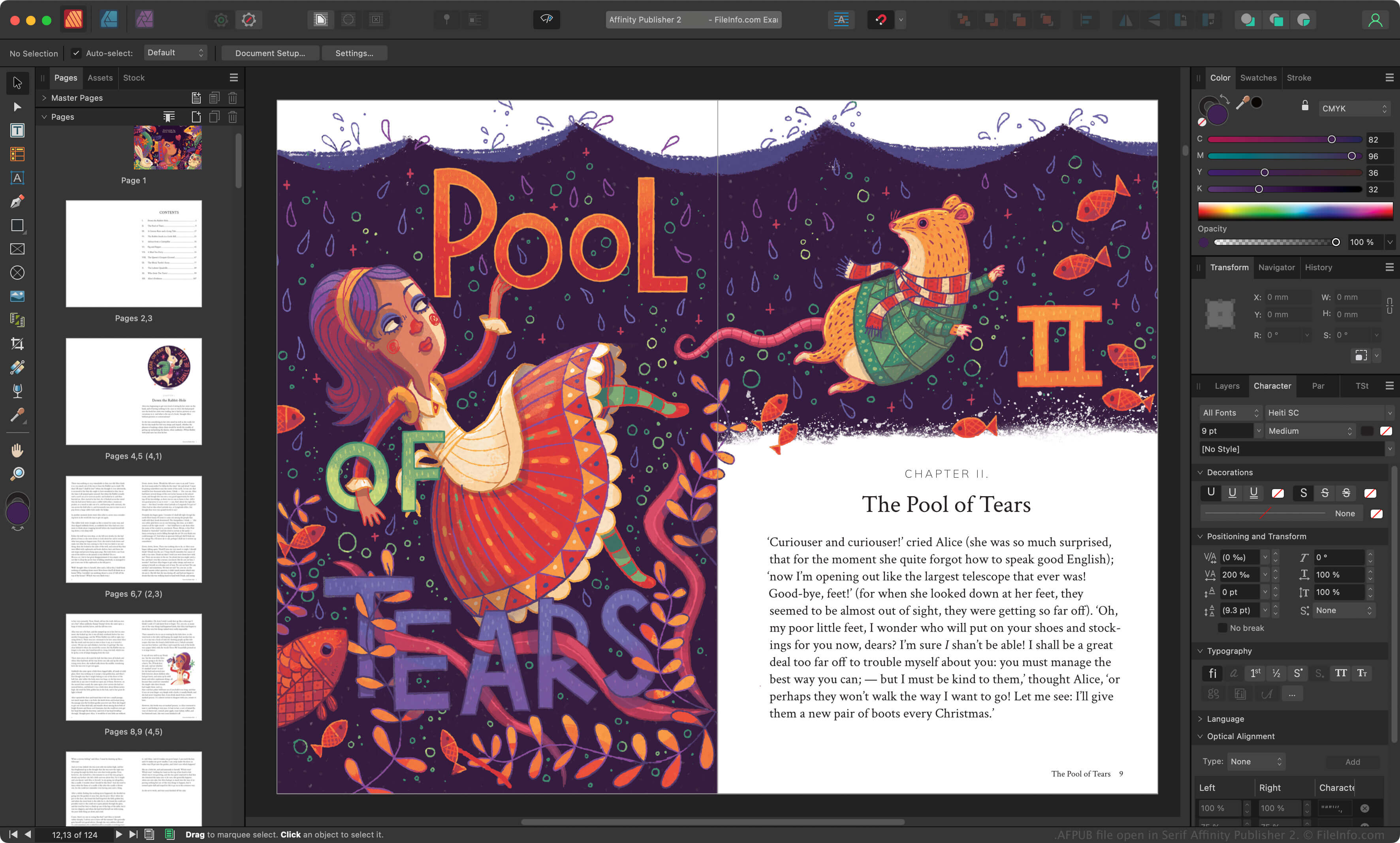
Serif bracht Affinity Publisher in 2017 uit als vervanging voor PagePlus en om plaats te bieden aan hun toepassingen Affinity Photo en Affinity Designer. Grafisch ontwerpers gebruiken Affinity Publisher om verschillende gedrukte en online documenten te maken.
Wanneer een grafisch ontwerper een Affinity Publisher-project opslaat, slaat de app het project op als een AFPUB-bestand. Het AFPUB-bestand bevat alle informatie die nodig is om het project opnieuw te openen in Affinity Publisher, inclusief een overzicht van de bewerkingen van de grafisch ontwerper aan het project. Zo kan de grafisch ontwerper zijn of haar bewerkingen later ongedaan maken of aanpassen.
Een AFPUB-bestand opslaan als pakket
AFPUB-bestanden bevatten vaak koppelingen naar afbeeldingen en andere onderdelen in een project voor paginaopmaak. Als je wilt voorkomen dat koppelingen naar de onderdelen in een AFPUB-bestand behouden blijven, kun je het project opslaan als een pakket. Hierbij worden automatisch kopieën van alle gekoppelde onderdelen gemaakt en naast je AFPUB-bestand opgeslagen. Als je een AFPUB-bestand als pakket wilt opslaan, selecteer je in de menubalk van Affinity Publisher.
OPMERKING: Canva nam Serif in 2024 over en verving Affinity Publisher door Affinity.
Een AFPUB-bestand openen
Je kunt een AFPUB-bestand openen met Canva Affinity in Windows en macOS. Als je een AFPUB-bestand wilt openen, selecteer je in de menubalk van het programma.
Een AFPUB-bestand converteren
Canva Affinity kan AFPUB-bestanden converteren naar verschillende bestandstypen, waaronder de volgende indelingen: