

.AFPUB Dateiendung
Affinity Publisher-Dokument
| Entwickler | Serif |
| Beliebtheit |
4,3 | 6 Stimmen |
Was ist eine AFPUB-Datei?
Eine AFPUB-Datei ist ein Seitenlayout-Projekt, das mit Serif Affinity Publisher erstellt wurde, einer Desktop-Publishing-Alternative zu Adobe InDesign. Sie enthält Informationen zum Seitenlayout, darunter möglicherweise Text, Bilder, Grafiken und andere Affinity-Publisher-Elemente. Nutzer von Affinity Publisher speichern Magazin-, Broschüren-, Flyer-, Einladungs-, Buch- und Webseitenlayouts häufig als AFPUB-Dateien.
Weitere Informationen
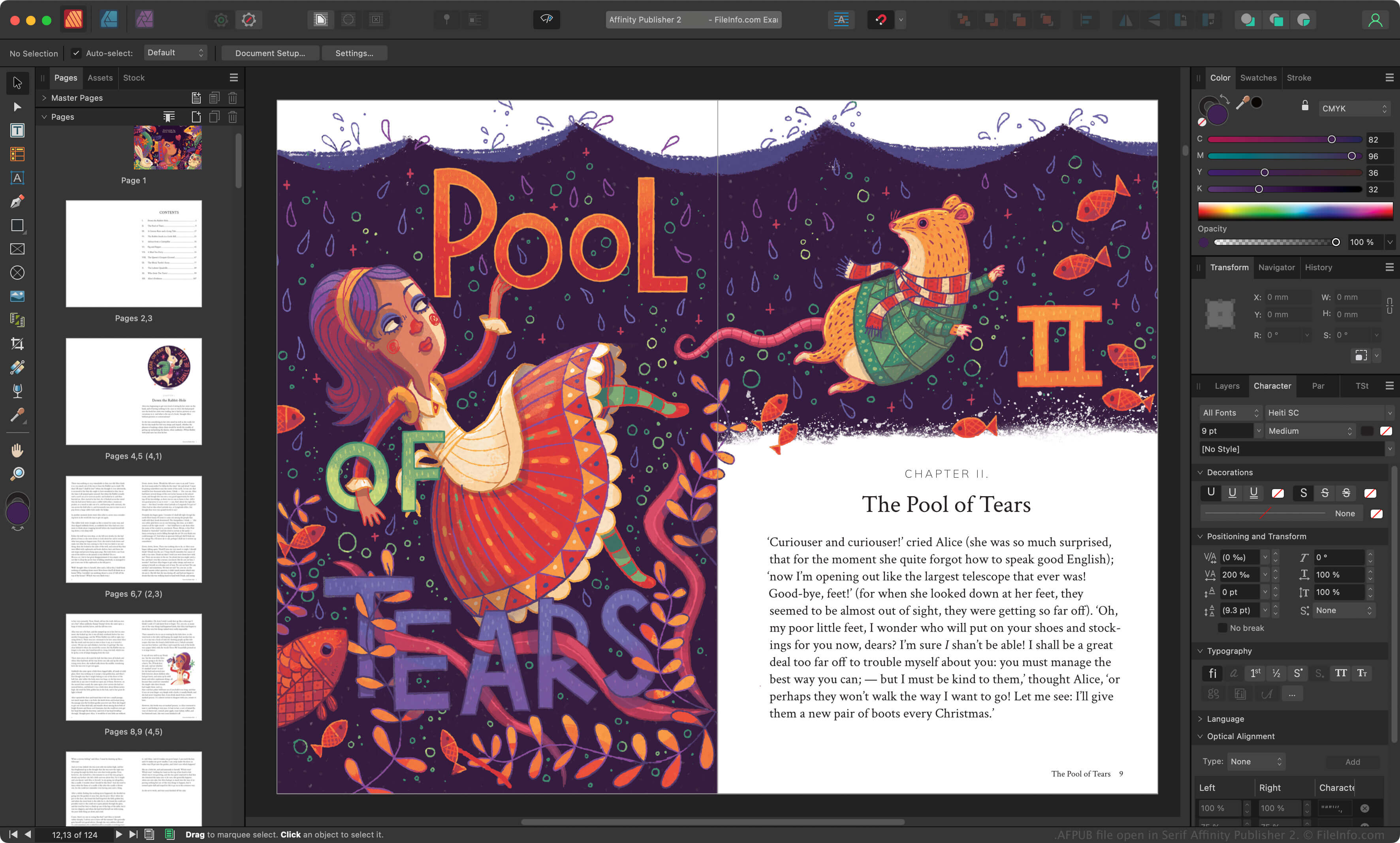
Serif veröffentlichte Affinity Publisher 2017 als Ersatz für PagePlus und zur Ergänzung der Anwendungen Affinity Photo und Affinity Designer. Grafikdesigner verwenden Affinity Publisher, um verschiedene gedruckte und digitale Dokumente zu erstellen.
Wenn ein Grafikdesigner ein Affinity-Publisher-Projekt speichert, speichert die App das Projekt als AFPUB-Datei. Die AFPUB-Datei enthält alle Informationen, die zum erneuten Öffnen des Projekts in Affinity Publisher erforderlich sind, einschließlich einer Aufzeichnung der Änderungen des Grafikdesigners am Projekt. So kann der Grafikdesigner seine Änderungen später rückgängig machen oder anpassen.
So speichern Sie eine AFPUB-Datei als Paket
AFPUB-Dateien enthalten häufig Verknüpfungen zu Bildern und anderen Ressourcen in einem Seitenlayout-Projekt. Wenn Sie vermeiden möchten, dass Verknüpfungen zu den Ressourcen in einer AFPUB-Datei erhalten bleiben, können Sie das Projekt als Paket speichern. Dabei werden automatisch Kopien aller verknüpften Ressourcen erstellt und zusammen mit Ihrer AFPUB-Datei gespeichert. Um eine AFPUB-Datei als Paket zu speichern, wählen Sie in der Menüleiste von Affinity Publisher aus.
HINWEIS: Canva erwarb Serif 2024 und ersetzte Affinity Publisher durch Affinity.
So öffnen Sie eine AFPUB-Datei
Sie können eine AFPUB-Datei mit Canva Affinity unter Windows und macOS öffnen. Um eine AFPUB-Datei zu öffnen, wählen Sie in der Menüleiste des Programms aus.
So konvertieren Sie eine AFPUB-Datei
Canva Affinity kann AFPUB-Dateien in verschiedene Dateitypen konvertieren, darunter die folgenden Formate: