

.AFPUB 파일 확장자
Affinity Publisher 문서
| 개발사 | Serif |
| 인기도 |
4.3 | 6 표 |
AFPUB 파일이란 무엇인가요?
AFPUB 파일은 Serif Affinity Publisher로 만든 페이지 레이아웃 프로젝트 파일입니다. Serif Affinity Publisher는 Adobe InDesign의 데스크톱 출판 대안입니다. 이 파일에는 텍스트, 이미지, 그래픽 및 기타 Affinity Publisher 요소가 포함될 수 있는 페이지 레이아웃 정보가 들어 있습니다. Affinity Publisher 사용자는 잡지, 브로슈어, 전단지, 초대장, 책 및 웹페이지 레이아웃을 AFPUB 파일로 저장하는 경우가 많습니다.
추가 정보
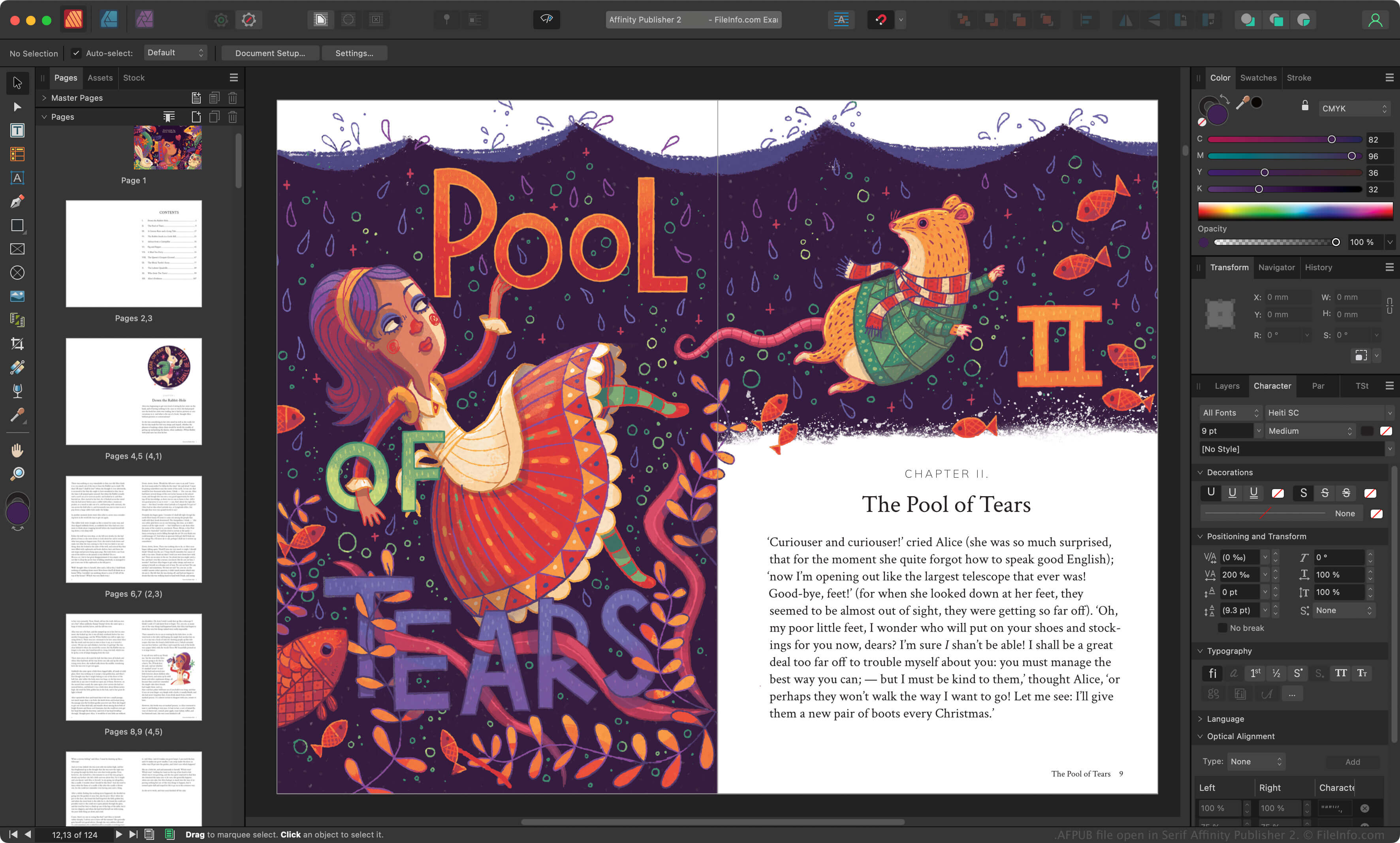
Serif는 PagePlus를 대체하고 Affinity Photo 및 Affinity Designer 애플리케이션을 지원하기 위해 2017년에 Affinity Publisher를 출시했습니다. 그래픽 디자이너는 Affinity Publisher를 사용하여 다양한 인쇄 문서와 온라인 문서를 만듭니다.
그래픽 디자이너가 Affinity Publisher 프로젝트를 저장하면 앱은 프로젝트를 AFPUB 파일로 저장합니다. AFPUB 파일에는 Affinity Publisher에서 프로젝트를 다시 열 때 필요한 모든 정보가 들어 있으며, 그래픽 디자이너가 프로젝트를 편집한 기록도 포함됩니다. 따라서 그래픽 디자이너는 나중에 편집 내용을 실행 취소하거나 조정할 수 있습니다.
AFPUB 파일을 패키지로 저장하는 방법
AFPUB 파일에는 페이지 레이아웃 프로젝트의 이미지와 기타 에셋에 대한 링크가 포함되는 경우가 많습니다. AFPUB 파일에서 에셋 링크를 유지하지 않으려면 프로젝트를 패키지로 저장할 수 있습니다. 그러면 연결된 모든 에셋의 복사본이 자동으로 만들어지고 AFPUB 파일과 함께 저장됩니다. AFPUB 파일을 패키지로 저장하려면 Affinity Publisher의 메뉴 모음에서 를 선택합니다.
참고: Canva는 2024년에 Serif를 인수하고 Affinity Publisher를 Affinity로 대체했습니다.
AFPUB 파일을 여는 방법
Windows와 macOS에서는 Canva Affinity로 AFPUB 파일을 열 수 있습니다. AFPUB 파일을 열려면 프로그램의 메뉴 모음에서 을 선택합니다.
AFPUB 파일을 변환하는 방법
Canva Affinity는 AFPUB 파일을 다음 형식을 비롯한 다양한 파일 형식으로 변환할 수 있습니다: