.SPP 파일 확장자

Serif PhotoPlus Picture File

개발사 Serif
인기도
3.6  |  21 투표
 

SPP 파일이란 무엇인가요?

Picture saved in the native PhotoPlus image format; may include layers, layer effects, transparency, editable text, and QuickShapes; may also include mesh data, which allows parts of the image to be distorted using the Mesh Warp tool.

추가 정보

SPP files are similar to Photoshop (.PSD) documents, but are created with Serif PhotoPlus.

참고: Serif discontinued PhotoPlus and replaced it with Affinity Photo in 2015.

File Viewer Plus(으)로 400개 이상의 파일 형식을 여세요.무료 다운로드

SPP 파일을 여는 프로그램

Windows

Substance Painter Project

개발사 Allegorithmic
인기도
3.0  |  5 투표
 

An SPP file is a project created by Allegorithmic Substance Painter, a 3D texturing program for Windows, macOS, and Linux. It contains project information, which includes meshes and textures that make up the 3D model. SPP files also include metadata used to configure the project.

추가 정보

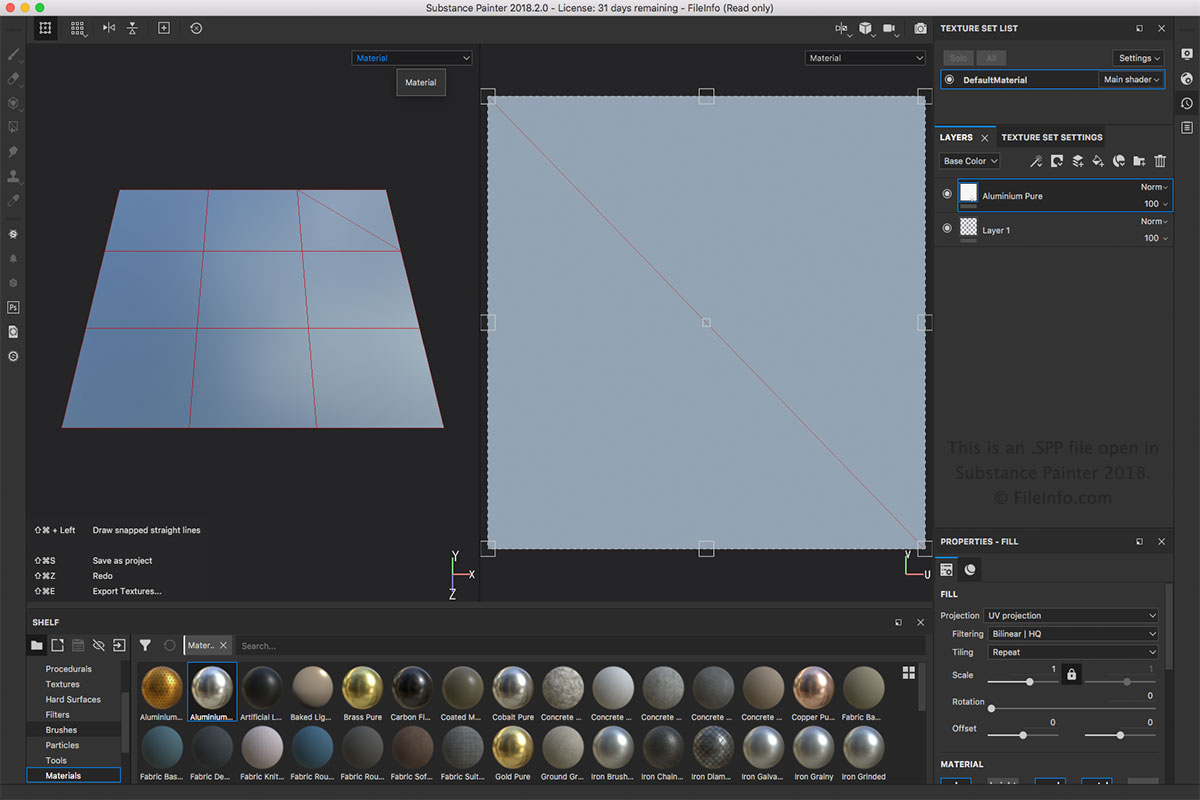
Allegorithmic Substance Painter 2018에서 열린 .spp 파일의 스크린샷
Allegorithmic Substance Painter 2018에서 열린 SPP 파일

The SPP file is the main file type associated with Substance Painter. You can create an SPP file by selecting File → Save or Save As.... You can open an SPP file by selecting File → Open.... You can also export the SPP file to other formats, such as .BMP, .PSD, .JPEG, .HDR, .TIFF, and .GIF, in the File menu.

참고: Substance Painter is used for a variety of 3D animation fields, such as visual effects, feature animations, and video games.

SPP 파일을 여는 프로그램

Windows
Mac
Linux
카테고리: 설정
업데이트: 2018-12-13

Altova XMLSpy Project

개발사 Altova
인기도
3.0  |  1 투표
 

An SPP file is a project created by Altova XMLSpy, an XML editor and IDE designed for modeling, editing, and managing XML-based applications. It stores the properties of a project in the XML standard, including paths to the locations of files included in the project, such as .XML, .XSL, .XSD, and .HTM files. SPP projects allow XMLSpy users to manage and organize multiple source files within a single workspace to streamline their workflow.

추가 정보

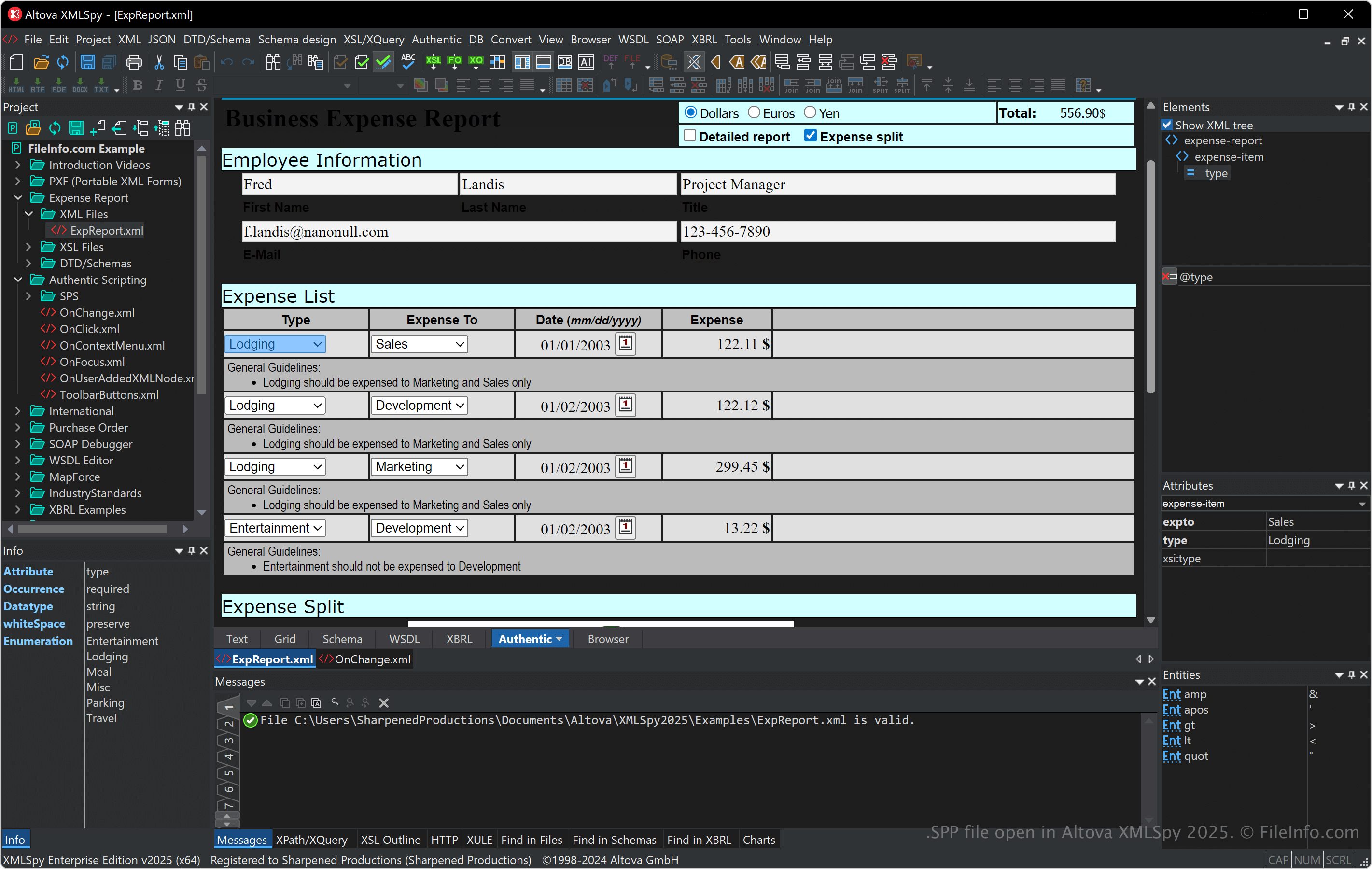
Altova XMLSpy 2025에서 열린 .spp 파일의 스크린샷
Altova XMLSpy 2025에서 열린 SPP 파일

XMLSpy supports various XML-related formats, including XSLT, XQuery, and XSD, and provides tools for XML validation, transformation, and debugging. The software also features a visual schema editor, a code generator, and advanced functionalities for working with databases, JSON, and other data formats, making it helpful for developers handling data integration and web services.

You can link files and organize folders within an SPP project, which is especially helpful for managing dependencies and performing batch operations when developing. Also, SPP projects enhance collaboration by enabling you to share access to the same ready-to-use project setup with team members.

SPP 파일을 여는 방법

You can open SPP files with Altova XMLSpy in Windows. To open an SPP file, select Project → Open Project.

Since SPP files store plain text in XML, you can open them with a text or XML editor. However, opening SPP files with a text or XML editor will not appear the same as opening them with XMLSpy.

SPP 파일을 여는 프로그램

All Platforms
Windows
무료 체험판
카테고리: 설정
업데이트: 2024-11-12

검증자 FileInfo.com

FileInfo.com 팀 이 페이지에 나열된 모든 파일 형식과 소프트웨어 프로그램을 독자적으로 조사했습니다. 저희의 목표는 100% 정확성이며, 검증한 파일 유형에 대한 정보만 게시합니다.

이 페이지에 추가하거나 업데이트할 내용을 제안하고 싶으시면 알려 주세요.