

.XSL 파일 확장자
XML 스타일시트
| 개발사 | W3C |
| 인기도 |
3.4 | 40 표 |
XSL 파일이란 무엇인가요?
XSL 파일은 .XML 문서의 콘텐츠를 변환하는 데 사용되는 스타일시트입니다. 파일에 포함된 스타일 정보는 XML의 확장 기능인 XSLT(Extensible Stylesheet Language Transformations) 형식으로 작성됩니다. 일반적으로 XSL 파일은 하나 이상의 XML 문서를 웹페이지로 사용할 수 있는 .HTML 콘텐츠로 변환하는 데 사용됩니다.
추가 정보
월드 와이드 웹 컨소시엄(W3C)은 1998년에 XSLT 마크업 언어를 만들었습니다. XSLT 스타일시트와 XSLT 프로세서를 사용하면 다음과 같은 작업을 수행할 수 있습니다.
- XML 파일 내 요소를 추가, 제거, 재배열 및 정렬
- XML 파일의 콘텐츠를 HTML, 일반 텍스트 또는 PDF 문서와 같은 다른 유형의 콘텐츠로 변환
예를 들어, 웹사이트에 XML 데이터 세트를 표시하려는 웹 개발자는 다음과 같은 작업을 수행할 수 있습니다.
- 데이터 세트를 HTML 표로 변환하는 방법을 정의하는 XSLT 스타일시트를 만듭니다.
- XSLT 프로세서와 해당 스타일시트를 사용하여 XML 데이터 세트를 서식이 지정된 HTML 표로 변환합니다.
XSLT 스타일시트는 XSL 또는 .XSLT 파일로 저장할 수 있습니다. 현재 W3C는 공식적으로 XSLT 스타일시트를 XSLT 파일로 저장할 것을 권장합니다. 따라서 XSL 파일에는 W3C가 이 권장 사항을 만들기 전에 생성된 오래된 XSLT 스타일시트가 포함되어 있을 가능성이 높습니다.
참고: XSL 파일에는 XML의 또 다른 확장 기능인 XSL 서식 객체(XSL-FO) 언어를 사용하여 작성된 서식 정보가 포함될 수도 있습니다.
XSL 파일을 여는 방법
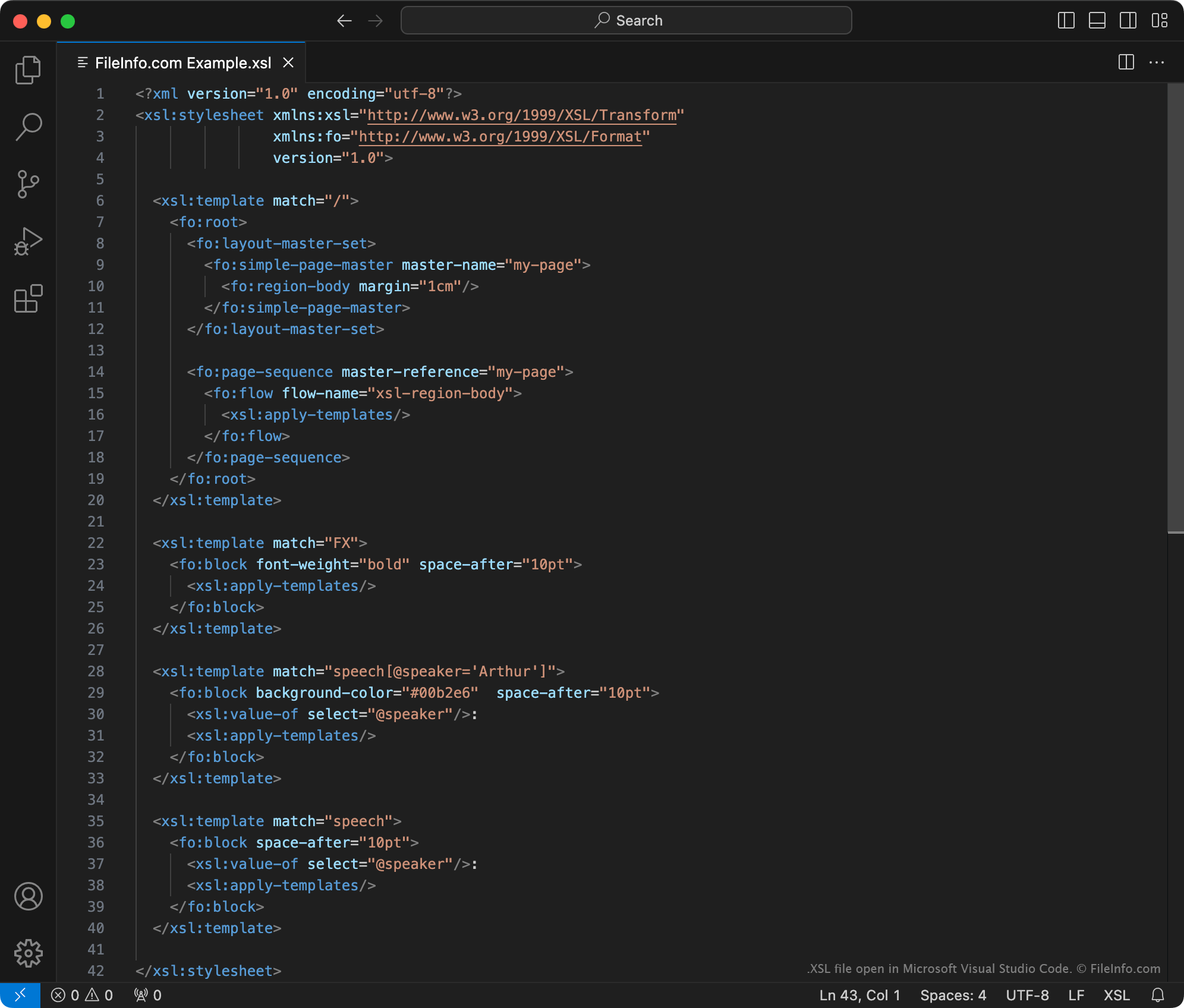
XSL 파일은 Microsoft Visual Studio Code 또는 다른 텍스트 편집기로 열 수 있습니다. 그러나 XSL 파일의 콘텐츠를 편집하려는 경우에는 전용 XML 편집기에서 파일을 열어야 합니다. XML 편집기는 XSL 파일을 더 쉽게 다룰 수 있도록 구문 강조, 편집 및 유효성 검사 도구를 제공합니다.
널리 사용되는 XML 편집기는 다음과 같습니다.