

.XSL Rozszerzenie pliku
Arkusz stylów XML
| Deweloper | W3C |
| Popularność |
3,4 | 40 Głosów |
Czym jest plik XSL?
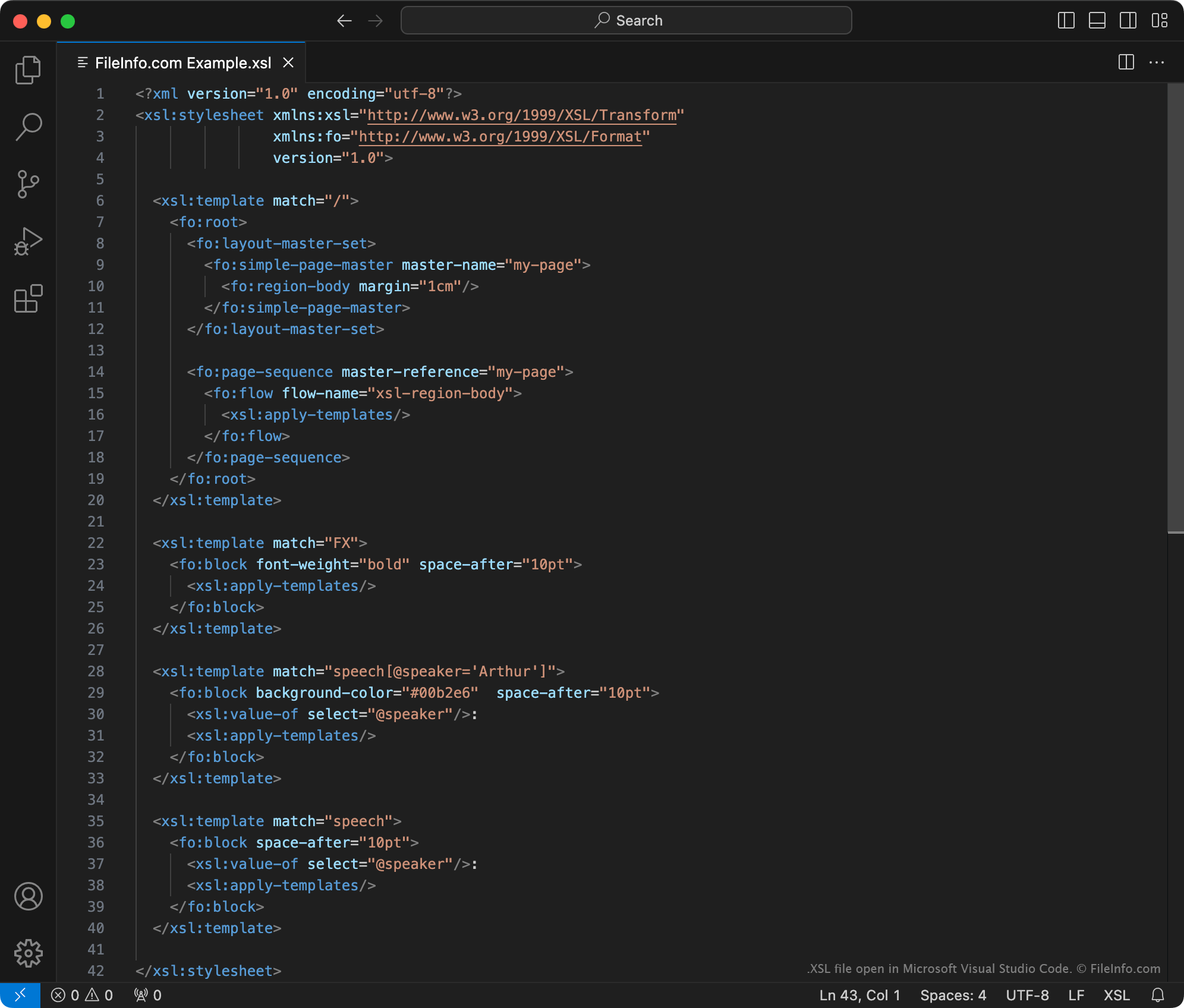
Plik XSL to arkusz stylów używany do przekształcania zawartości dokumentu .XML. Informacje dotyczące stylów zawarte w pliku są zapisane w formacie XSLT (Extensible Stylesheet Language Transformations), który jest rozszerzeniem XML. Zazwyczaj pliki XSL służą do przekształcania jednego lub większej liczby dokumentów XML w zawartość .HTML, używaną jako strona internetowa.
Więcej informacji
World Wide Web Consortium (W3C) utworzyło język znaczników XSLT w 1998 roku. Korzystając z arkuszy stylów XSLT i procesora XSLT, można:
- dodawać, usuwać, zmieniać kolejność i sortować elementy w pliku XML
- przekształcać zawartość pliku XML w inne rodzaje treści, takie jak HTML, zwykły tekst lub dokumenty PDF
Na przykład programista stron internetowych, który chce wyświetlić na swojej stronie internetowej zbiór danych XML, może:
- utworzyć arkusz stylów XSLT definiujący sposób przekształcenia zbioru danych w tabelę HTML.
- użyć procesora XSLT i utworzonego arkusza stylów, aby przekształcić zbiór danych XML w sformatowaną tabelę HTML.
Arkusze stylów XSLT można zapisywać jako pliki XSL lub .XSLT. Oficjalnie W3C zaleca obecnie zapisywanie arkuszy stylów XSLT jako plików XSLT. Dlatego pliki XSL prawdopodobnie zawierają starsze arkusze stylów XSLT utworzone przed wydaniem tego zalecenia przez W3C.
UWAGA: Pliki XSL mogą również zawierać informacje dotyczące formatowania zapisane przy użyciu języka XSL Formatting Objects (XSL-FO), który jest kolejnym rozszerzeniem XML.
Jak otworzyć plik XSL
Plik XSL można otworzyć w programie Microsoft Visual Studio Code lub dowolnym innym edytorze tekstu. Jeśli jednak zamierzasz edytować zawartość pliku XSL, powinieneś otworzyć go w dedykowanym edytorze XML. Edytory XML udostępniają przydatne narzędzia do kolorowania składni, edycji i sprawdzania poprawności, które ułatwiają pracę z plikami XSL.
Do popularnych edytorów XML należą: