.XSL 文件扩展名

XML Stylesheet

开发者 W3C
受欢迎程度
3.4  |  39 
 
🔍使用File Helper直接在您的网络浏览器中打开 .XSL 文件在线查看

什么是 XSL 文件?

An XSL file is a stylesheet used to transform the content of an .XML document. The styling information the file contains is written in the XSLT (Extensible Stylesheet Language Transformations) format, which is an extension of XML. Typically, XSL files are used to transform one or more XML documents into .HTML content, for use as a webpage.

更多信息

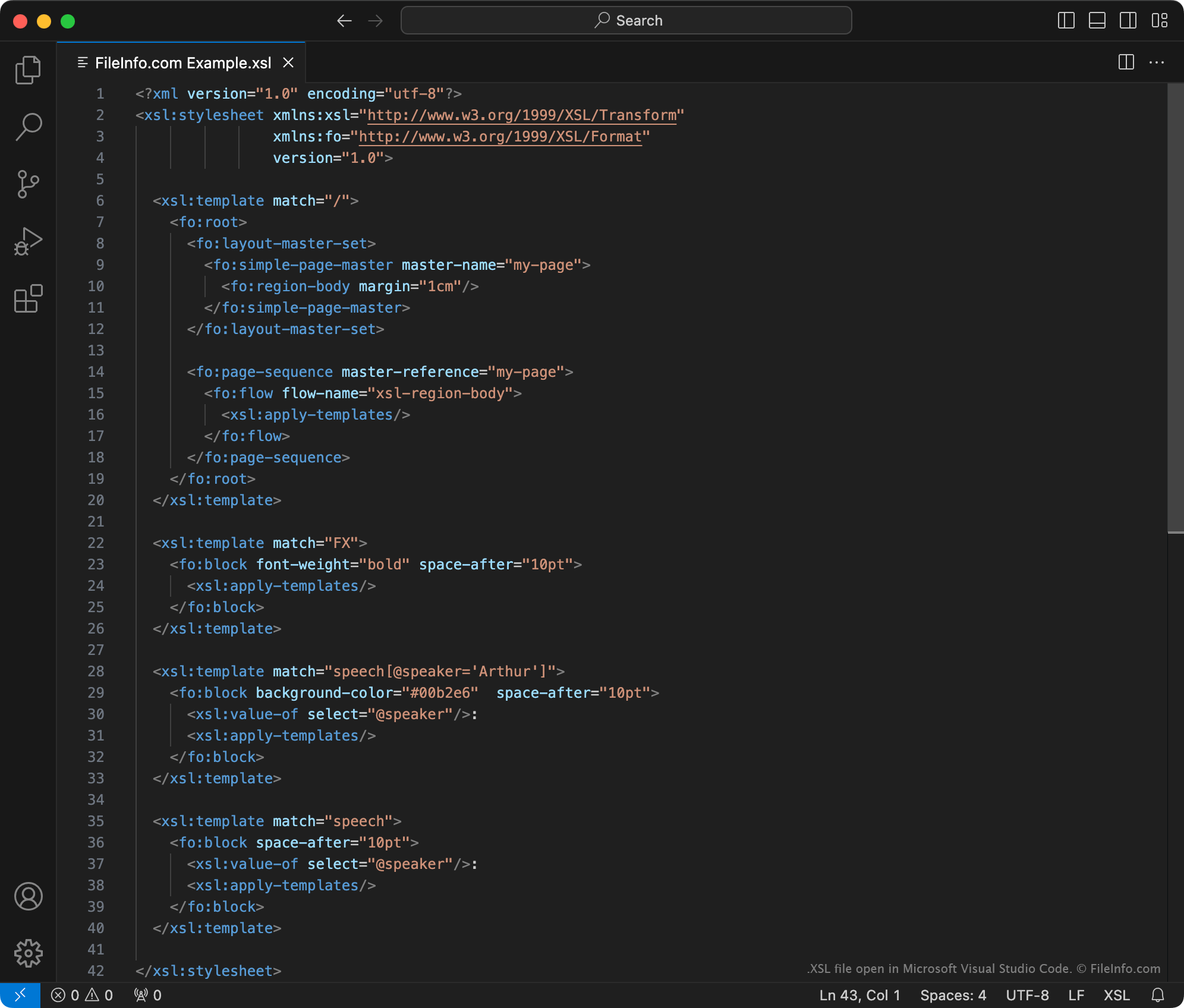
在 Microsoft Visual Studio Code 中打开的 .xsl 文件截图
在 Microsoft Visual Studio Code 中打开的 XSL 文件

The World Wide Web Consortium (W3C) created the XSLT markup language in 1998. Using XSLT stylesheets and an XSLT processor, users can:

  • Add, remove, rearrange, and sort elements within an XML file
  • Transform an XML file's content into other types of content, such as HTML, plain text, or PDF documents

For example, a web developer who wants to show an XML dataset on their website could:

  1. Create an XSLT stylesheet that defines how their dataset should be translated to an HTML table.
  2. Use an XSLT processor and their stylesheet to transform their XML dataset into a formatted HTML table.

XSLT stylesheets may be saved as XSL or .XSLT files. Officially, W3C now recommends that XSLT stylesheets be saved as XSLT files. Thus, XSL files likely contain old XSLT stylesheets, created before W3C made this recommendation.

注: XSL files may also contain formatting information written using the XSL Formatting Objects (XSL-FO) language, which is another extension of XML.

如何打开 XSL 文件

You can open an XSL file with Microsoft Visual Studio Code or any other text editor. However, if you intend to edit an XSL file's contents, you should open the file in a dedicated XML editor. XML editors provide helpful syntax-highlighting, editing, and validation tools that make working with XSL files easier.

Some popular XML editors include:

可打开 XSL 文件的程序

分类: 数据
更新时间: 2023-10-13

验证者 FileInfo.com

FileInfo.com 团队 独立研究了本页面列出的 XML Stylesheet 文件格式和 Mac, Windows, and Linux 应用。 我们的目标是达到 100% 的准确率,并且仅发布我们已验证过的文件类型信息。

如果您想为此页面提出新增或更新建议,请告诉我们