.PLP 파일 확장자

Photo Locker Picture

개발사 Rupees & Dollars
인기도
3.9  |  86 투표
 

PLP 파일이란 무엇인가요?

Locked picture created by Photo Locker, an Android app used to hide photos on your device; stores a picture that has been "locked" by the app in order to hide the image from being viewed by others.

추가 정보

You can manually restore your locked PLP pictures by navigating to the Photo Locker folder in your device's storage. Then rename the ".plp" file extension of your picture(s) with the ".jpg" or ".png" extension.

File Viewer Plus(으)로 400개 이상의 파일 형식을 여세요.무료 다운로드

PLP 파일을 여는 프로그램

Android
Rupees & Dollars Photo Locker  —  단종됨
무료
카테고리: 인코딩
업데이트: 2015-11-23

PixelLab Project

개발사 App Holdings
인기도
3.7  |  6 투표
 

A PLP file is a photo editing project created by App Holdings PixelLab, a photo editor for Android. It contains an image and may also contain text, shapes, stickers, and drawings added to that image. Users can open PLP files in PixelLab to edit the project they contain.

추가 정보

PixelLab allows you to import photos and add text, effects, backgrounds, stickers, and drawings to them. You can then export your edited photo in a variety of image formats.

Optionally, you can save your PixelLab photo editing projects as PLP files. This allows you to continue editing the project in the future or share the project with other PixelLab users. To save a project as a PLP file:

  1. Open the app's my projects menu.
  2. Click the Share button.

This will save the project as a PLP file in the ~/​pixelLab directory.

PLP 파일을 여는 방법

You can open a PLP file with App Holdings PixelLab (Android). To do so:

  1. Open the app's my projects menu.
  2. Select the .PLP button.
  3. Navigate to and open your PLP file.

PLP 파일을 변환하는 방법

You can use App Holdings PixelLab (Android) to convert PLP files to the following formats:

  • .JPG - JPEG Image
  • .PNG - Portable Network Graphic

To do so:

  1. Select the Save icon.
  2. Choose save as image.
  3. Specify your image format.
  4. Select SAVE TO GALLERY.

PixelLab will save the converted image in your phone's Gallery.

PLP 파일을 여는 프로그램

Android

Archicad Teamwork Project

개발사 GRAPHISOFT
인기도
3.6  |  5 투표
 

A PLP file is a teamwork project created with GRAPHISOFT Archicad architectural designing software. It stores all model data and views from Archicad for the project, along with settings and references to libraries hosted on BIMcloud. PLP files are similar to .PLN solo projects, but are shared to BIMcloud for other Archicad users to access and modify.

추가 정보

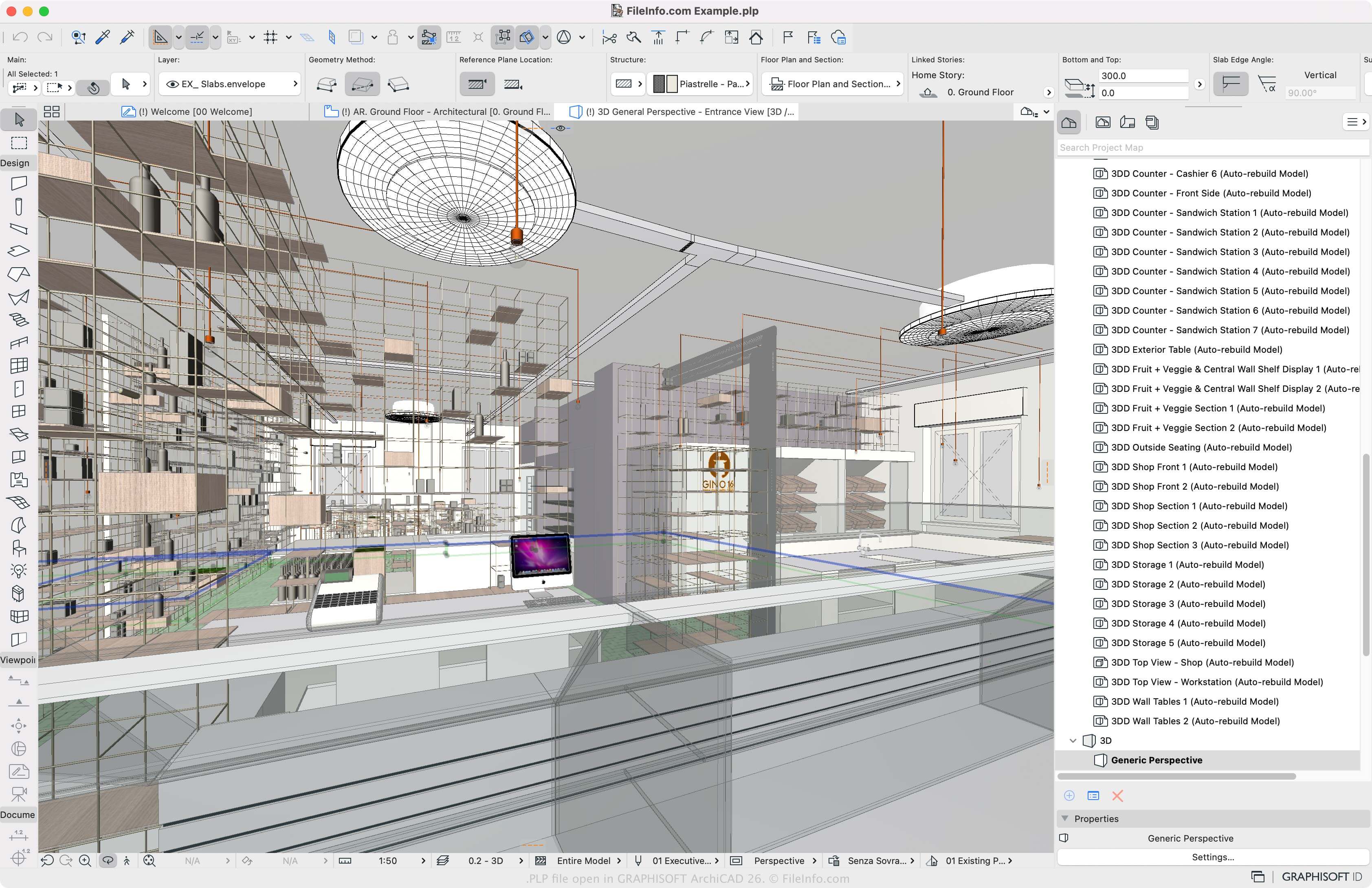
GRAPHISOFT Archicad 26에서 열린 .plp 파일의 스크린샷
GRAPHISOFT Archicad 26에서 열린 PLP 파일

GRAPHISOFT Archicad is a building information modeling (BIM) application many architects use to design the appearance of structures, including their interiors, exteriors, and landscapes. The main Archicad project format is the PLN solo project format. To allow multiple Archicad users to work on the same project in different locations, GRAPHISOFT introduced the PLP format.

How to create a PLP file with Archicad

To create a PLP file, open a PLN file (File → Open) and select Teamwork → Project → Share or File → New → Share. You must then log in to BIMcloud if you have not already, then can click Share, and choose the team project settings.

PLP 파일을 여는 방법

You can only open PLP files with GRAPHISOFT Archicad in Windows and macOS. To open a PLP file, select File → Open → Open/Join Teamwork Project. You can also choose Teamwork → Project → Open/Join Teamwork Project.

PLP 파일을 여는 프로그램

Windows
무료 체험판
Mac
무료 체험판
카테고리: CAD
업데이트: 2023-03-10

검증자 FileInfo.com

FileInfo.com 팀 이 페이지에 나열된 모든 파일 형식과 소프트웨어 프로그램을 독자적으로 조사했습니다. 저희의 목표는 100% 정확성이며, 검증한 파일 유형에 대한 정보만 게시합니다.

이 페이지에 추가하거나 업데이트할 내용을 제안하고 싶으시면 알려 주세요.