.PLP Rozszerzenie pliku

Photo Locker Picture

Deweloper Rupees & Dollars
Popularność
3.9  |  86 Głosów
 

Czym jest plik PLP?

Locked picture created by Photo Locker, an Android app used to hide photos on your device; stores a picture that has been "locked" by the app in order to hide the image from being viewed by others.

Więcej informacji

You can manually restore your locked PLP pictures by navigating to the Photo Locker folder in your device's storage. Then rename the ".plp" file extension of your picture(s) with the ".jpg" or ".png" extension.

Otwórz ponad 400 formatów plików za pomocą File Viewer Plus.Bezpłatne pobieranie

Programy otwierające pliki PLP

Android
Rupees & Dollars Photo Locker  —  Wycofane
Bezpłatny

PixelLab Project

Deweloper App Holdings
Popularność
3.7  |  6 Głosów
 

A PLP file is a photo editing project created by App Holdings PixelLab, a photo editor for Android. It contains an image and may also contain text, shapes, stickers, and drawings added to that image. Users can open PLP files in PixelLab to edit the project they contain.

Więcej informacji

PixelLab allows you to import photos and add text, effects, backgrounds, stickers, and drawings to them. You can then export your edited photo in a variety of image formats.

Optionally, you can save your PixelLab photo editing projects as PLP files. This allows you to continue editing the project in the future or share the project with other PixelLab users. To save a project as a PLP file:

  1. Open the app's my projects menu.
  2. Click the Share button.

This will save the project as a PLP file in the ~/​pixelLab directory.

Jak otworzyć plik PLP

You can open a PLP file with App Holdings PixelLab (Android). To do so:

  1. Open the app's my projects menu.
  2. Select the .PLP button.
  3. Navigate to and open your PLP file.

Jak przekonwertować plik PLP

You can use App Holdings PixelLab (Android) to convert PLP files to the following formats:

  • .JPG - JPEG Image
  • .PNG - Portable Network Graphic

To do so:

  1. Select the Save icon.
  2. Choose save as image.
  3. Specify your image format.
  4. Select SAVE TO GALLERY.

PixelLab will save the converted image in your phone's Gallery.

Programy otwierające pliki PLP

Android

Archicad Teamwork Project

Deweloper GRAPHISOFT
Popularność
3.6  |  5 Głosów
 

A PLP file is a teamwork project created with GRAPHISOFT Archicad architectural designing software. It stores all model data and views from Archicad for the project, along with settings and references to libraries hosted on BIMcloud. PLP files are similar to .PLN solo projects, but are shared to BIMcloud for other Archicad users to access and modify.

Więcej informacji

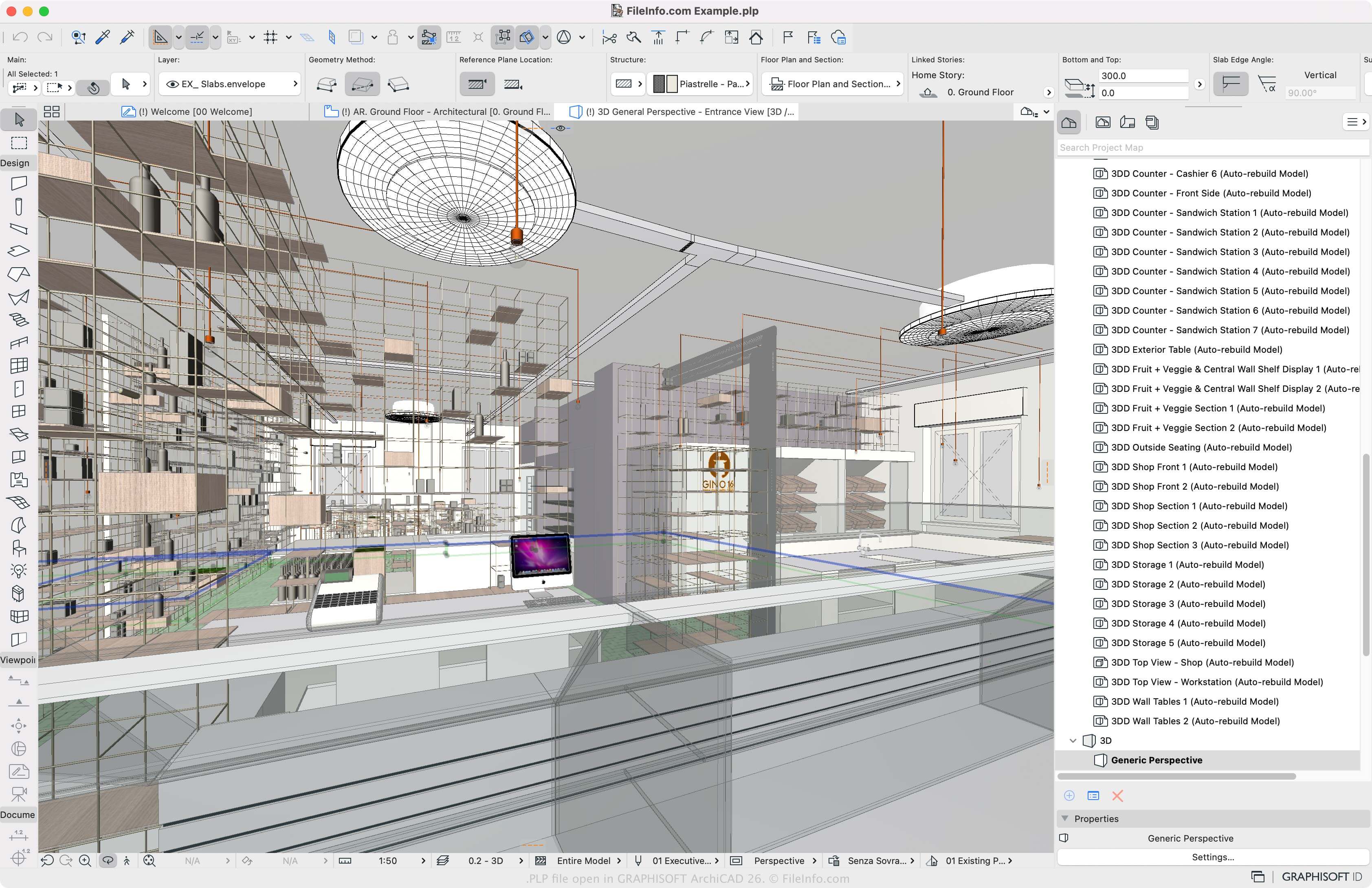
Zrzut ekranu pliku .plp w GRAPHISOFT Archicad 26
Plik PLP otwarty w GRAPHISOFT Archicad 26

GRAPHISOFT Archicad is a building information modeling (BIM) application many architects use to design the appearance of structures, including their interiors, exteriors, and landscapes. The main Archicad project format is the PLN solo project format. To allow multiple Archicad users to work on the same project in different locations, GRAPHISOFT introduced the PLP format.

How to create a PLP file with Archicad

To create a PLP file, open a PLN file (File → Open) and select Teamwork → Project → Share or File → New → Share. You must then log in to BIMcloud if you have not already, then can click Share, and choose the team project settings.

Jak otworzyć plik PLP

You can only open PLP files with GRAPHISOFT Archicad in Windows and macOS. To open a PLP file, select File → Open → Open/Join Teamwork Project. You can also choose Teamwork → Project → Open/Join Teamwork Project.

Programy otwierające pliki PLP

Windows
Bezpłatna wersja próbna
Mac
Bezpłatna wersja próbna
Kategoria: CAD
Zaktualizowano: 2023-03-10

Zweryfikowane przez FileInfo.com

Zespół FileInfo.com niezależnie zbadał wszystkie formaty plików i programy wymienione na tej stronie. Naszym celem jest 100% dokładność i publikujemy wyłącznie informacje o zweryfikowanych typach plików.

Jeśli chcesz zaproponować dodatki lub aktualizacje tej strony, daj nam znać.