.PLN 파일 확장자
Archicad Solo Project
| 개발사 | GRAPHISOFT |
| 인기도 |
3.8 | 51 투표 |
PLN 파일이란 무엇인가요?
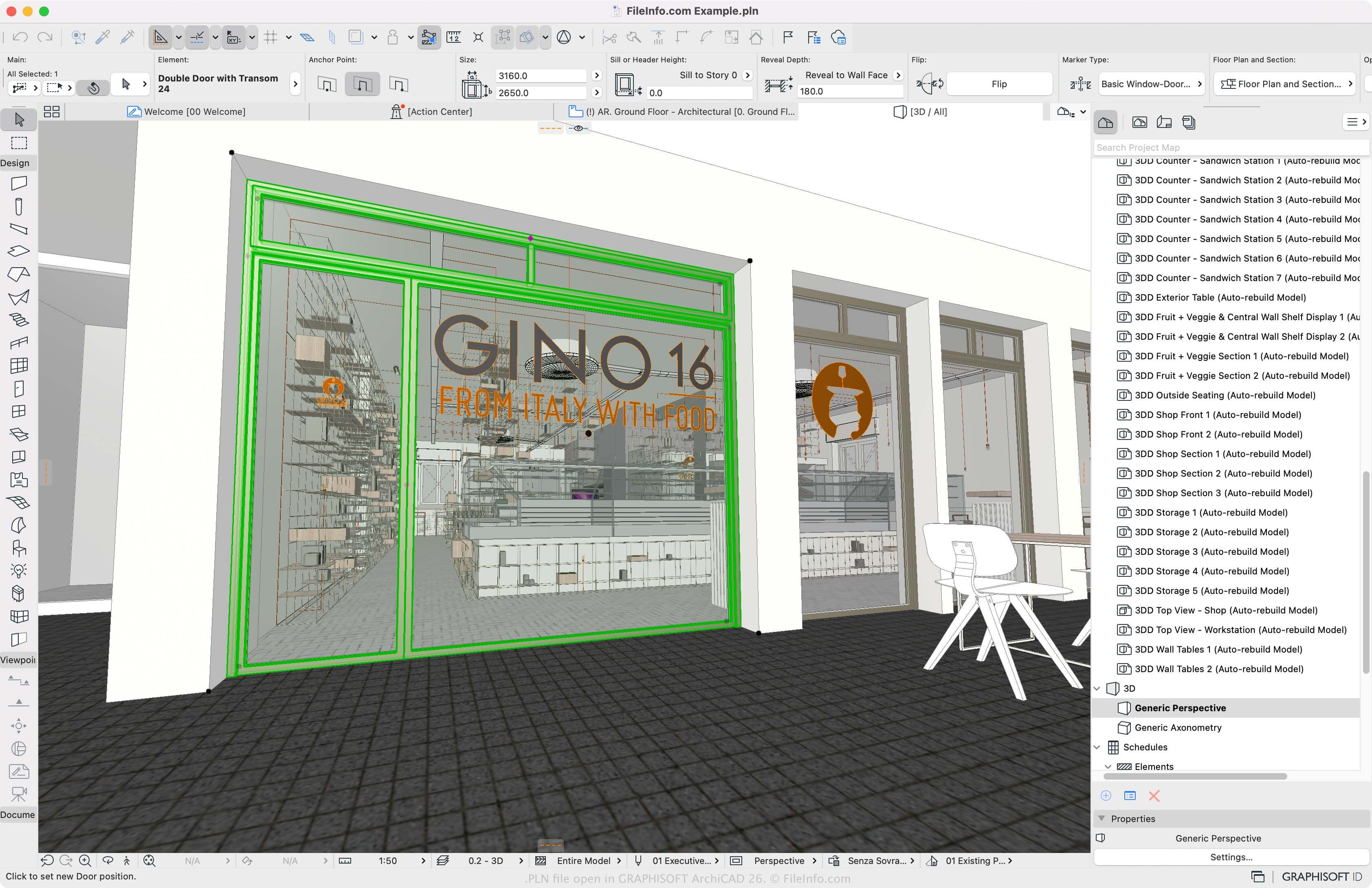
A PLN file is a solo project that contains a 3D model created with GRAPHISOFT Archicad architectural designing software. It stores all model data and views generated by Archicad for the project in a native format. PLN projects also contain default settings and library references.
추가 정보
GRAPHISOFT Archicad is a building information modeling (BIM) program architects use to design building structures, interiors, exteriors, and landscapes. It includes many capabilities for designing, modeling, and collaborating.
PLN is the native format for Archicad projects. When you save a project as a PLN file, Archicad creates a PLN file to store the project contents. After saving the project, you can close it and re-open it to edit it further.
To create a PLN file, select File → New, modify the project, and select File → Save or Save as.... The software also allows you to save projects as .PLA archives, .BPN backup projects, and TPL project templates.
참고: Archicad only supports projects saved by version 8.1 or later of Archicad.
PLN 파일을 여는 방법
You can only open PLN files with GRAPHISOFT Archicad in Windows and macOS. To open a PLN file, select File → Open.
PLN 파일을 변환하는 방법
GRAPHISOFT Archicad can convert PLN files to various file types, including the following formats:
- .PLA - Archicad Project Archive
- .DWG - AutoCAD Drawing
- .DXF - Drawing Exchange Format
- .IFC - Industry Foundation Classes File
- .C4D - Cinema 4D Model
- .3DS - 3D Studio Scene
- .SKP - SketchUp Document
- .OBJ - Wavefront 3D Object File
- .STL - Stereolithography File
- .PDF - Portable Document Format
- .JPG - JPEG Image
PLN 파일을 여는 프로그램
Flight Simulator Flight Plan
| 개발사 | Microsoft |
| 인기도 |
3.3 | 10 투표 |
Configuration file formatted in XML that stores a flight plan for Microsoft's Flight Simulator; specifies parameters to the Flight Planner including departure location, destination, route type, waypoints, cruising altitude, and other information.
추가 정보
PLN files are used by Flight Simulator version 2000 and later.
PLN 파일을 열거나 참조하는 프로그램
Adobe InDesign Plug-in
| 개발사 | Adobe Systems |
| 인기도 |
3.0 | 6 투표 |
A PLN file is a plug-in for older versions of Adobe InDesign, professional page layout software. It contains information for a third-party plug-in, which adds extra features, such as new styling and editing capabilities, to InDesign when installed.
추가 정보
InDesign is a desktop publishing application for creating professional layouts for print and digital publishing. Examples of materials you can make with the software include brochures, posters, magazines, and interactive online documents.
While the software comes with many features, it allows you to install components third-party developers created. These components are delivered via PLN files. However, Adobe replaced the PLN format, primarily delivering plug-ins through its Add-ons website.
PLN 파일을 여는 방법
Adobe InDesign no longer supports PLN files. However, you can install PLN files in older versions of InDesign, such as Creative Suite 5 (CS5).
To install a PLN plug-in file in InDesign CS5, move it to the "Plug-ins" folder in the application installation directory, close InDesign (if it is open), then run the app. The plug-in saved in the PLN file should now be active.
PLN 파일을 열거나 참조하는 프로그램
Spaceman Planogram File
| 개발사 | ACNielsen |
| 인기도 |
2.7 | 9 투표 |
Planogram created with ACNielsen Spaceman software; used for merchandising applications, such as retail store layouts; utilized by both retailers and suppliers to plan and analyze product placement.
추가 정보
PLN files can be created with Spaceman Stock Planner or Spaceman Merchandiser. They are saved in a text-based format that can be viewed with Spaceman Viewer.