

.IGQ 파일 확장자
Indigo Queue 파일
| 개발사 | Glare Technologies |
| 인기도 |
3.5 | 2 표 |
IGQ 파일이란 무엇인가요?
IGQ 파일은 사실적인 이미지를 생성하는 데 사용되는 앱인 Indigo Renderer와 Indigo RT가 만든 대기열 파일입니다. 이 파일에는 Indigo Queue(IGQ) 형식으로 하나 이상의 장면 목록이 저장되어 있으며, 이 목록은 앱이 여러 장면을 렌더링하는 방식을 결정합니다. IGQ 파일에는 출력 경로와 프레임의 중지 설정을 비롯한 렌더링 프로세스 설정도 포함되어 있습니다.
추가 정보
Indigo Renderer와 Indigo RT는 주로 전문 아티스트가 건물 모형이나 공상 과학 영화의 환상적인 장면과 같은 사실적인 이미지를 만드는 데 사용하는 멀티플랫폼 3D 렌더링 애플리케이션입니다. Indigo Renderer는 Indigo RT보다 더 많은 기능을 제공하며 가격도 더 비쌉니다. Indigo Renderer는 독립 실행형 애플리케이션으로 사용하거나 다른 3D CAD 프로그램용 플러그인으로 사용할 수도 있습니다.
Indigo Renderer에서 IGQ 파일을 만들어 다른 Indigo Renderer 사용자와 공유할 대기열을 저장하거나 나중에 사용할 수 있도록 저장할 수 있습니다. IGQ 파일을 사용하면 Indigo Renderer 플러그인이 설치된 3DS Max 또는 iClone과 같은 다른 애플리케이션에서 만든 프로젝트의 장면도 렌더링할 수 있습니다. 프로젝트를 프레임 단위로 IGQ 파일로 내보내면 Indigo가 각 프레임을 개별적으로 렌더링합니다. 그런 다음 렌더링된 이미지를 하나의 애니메이션으로 결합할 수 있습니다.
Indigo Renderer 또는 Indigo RT로 IGQ 파일을 만드는 방법
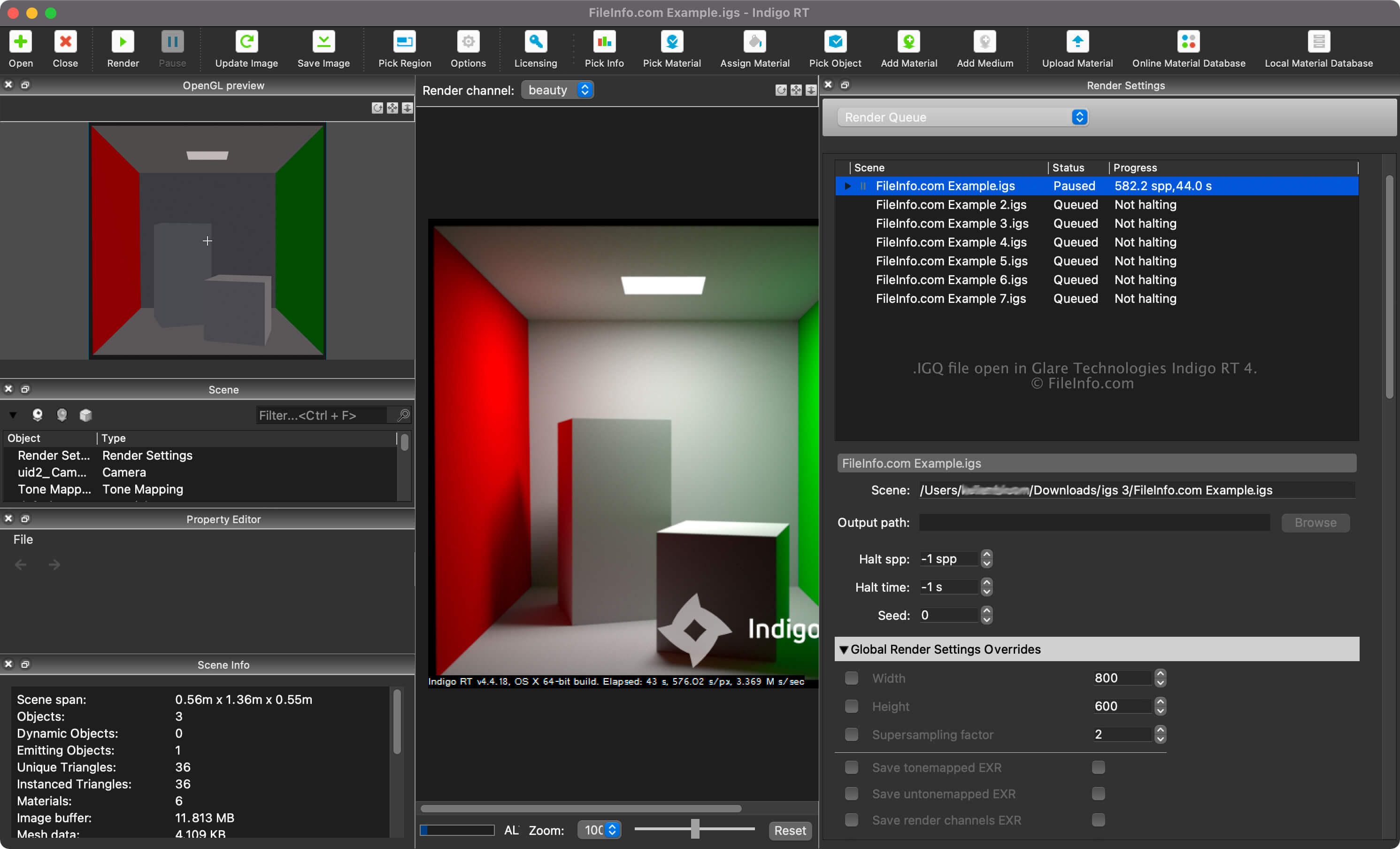
"Render Settings" 창의 드롭다운 메뉴에서 "Render Queue"를 선택하면 장면의 렌더링 대기열을 확인할 수 있습니다. 렌더링 대기열에서는 장면을 추가하고 제거할 수 있으며, 장면 및 출력 경로와 중지 설정 같은 다른 설정을 조정할 수 있습니다.
Indigo Renderer 또는 Indigo RT로 IGQ 파일을 만들려면 를 선택합니다.
IGQ 파일의 장면 및 출력 경로
IGQ 파일의 장면 경로는 장면을 렌더링하는 .IGS 파일의 위치를 가리키는 반면, 출력 경로는 파일(대부분 .PNG)이 생성될 위치를 가리킵니다. 출력 경로는 장면 경로에 대한 상대 경로이거나 절대 경로일 수 있습니다.
IGQ 파일을 여는 방법
Glare Technologies Indigo Renderer(멀티플랫폼) 및 Indigo RT(멀티플랫폼)로 IGQ 파일을 열 수 있습니다. Indigo Renderer에서 파일을 열려면 을 선택합니다.
IGQ 파일을 연 후 "Render Settings" 창의 드롭다운 메뉴에서 "Render Queue"를 선택하면 장면의 렌더링 대기열을 확인할 수 있습니다.