

.IGQ Estensione file
File di coda di Indigo
| Sviluppatore | Glare Technologies |
| Popolarità |
3,5 | 2 Voti |
Che cos'è un file IGQ?
Un file IGQ è un file di coda creato da Indigo Renderer e Indigo RT, applicazioni utilizzate per generare immagini fotorealistiche. Memorizza un elenco di una o più scene nel formato Indigo Queue (IGQ), che determina il modo in cui l'applicazione esegue il rendering di più scene. I file IGQ contengono anche le impostazioni del processo di rendering, inclusi i percorsi di output e le impostazioni di arresto per i fotogrammi.
Maggiori informazioni
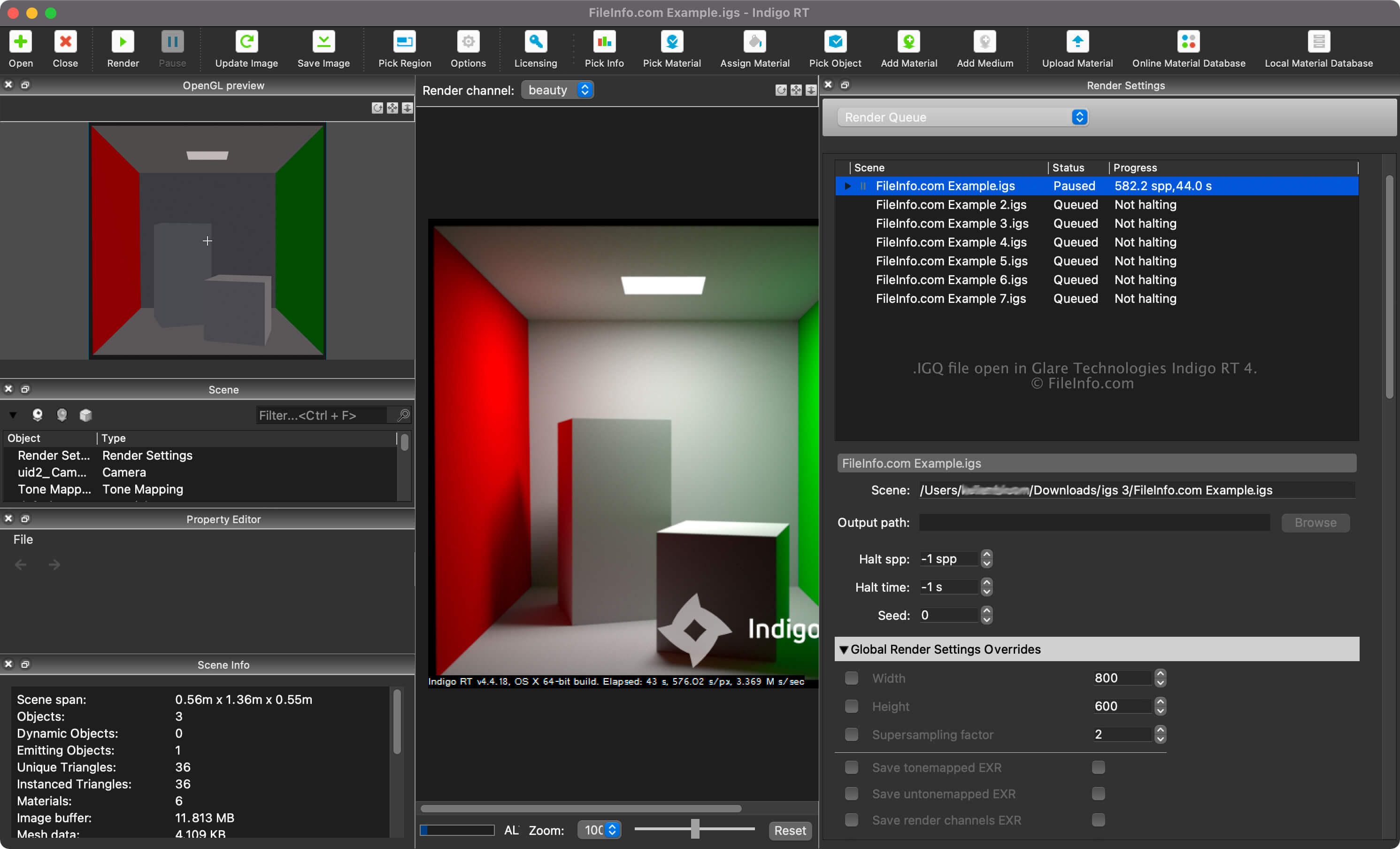
Indigo Renderer e Indigo RT sono applicazioni multipiattaforma per il rendering 3D utilizzate principalmente da artisti professionisti per creare immagini fotorealistiche, come modelli di edifici o scene fantastiche per un film di fantascienza. Indigo Renderer offre più funzionalità di Indigo RT ed è anche più costoso. Indigo Renderer è inoltre disponibile come applicazione autonoma o come plugin per altri programmi CAD 3D.
Puoi creare un file IGQ con Indigo Renderer per salvare una coda da condividere con un altro utente di Indigo Renderer o da utilizzare in seguito. Il file IGQ ti consente anche di eseguire il rendering di scene da progetti creati in altre applicazioni, come 3DS Max o iClone, in cui è installato il plugin di Indigo Renderer. Puoi esportare il progetto fotogramma per fotogramma nel file IGQ e Indigo eseguirà il rendering di ogni fotogramma singolarmente. In seguito, puoi combinare le immagini sottoposte a rendering in un'animazione.
Come creare un file IGQ con Indigo Renderer o Indigo RT
Puoi visualizzare la coda di rendering delle tue scene selezionando "Render Queue" dal menu a discesa nel riquadro "Render Settings". Nella coda di rendering puoi aggiungere e rimuovere scene e modificare altre impostazioni, come i percorsi della scena e di output e le impostazioni di arresto.
Per creare un file IGQ con Indigo Renderer o Indigo RT, seleziona .
Percorsi della scena e di output nei file IGQ
Il percorso della scena in un file IGQ indica la posizione del file .IGS da cui vengono sottoposte a rendering le scene, mentre il percorso di output indica la posizione in cui verranno creati i file (molto probabilmente .PNG). Il percorso di output può essere relativo al percorso della scena o assoluto.
Come aprire un file IGQ
Puoi aprire un file IGQ con Glare Technologies Indigo Renderer (multipiattaforma) e Indigo RT (multipiattaforma). Per aprire il file con Indigo Renderer, seleziona .
Dopo aver aperto il file IGQ, puoi visualizzare la coda di rendering delle tue scene selezionando "Render Queue" dal menu a discesa nel riquadro "Render Settings".