

.IGQ Extensão de arquivo
Arquivo Indigo Queue
| Desenvolvedor | Glare Technologies |
| Popularidade |
3,5 | 2 Votos |
O que é um arquivo IGQ?
Um arquivo IGQ é um arquivo de fila criado pelo Indigo Renderer e pelo Indigo RT, aplicativos usados para gerar imagens fotorrealistas. Ele armazena uma lista de uma ou mais cenas no formato Indigo Queue (IGQ), que determina como o aplicativo renderiza várias cenas. Os arquivos IGQ também contêm configurações para o processo de renderização, incluindo os caminhos de saída e as configurações de interrupção para quadros.
Mais informações
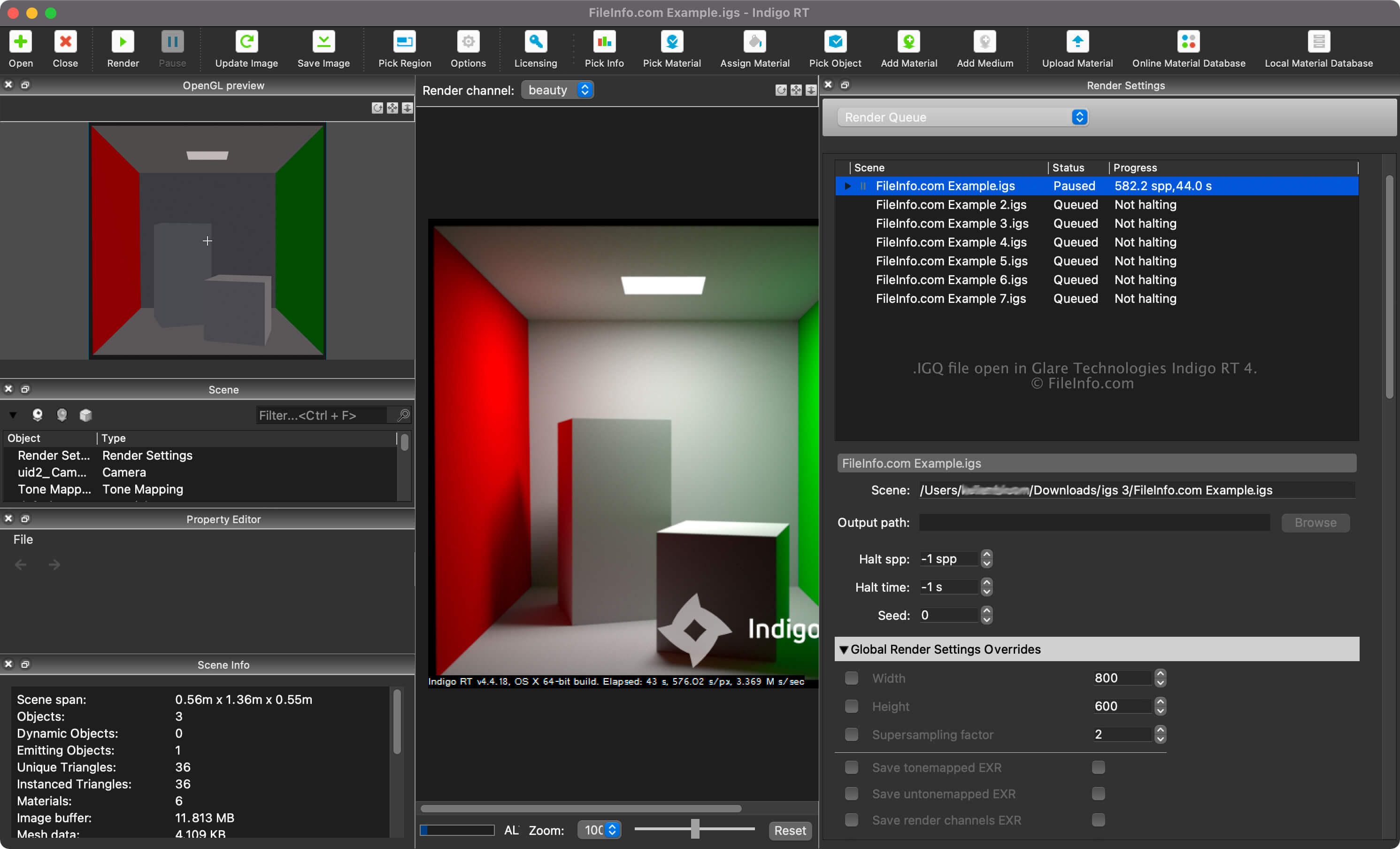
O Indigo Renderer e o Indigo RT são aplicativos multiplataforma de renderização 3D usados principalmente por artistas profissionais para criar imagens fotorrealistas, como maquetes de edifícios ou cenas fantásticas para um filme de ficção científica. O Indigo Renderer oferece mais recursos que o Indigo RT e também é mais caro. O Indigo Renderer também está disponível como um aplicativo independente ou como um plugin para outros programas 3D de CAD.
Você pode criar um arquivo IGQ com o Indigo Renderer para salvar uma fila e compartilhá-la com outro usuário do Indigo Renderer ou salvá-la para usar mais tarde. O arquivo IGQ também permite renderizar cenas de projetos criados em outros aplicativos, como o 3DS Max ou o iClone, nos quais o plugin do Indigo Renderer está instalado. Você pode exportar o projeto quadro a quadro para o arquivo IGQ, e o Indigo renderizará cada quadro individualmente. Depois, você pode combinar as imagens renderizadas em uma animação.
Como criar um arquivo IGQ com o Indigo Renderer ou o Indigo RT
Você pode visualizar a fila de renderização das suas cenas selecionando "Render Queue" no menu suspenso do painel "Render Settings". Na fila de renderização, você pode adicionar e remover cenas e ajustar outras configurações, como os caminhos da cena e de saída e as configurações de interrupção.
Para criar um arquivo IGQ com o Indigo Renderer ou o Indigo RT, selecione .
Caminhos da cena e de saída nos arquivos IGQ
O caminho da cena em um arquivo IGQ aponta para o local do arquivo .IGS a partir do qual as cenas estão sendo renderizadas, enquanto o caminho de saída aponta para o local onde os arquivos (provavelmente .PNG) serão criados. O caminho de saída pode ser relativo ao caminho da cena ou absoluto.
Como abrir um arquivo IGQ
Você pode abrir um arquivo IGQ com o Glare Technologies Indigo Renderer (multiplataforma) e o Indigo RT (multiplataforma). Para abrir o arquivo com o Indigo Renderer, selecione .
Depois de abrir o arquivo IGQ, você pode visualizar a fila de renderização das suas cenas selecionando "Render Queue" no menu suspenso do painel "Render Settings".