

.IGQ Bestandsextensie
Indigo Queue-bestand
| Ontwikkelaar | Glare Technologies |
| Populariteit |
3,5 | 2 stemmen |
Wat is een IGQ-bestand?
Een IGQ-bestand is een queuebestand dat is gemaakt door Indigo Renderer en Indigo RT, toepassingen waarmee je fotorealistische afbeeldingen genereert. Het bevat een lijst met een of meer scènes in de indeling Indigo Queue (IGQ), die bepaalt hoe de toepassing meerdere scènes rendert. IGQ-bestanden bevatten ook instellingen voor het renderproces, waaronder de uitvoerpaden en stopinstellingen voor frames.
Meer informatie
Indigo Renderer en Indigo RT zijn multiplatform 3D-renderingtoepassingen die voornamelijk door professionele kunstenaars worden gebruikt om fotorealistische afbeeldingen te maken, zoals bouwvisualisaties of fantasierijke scènes voor een sciencefictionfilm. Indigo Renderer biedt meer functies dan Indigo RT en is ook duurder. Indigo Renderer is ook beschikbaar als zelfstandige toepassing of als een plug-in voor andere 3D-CAD-programma's.
Je kunt met Indigo Renderer een IGQ-bestand maken om een queue op te slaan en met een andere Indigo Renderer-gebruiker te delen, of om deze voor later gebruik te bewaren. Met het IGQ-bestand kun je ook scènes renderen uit projecten die in andere toepassingen zijn gemaakt, zoals 3DS Max of iClone, waarin de Indigo Renderer-plug-in is geïnstalleerd. Je kunt het project frame voor frame naar het IGQ-bestand exporteren, waarna Indigo elk frame afzonderlijk rendert. Vervolgens kun je de gerenderde afbeeldingen combineren tot een animatie.
Een IGQ-bestand maken met Indigo Renderer of Indigo RT
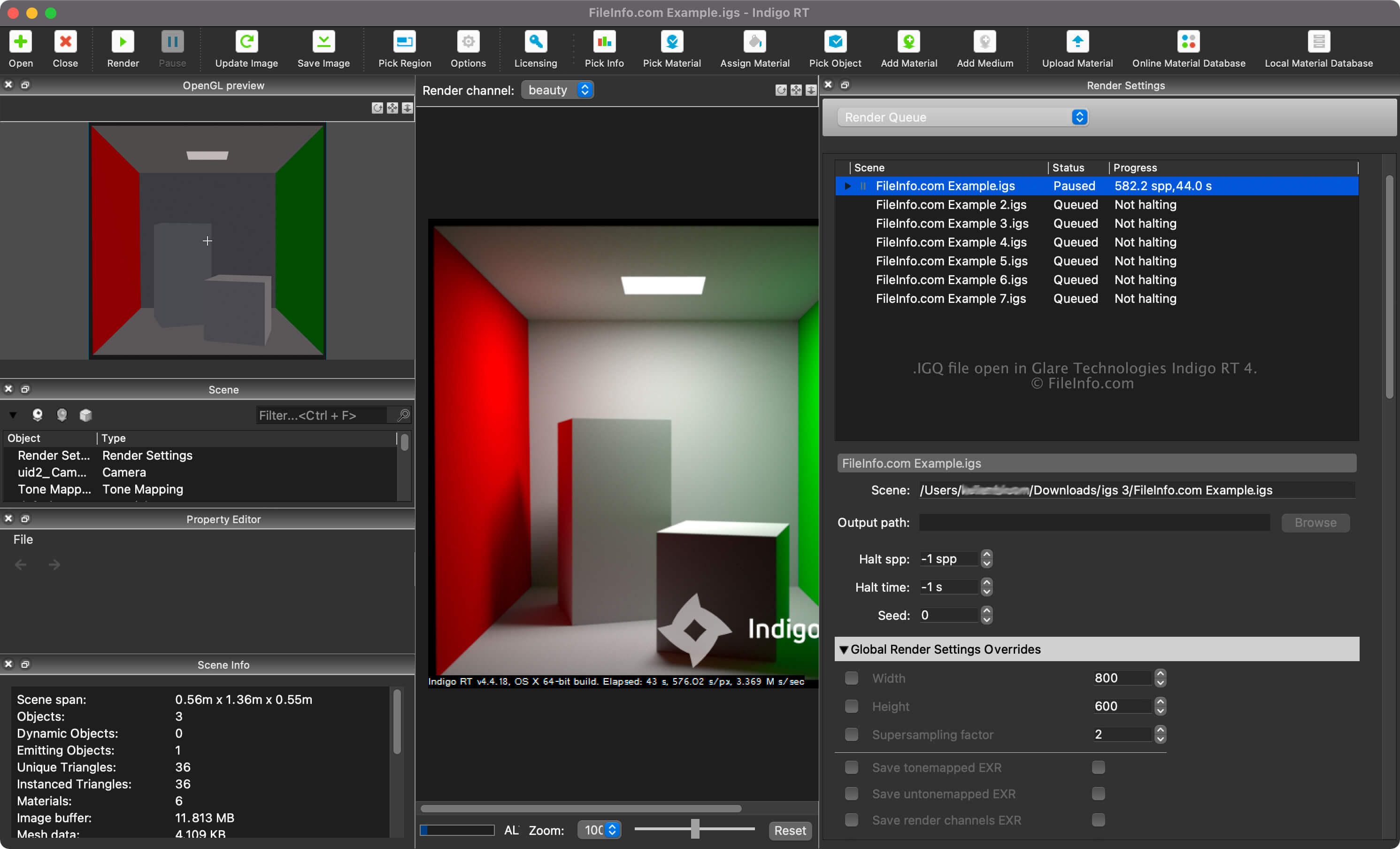
Je kunt de renderwachtrij voor je scènes bekijken door "Render Queue" te selecteren in het keuzemenu in het deelvenster "Render Settings". In de renderwachtrij kun je scènes toevoegen en verwijderen en andere instellingen aanpassen, zoals de scène- en uitvoerpaden en stopinstellingen.
Als je een IGQ-bestand wilt maken met Indigo Renderer of Indigo RT, selecteer je .
Scène- en uitvoerpaden in IGQ-bestanden
Het scènepad in een IGQ-bestand verwijst naar de locatie van het .IGS-bestand waaruit de scènes worden gerenderd, terwijl het uitvoerpad verwijst naar de locatie waar de bestanden (waarschijnlijk .PNG) worden gemaakt. Het uitvoerpad kan relatief aan het scènepad of absoluut zijn.
Een IGQ-bestand openen
Je kunt een IGQ-bestand openen met Glare Technologies Indigo Renderer (multiplatform) en Indigo RT (multiplatform). Als je het bestand met Indigo Renderer wilt openen, selecteer je .
Nadat je het IGQ-bestand hebt geopend, kun je de renderwachtrij voor je scènes bekijken door "Render Queue" te selecteren in het keuzemenu in het deelvenster "Render Settings".