

.IGQ Dateiendung
Indigo-Warteschlangendatei
| Entwickler | Glare Technologies |
| Beliebtheit |
3,5 | 2 Stimmen |
Was ist eine IGQ-Datei?
Eine IGQ-Datei ist eine Warteschlangendatei, die von Indigo Renderer und Indigo RT erstellt wird, Anwendungen zur Erzeugung fotorealistischer Bilder. Sie speichert eine Liste mit einer oder mehreren Szenen im Indigo-Queue-Format (IGQ), die festlegt, wie die Anwendung mehrere Szenen rendert. IGQ-Dateien enthalten außerdem Einstellungen für den Rendervorgang, darunter die Ausgabepfade und die Abbrucheinstellungen für Einzelbilder.
Weitere Informationen
Indigo Renderer und Indigo RT sind plattformübergreifende 3D-Rendering-Anwendungen, die hauptsächlich von professionellen Künstlern verwendet werden, um fotorealistische Bilder zu erstellen, beispielsweise Gebäudemodelle oder fantastische Szenen für einen Science-Fiction-Film. Indigo Renderer bietet mehr Funktionen als Indigo RT und ist ebenfalls teurer. Indigo Renderer ist auch als eigenständige Anwendung oder als Plugin für andere 3D-CAD-Programme verfügbar.
Sie können mit Indigo Renderer eine IGQ-Datei erstellen, um eine Warteschlange zu speichern und mit einem anderen Indigo-Renderer-Benutzer zu teilen oder später zu verwenden. Die IGQ-Datei ermöglicht es Ihnen außerdem, Szenen aus Projekten zu rendern, die in anderen Anwendungen wie 3DS Max oder iClone erstellt wurden, in denen das Indigo-Renderer-Plugin installiert ist. Sie können das Projekt Einzelbild für Einzelbild in die IGQ-Datei exportieren, und Indigo rendert jedes Einzelbild einzeln. Anschließend können Sie die gerenderten Bilder zu einer Animation zusammenfügen.
So erstellen Sie eine IGQ-Datei mit Indigo Renderer oder Indigo RT
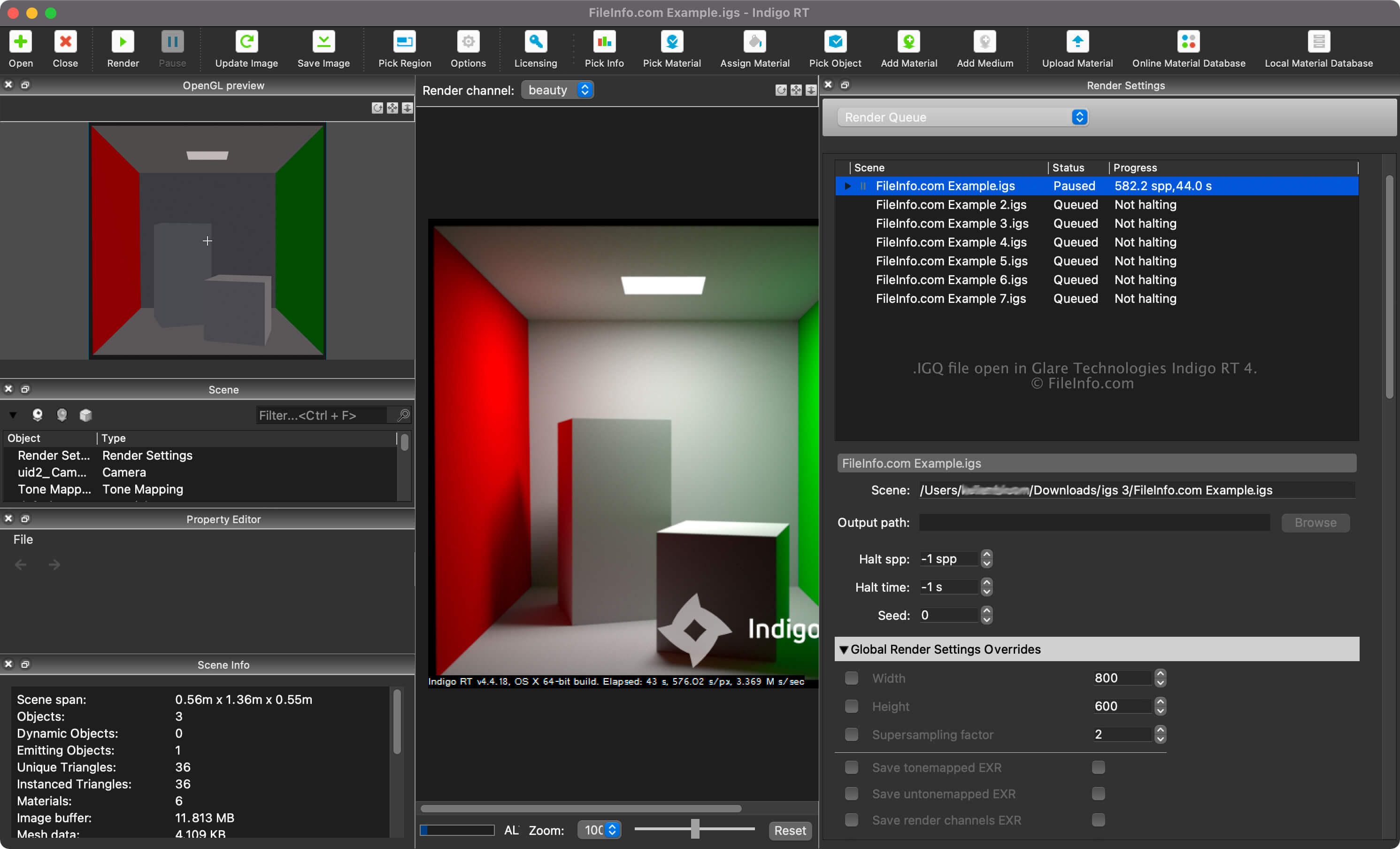
Sie können die Renderwarteschlange für Ihre Szenen anzeigen, indem Sie im Dropdownmenü im Bereich "Render Settings" die Option "Render Queue" auswählen. In der Renderwarteschlange können Sie Szenen hinzufügen und entfernen sowie weitere Einstellungen anpassen, beispielsweise die Szenen- und Ausgabepfade und die Abbrucheinstellungen.
Um eine IGQ-Datei mit Indigo Renderer oder Indigo RT zu erstellen, wählen Sie .
Szenen- und Ausgabepfade in IGQ-Dateien
Der Szenenpfad in einer IGQ-Datei verweist auf den Speicherort der .IGS-Datei, aus der die Szenen gerendert werden, während der Ausgabepfad auf den Speicherort verweist, an dem die Dateien (höchstwahrscheinlich .PNG) erstellt werden. Der Ausgabepfad kann relativ zum Szenenpfad oder absolut sein.
So öffnen Sie eine IGQ-Datei
Sie können eine IGQ-Datei mit Glare Technologies Indigo Renderer (plattformübergreifend) und Indigo RT (plattformübergreifend) öffnen. Um die Datei mit Indigo Renderer zu öffnen, wählen Sie .
Nachdem Sie die IGQ-Datei geöffnet haben, können Sie die Renderwarteschlange für Ihre Szenen anzeigen, indem Sie im Dropdownmenü im Bereich "Render Settings" die Option "Render Queue" auswählen.