

.IGQ Extension de fichier
Fichier de file d'attente Indigo
| Développeur | Glare Technologies |
| Popularité |
3,5 | 2 Votes |
Qu'est-ce qu'un fichier IGQ ?
Un fichier IGQ est un fichier de file d'attente créé par Indigo Renderer et Indigo RT, des applications utilisées pour générer des images photoréalistes. Il stocke une liste d'une ou plusieurs scènes au format Indigo Queue (IGQ), qui détermine la manière dont l'application effectue le rendu de plusieurs scènes. Les fichiers IGQ contiennent également les paramètres du processus de rendu, notamment les chemins de sortie et les paramètres d'arrêt pour les images.
Plus d'informations
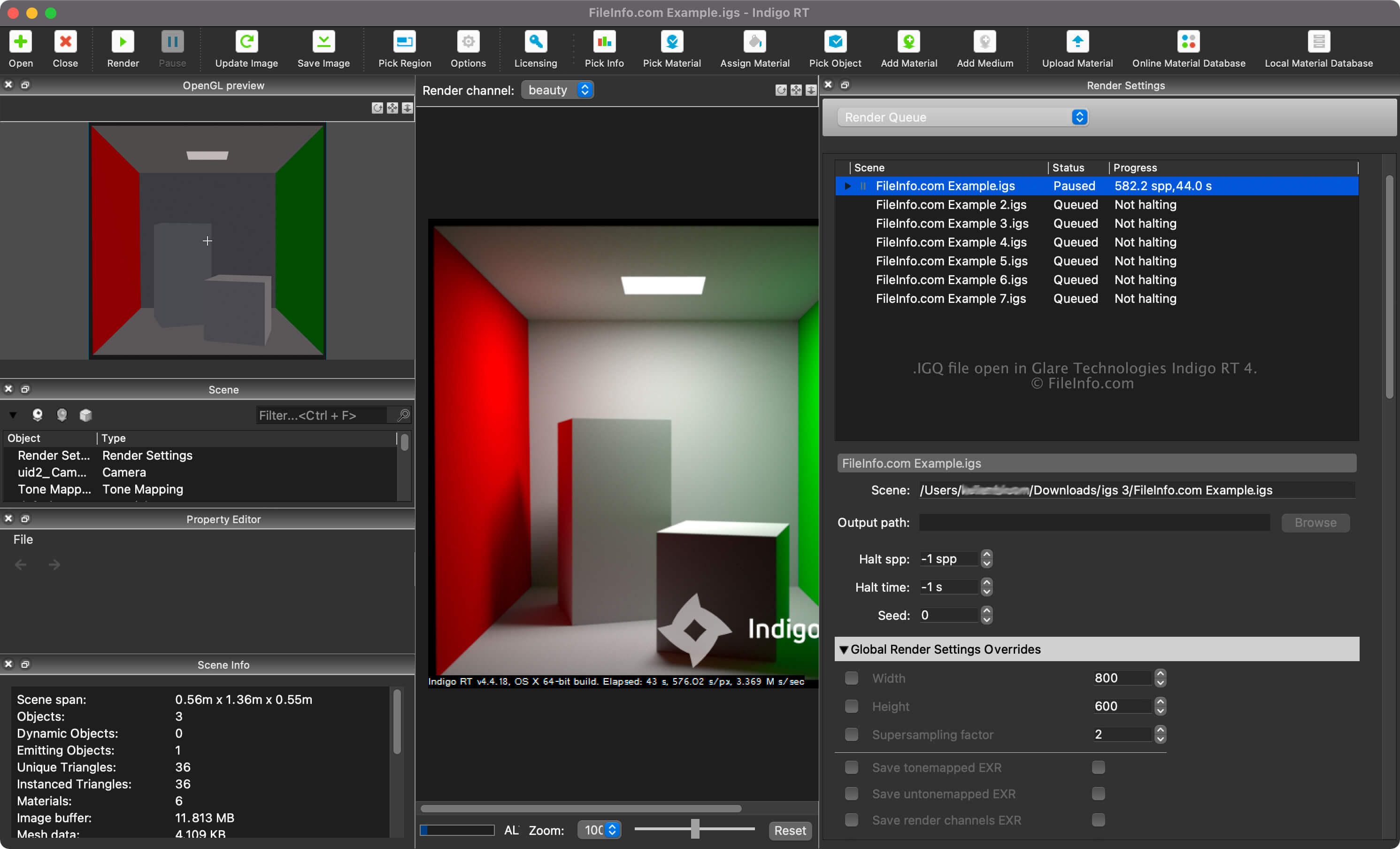
Indigo Renderer et Indigo RT sont des applications de rendu 3D multiplateformes principalement utilisées par les artistes professionnels pour créer des images photoréalistes, comme des maquettes de bâtiments ou des scènes fantastiques pour un film de science-fiction. Indigo Renderer offre plus de fonctionnalités qu'Indigo RT et est également plus cher. Indigo Renderer est aussi disponible en tant qu'application autonome ou en tant que extension pour d'autres programmes de CAO 3D.
Vous pouvez créer un fichier IGQ avec Indigo Renderer pour enregistrer une file d'attente à partager avec un autre utilisateur d'Indigo Renderer ou à utiliser ultérieurement. Le fichier IGQ vous permet également d'effectuer le rendu de scènes provenant de projets créés dans d'autres applications, comme 3DS Max ou iClone, dans lesquelles l'extension Indigo Renderer est installée. Vous pouvez exporter le projet image par image dans le fichier IGQ, puis Indigo effectuera le rendu de chaque image individuellement. Vous pouvez ensuite combiner les images rendues pour créer une animation.
Comment créer un fichier IGQ avec Indigo Renderer ou Indigo RT
Vous pouvez afficher la file d'attente de rendu de vos scènes en sélectionnant « Render Queue » dans le menu déroulant du volet « Render Settings ». Dans la file d'attente de rendu, vous pouvez ajouter et supprimer des scènes et modifier d'autres paramètres, comme les chemins de la scène et de sortie ainsi que les paramètres d'arrêt.
Pour créer un fichier IGQ avec Indigo Renderer ou Indigo RT, sélectionnez .
Chemins de scène et de sortie dans les fichiers IGQ
Le chemin de scène d'un fichier IGQ pointe vers l'emplacement du fichier .IGS à partir duquel les scènes sont rendues, tandis que le chemin de sortie pointe vers l'emplacement où les fichiers (très probablement .PNG) seront créés. Le chemin de sortie peut être relatif au chemin de scène ou absolu.
Comment ouvrir un fichier IGQ
Vous pouvez ouvrir un fichier IGQ avec Glare Technologies Indigo Renderer (multiplateforme) et Indigo RT (multiplateforme). Pour ouvrir le fichier avec Indigo Renderer, sélectionnez .
Après avoir ouvert le fichier IGQ, vous pouvez afficher la file d'attente de rendu de vos scènes en sélectionnant « Render Queue » dans le menu déroulant du volet « Render Settings ».