.IGQ 文件扩展名

Indigo Queue File

开发者 Glare Technologies
受欢迎程度
3.5  |  2 
 

什么是 IGQ 文件?

An IGQ file is a queue file created by Indigo Renderer and Indigo RT, apps used to generate photorealistic images. It stores a list of one or more scenes in Indigo Queue (IGQ) format that determines how the app renders multiple scenes. IGQ files also contain settings for the rendering process, including the output paths and halt settings for frames.

更多信息

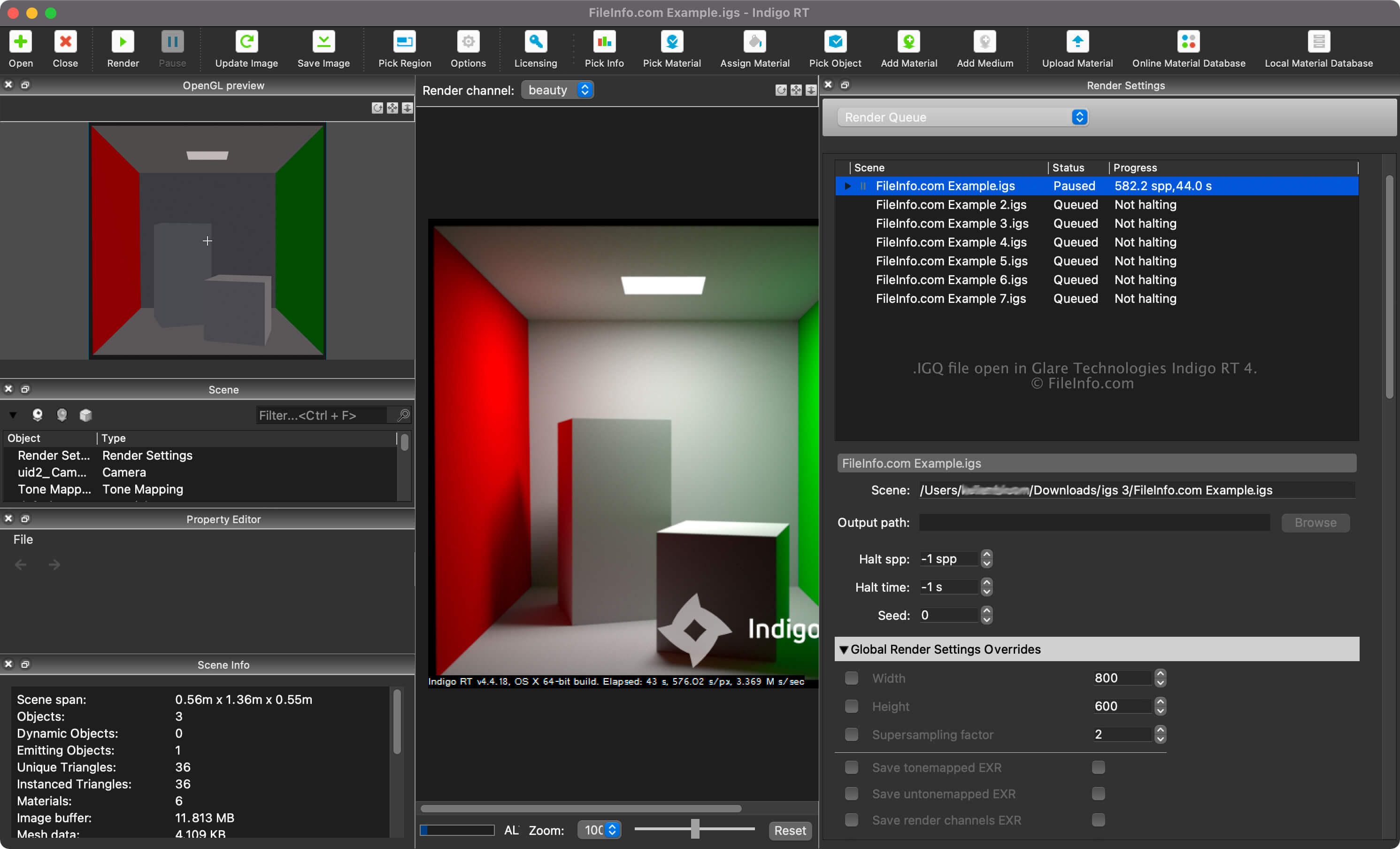
在 Glare Technologies Indigo RT 4 中打开的 .igq 文件截图
在 Glare Technologies Indigo RT 4 中打开的 IGQ 文件

Indigo Renderer and Indigo RT are multiplatform 3D rendering applications primarily used by professional artists to create photorealistic images, such as building mockups or fantastical scenes for a science fiction film. Indigo Renderer offers more features than Indigo RT and is more expensive, as well. Indigo Renderer is also available as a standalone application or as a plugin for other 3D CAD programs.

You can create an IGQ file with Indigo Renderer to save a queue to share with another Indigo Renderer user or save it for later use. The IGQ file also allows you to render scenes from projects created in other applications, such as 3DS Max or iClone, where the Indigo Renderer plugin is installed. You can export the project frame by frame into the IGQ file, and Indigo will individually render each frame. Then, you can combine the rendered images into an animation.

How to create an IGQ file with Indigo Renderer or Indigo RT

You can view the render queue for your scenes by selecting "Render Queue" from the dropdown menu in the "Render Settings" pane. In the Render Queue, you can add and remove scenes and adjust other settings, such as the scene and output paths and halt settings.

To create an IGQ file with Indigo Renderer or Indigo RT, select File → Save Queue.

Scene and output paths in IGQ files

The scene path in an IGQ file points to the .IGS file location from which the scenes are being rendered, whereas the output path points to the location where the files (most likely .PNG) will be created. The output path can be relative to the scene path or absolute.

如何打开 IGQ 文件

You can open an IGQ file with Glare Technologies Indigo Renderer (multiplatform) and Indigo RT (multiplatform). To open the file with Indigo Renderer, select File → Open.

After opening the IGQ file, you can view the render queue for your scenes by selecting "Render Queue" from the dropdown menu in the "Render Settings" pane.

使用File Viewer Plus打开 400 多种文件格式。免费下载

可打开或引用 IGQ 文件的程序

分类: 数据
更新时间: 2023-01-18

验证者 FileInfo.com

FileInfo.com 团队 独立研究了本页面列出的 Indigo Queue 文件格式和 Mac, Windows, and Linux 应用。 我们的目标是达到 100% 的准确率,并且仅发布我们已验证过的文件类型信息。

如果您想为此页面提出新增或更新建议,请告诉我们