

.DINO 파일 확장자
Dinopixel 그림
| 개발사 | Dinopixel |
| 인기도 |
3.5 | 2 표 |
DINO 파일이란 무엇인가요?
DINO 파일은 온라인 픽셀 아트 제작 도구인 Dinopixel로 만든 그림입니다. 캔버스 크기, 연필 선, 색상 등 그림에 관한 정보가 Dinopixel(DINO) 형식으로 저장됩니다. 사용자는 작업 내용을 보존하기 위해 그림을 DINO 파일로 저장한 다음(컴퓨터에 다운로드), 웹 브라우저의 Dinopixel 프로그램에 다시 업로드하여 계속 편집할 수 있습니다.
추가 정보
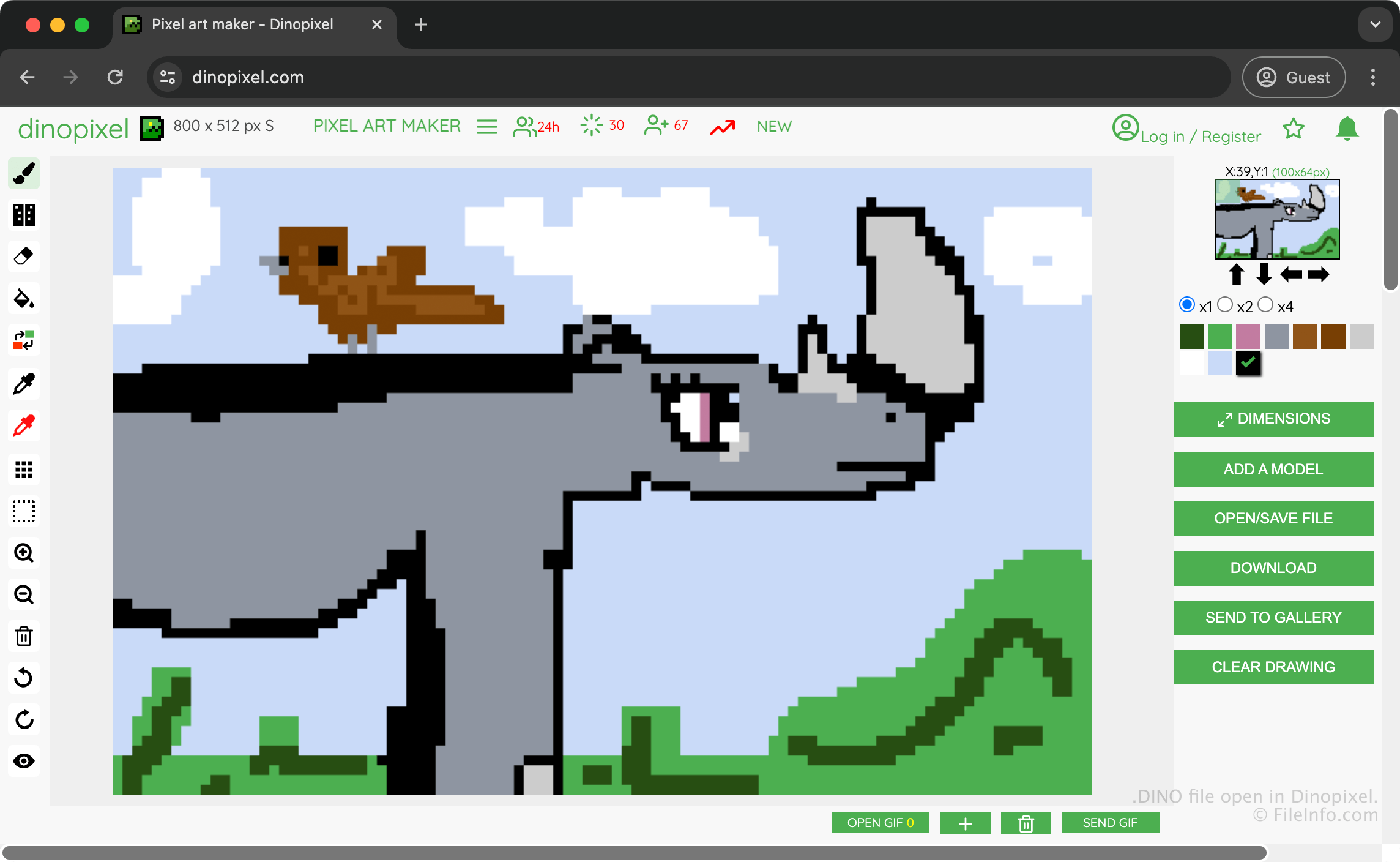
Dinopixel은 픽셀 아트를 만들어 Dinopixel 갤러리에 업로드하고 다른 사용자와 공유할 수 있는 무료 브라우저 기반 앱입니다. 예를 들어 코뿔소 그림을 만든 후, 작업 내용을 보존하기 위해 DINO 파일로 저장하고 PNG 이미지로 변환하여 다른 사람과 공유할 수 있습니다.
그림을 저장할 DINO 파일을 만들려면 을 선택한 다음 를 선택합니다. 그러면 앱이 DINO 파일을 다운로드 폴더에 다운로드합니다.
DINO 파일을 여는 방법
웹 브라우저에서 Dinopixel을 사용하여 DINO 파일을 열 수 있습니다. Dinopixel에서 DINO 파일을 열려면 을 선택한 다음 를 선택합니다. 그러면 컴퓨터에서 웹사이트로 업로드할 DINO 파일을 선택하라는 메시지가 표시됩니다.
DINO 파일을 변환하는 방법
Dinopixel은 DINO 파일을 Portable Network Graphic(.PNG) 형식으로 변환할 수 있습니다. Dinopixel에서 DINO 파일을 변환하려면 를 선택합니다.
DINO 파일을 여는 프로그램
DinosaurMod 프로젝트
| 개발사 | GabsTheCuriousKid |
| 인기도 |
3.0 | 1 표 |
DINO 파일은 Scratch, TurboWarp, PenguinMod를 기반으로 한 웹 기반 블록 프로그래밍 환경인 DinosaurMod에서 만든 프로젝트입니다. 스프라이트, 스크립트, 의상, 소리, 변수, 프로젝트 설정 등 인터랙티브 게임, 애니메이션, 시뮬레이션 및 기타 멀티미디어 애플리케이션을 만드는 데 사용되는 프로그래밍 프로젝트를 저장합니다. DINO 파일은 일반적으로 .JSON 및 .SVG 파일을 하나의 Zip 압축 파일에 포함하여 프로젝트의 모든 리소스를 저장하므로, 사용자는 작업을 계속 편집하거나 다른 사람과 공유할 수 있습니다.
추가 정보
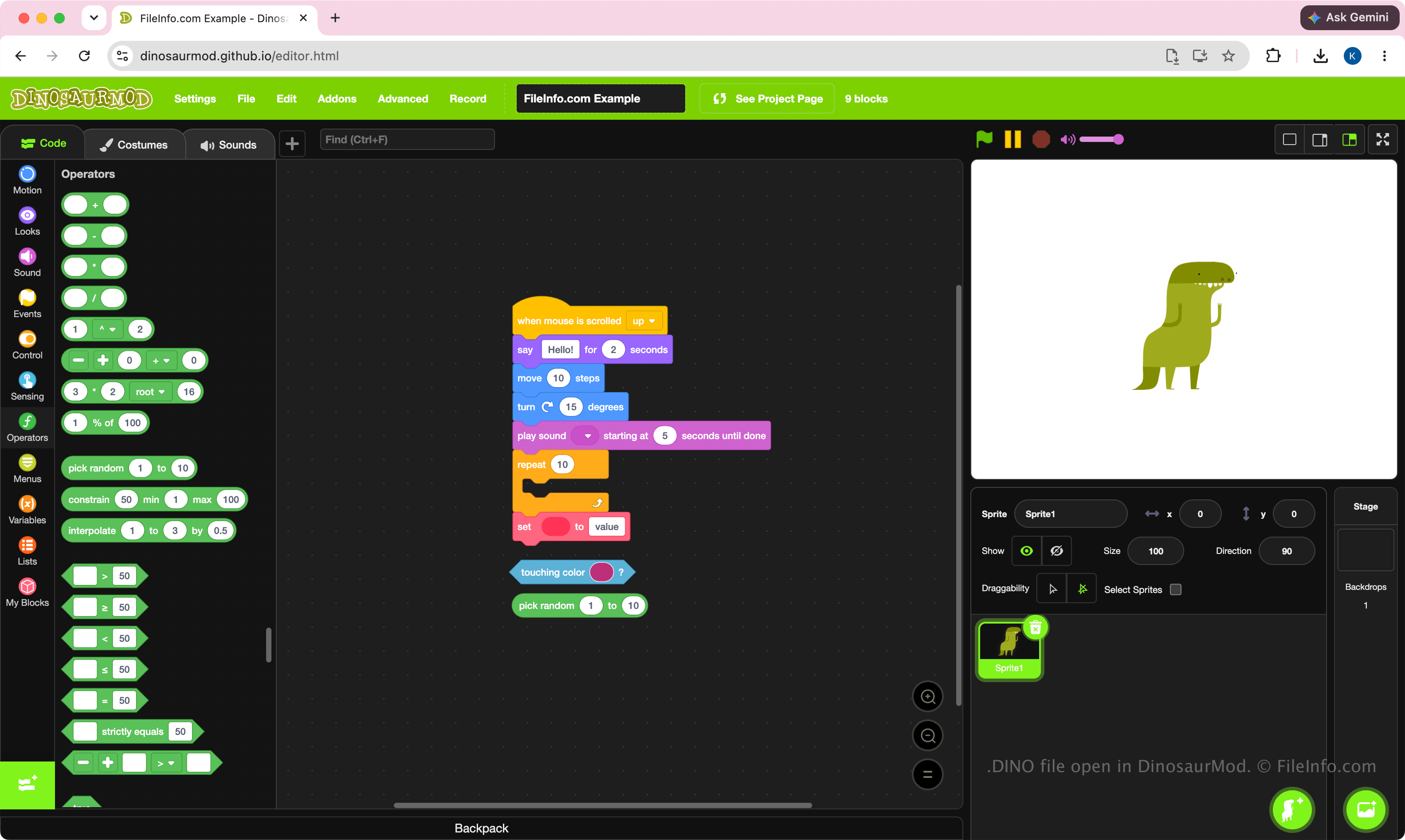
DinosaurMod는 DINO 파일을 기본 프로젝트 형식으로 사용합니다. 학생, 교육자, 취미 활동가 및 프로그래머는 DinosaurMod의 시각적 블록 기반 프로그래밍 인터페이스로 프로젝트를 개발할 때 이러한 파일을 만듭니다. 이 형식은 프로젝트의 전체 상태를 보존하도록 설계되었으므로 컴퓨터 간에 프로젝트를 옮기거나 보관하거나 다른 DinosaurMod 사용자와 공동 작업하기 쉽습니다.
DINO 파일은 프로젝트이므로 자체적으로 실행하기보다는 편집하기 위한 파일입니다. 일반적으로 사용자는 프로젝트를 개발하는 동안 DINO 파일을 만든 다음 DinosaurMod에서 완성된 작업을 실행하거나 게시합니다.
참고: DINO 파일을 만들려면 를 선택합니다.
DINO 파일을 여는 방법
웹 브라우저에서 DinosaurMod를 사용하여 DINO 파일을 열 수 있습니다. DINO 파일을 열려면 를 선택합니다. 파일을 연 후 프로젝트의 블록, 스프라이트, 의상, 소리 및 기타 리소스를 편집한 다음 업데이트된 프로젝트를 다시 DINO 파일로 저장할 수 있습니다.
DINO 파일은 Zip 압축 파일이므로 .dino 파일 확장자를 .zip으로 변경하고 Microsoft 파일 탐색기, Apple Archive Utility 또는 Corel WinZip과 같은 Zip 유틸리티로 콘텐츠를 추출할 수 있습니다.