

.DINO Estensione file
Disegno Dinopixel
| Sviluppatore | Dinopixel |
| Popolarità |
3,5 | 2 Voti |
Che cos'è un file DINO?
Un file DINO è un disegno creato con Dinopixel, uno strumento online per creare arte pixel. Contiene informazioni sul disegno, come le dimensioni della tela, i tratti della matita e i colori, nel formato Dinopixel (DINO). Gli utenti salvano i disegni come file DINO per conservare i propri progressi (scaricandoli sul computer), quindi li caricano nuovamente nel programma Dinopixel nel browser web per continuare a modificarli.
Maggiori informazioni
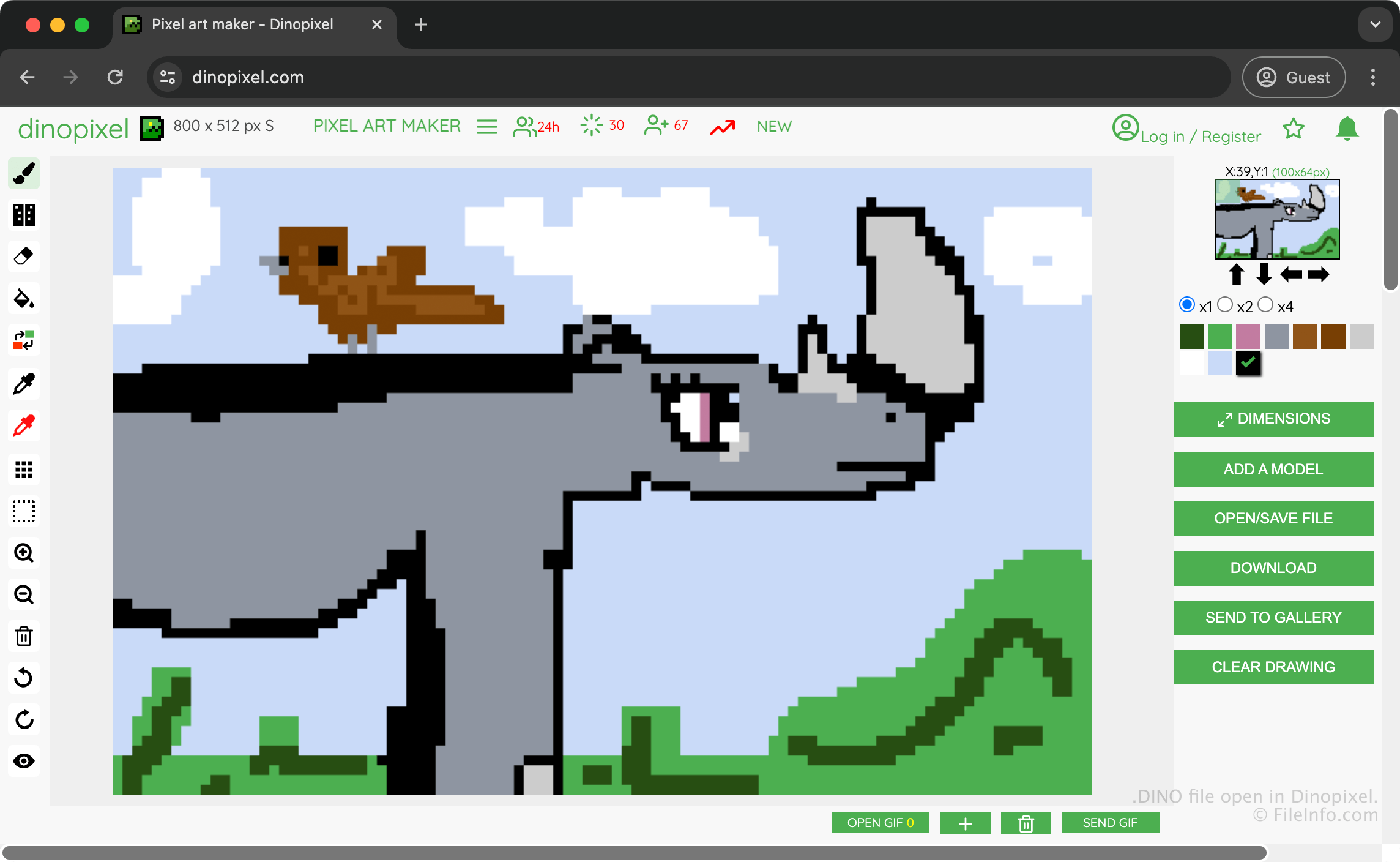
Dinopixel è un'app gratuita basata sul browser che ti permette di creare opere d'arte pixel da caricare nella galleria di Dinopixel e condividere con altri utenti. Ad esempio, puoi creare un'opera raffigurante un rinoceronte, salvarla come file DINO per conservare i tuoi progressi e quindi convertirla in un'immagine PNG da condividere con altri.
Per creare un file DINO in cui salvare la tua opera, seleziona e quindi scegli . L'app scarica quindi il file DINO nella cartella dei download.
Come aprire un file DINO
Puoi aprire un file DINO con Dinopixel in un browser web. Per aprire un file DINO con Dinopixel, seleziona e quindi scegli . Ti verrà quindi chiesto di scegliere il file DINO che vuoi caricare dal computer al sito web.
Come convertire un file DINO
Dinopixel può convertire i file DINO nel formato Portable Network Graphics (.PNG). Per convertire un file DINO con Dinopixel, seleziona .
Programmi che aprono i file DINO
Progetto DinosaurMod
| Sviluppatore | GabsTheCuriousKid |
| Popolarità |
3,0 | 1 Voto |
Un file DINO è un progetto creato da DinosaurMod, un ambiente di programmazione a blocchi basato sul Web e derivato da Scratch, TurboWarp e PenguinMod. Memorizza un progetto di programmazione, inclusi sprite, script, costumi, suoni, variabili e impostazioni del progetto utilizzati per creare giochi interattivi, animazioni, simulazioni e altre applicazioni multimediali. I file DINO salvano tutte le risorse di un progetto, che in genere includono file .JSON e .SVG in un unico file compresso con Zip, consentendo agli utenti di continuare a modificare il proprio lavoro o condividerlo con altri.
Maggiori informazioni
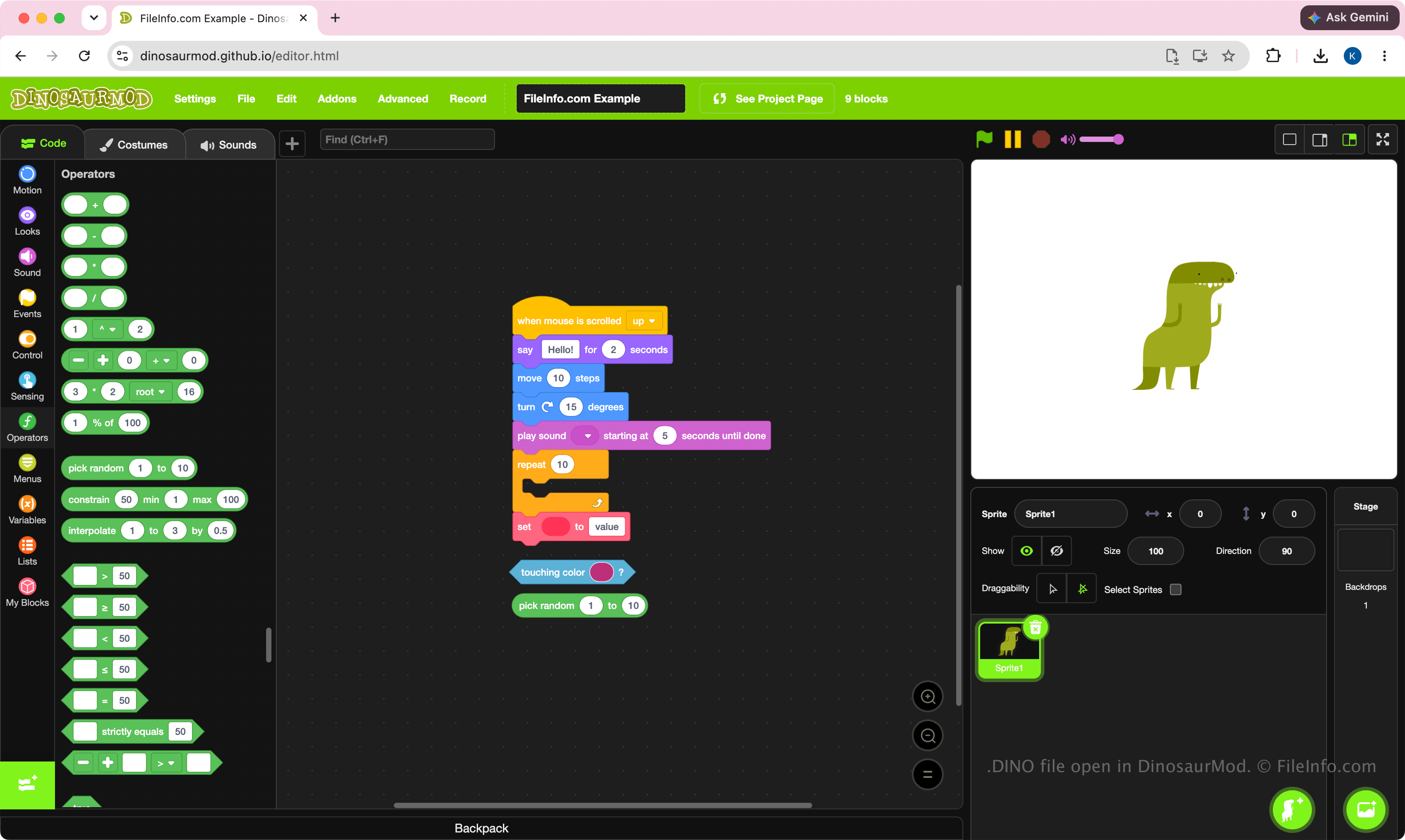
DinosaurMod utilizza i file DINO come formato di progetto principale. Studenti, insegnanti, appassionati e programmatori creano questi file quando sviluppano progetti con l'interfaccia di programmazione visuale a blocchi di DinosaurMod. Il formato è progettato per conservare lo stato completo di un progetto, facilitando lo spostamento dei progetti tra computer, la loro archiviazione o la collaborazione con altri utenti di DinosaurMod.
Poiché i file DINO sono progetti, sono pensati per essere modificati, non per essere eseguiti autonomamente. In genere, gli utenti li creano durante lo sviluppo di un progetto, quindi eseguono o pubblicano il lavoro completato direttamente da DinosaurMod.
NOTA: Per creare un file DINO, seleziona .
Come aprire un file DINO
Puoi aprire un file DINO con DinosaurMod in un browser Web. Per aprire il file DINO, seleziona . Dopo aver aperto il file, puoi modificare i blocchi, gli sprite, i costumi, i suoni e le altre risorse del progetto, quindi salvare nuovamente il progetto aggiornato in un file DINO.
Poiché i file DINO sono compressi con Zip, puoi rinominare l'estensione del file .dino in .zip ed estrarre i contenuti con un'utilità per file Zip, come Microsoft Esplora file, Apple Archive Utility o Corel WinZip.