

.DINO Přípona souboru
Kresba Dinopixelu
| Vývojář | Dinopixel |
| Popularita |
3,5 | 2 hlasy |
Co je soubor DINO?
Soubor DINO je kresba vytvořená v aplikaci Dinopixel, online nástroji pro tvorbu pixelového umění. Obsahuje informace o kresbě, například rozměry plátna, tahy tužkou a barvy, ve formátu Dinopixel (DINO). Uživatelé ukládají kresby jako soubory DINO, aby zachovali svůj postup (stažením do počítače), a poté je znovu nahrávají do programu Dinopixel ve webovém prohlížeči, kde mohou pokračovat v jejich úpravách.
Další informace
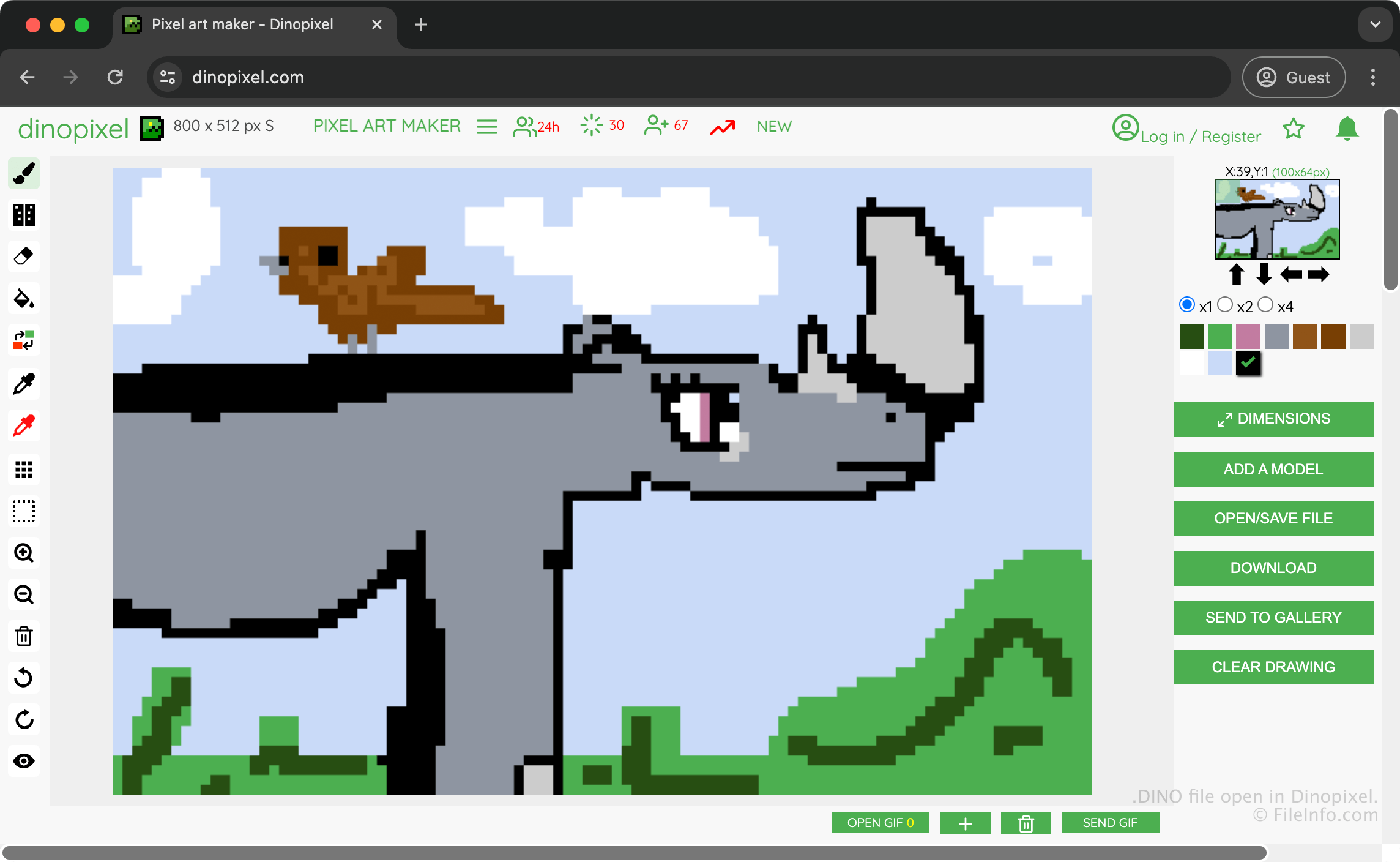
Dinopixel je bezplatná aplikace fungující v prohlížeči, která umožňuje vytvářet pixelová díla a nahrávat je do galerie Dinopixelu, kde je můžete sdílet s ostatními uživateli. Můžete například vytvořit kresbu nosorožce, uložit ji jako soubor DINO, abyste zachovali svůj postup, a poté ji převést na obrázek PNG a sdílet s ostatními.
Chcete-li vytvořit soubor DINO a uložit své dílo, vyberte a poté zvolte . Aplikace následně stáhne soubor DINO do složky se staženými soubory.
Jak otevřít soubor DINO
Soubor DINO můžete otevřít v aplikaci Dinopixel ve webovém prohlížeči. Chcete-li otevřít soubor DINO v aplikaci Dinopixel, vyberte a poté zvolte . Následně budete vyzváni k výběru souboru DINO, který chcete nahrát z počítače na web.
Jak převést soubor DINO
Dinopixel dokáže převést soubory DINO do formátu Portable Network Graphic (.PNG). Chcete-li převést soubor DINO pomocí aplikace Dinopixel, vyberte .
Programy, které otevírají soubory DINO
Projekt DinosaurMod
| Vývojář | GabsTheCuriousKid |
| Popularita |
3,0 | 1 hlas |
Soubor DINO je projekt vytvořený v DinosaurMod, webovém prostředí pro blokové programování založeném na prostředích Scratch, TurboWarp a PenguinMod. Ukládá programovací projekt včetně postav, skriptů, kostýmů, zvuků, proměnných a nastavení projektu používaných k vytváření interaktivních her, animací, simulací a dalších multimediálních aplikací. Soubory DINO ukládají všechny prostředky projektu, které obvykle zahrnují soubory .JSON a .SVG v jediném souboru komprimovaném pomocí Zipu, což uživatelům umožňuje pokračovat v úpravách své práce nebo ji sdílet s ostatními.
Další informace
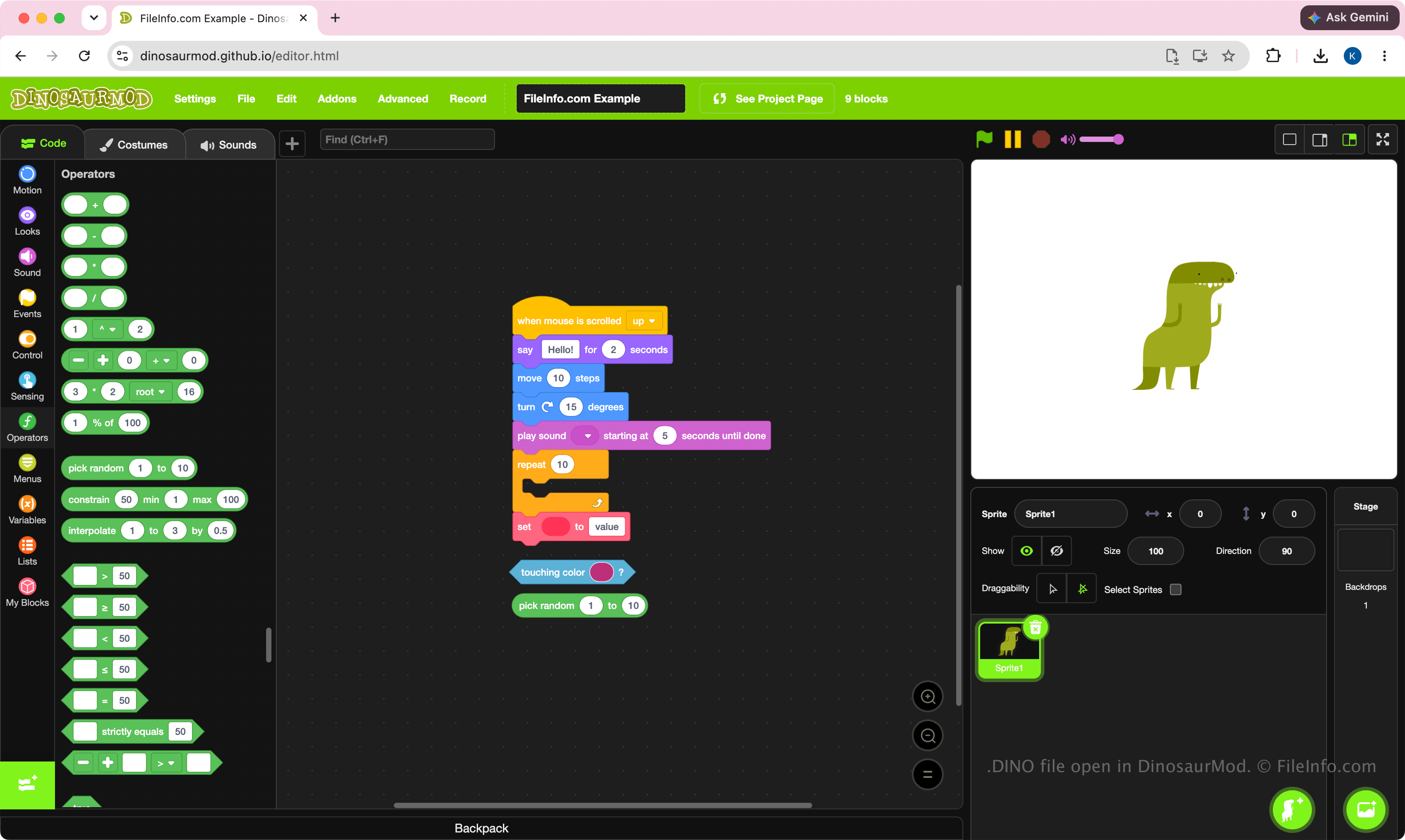
DinosaurMod používá soubory DINO jako svůj hlavní formát projektů. Studenti, učitelé, nadšenci a programátoři tyto soubory vytvářejí při vývoji projektů pomocí vizuálního rozhraní DinosaurMod pro blokové programování. Formát je navržen tak, aby zachoval kompletní stav projektu, a usnadnil tak přesouvání projektů mezi počítači, jejich archivaci nebo spolupráci s dalšími uživateli DinosaurMod.
Protože soubory DINO jsou projekty, jsou určeny k úpravám, nikoli k samostatnému spuštění. Uživatelé je obvykle vytvářejí při vývoji projektu a poté hotovou práci spouštějí nebo publikují přímo v DinosaurMod.
POZNÁMKA: Chcete-li vytvořit soubor DINO, vyberte .
Jak otevřít soubor DINO
Soubor DINO můžete otevřít v DinosaurMod ve webovém prohlížeči. Chcete-li soubor DINO otevřít, vyberte . Po otevření souboru můžete upravovat bloky, postavy, kostýmy, zvuky a další prostředky projektu a poté aktualizovaný projekt znovu uložit jako soubor DINO.
Protože jsou soubory DINO komprimované pomocí Zipu, můžete příponu souboru .dino přejmenovat na .zip a extrahovat jeho obsah pomocí nástroje pro práci s archivy Zip, například Microsoft File Explorer, Apple Archive Utility nebo Corel WinZip.