.XPI ファイル拡張子

Cross-platform Installer Package

開発元 Mozilla
人気度
4.0  |  857 
 

XPIファイルとは?

An XPI file is a compressed installation archive used by various Mozilla applications, including Firefox, Thunderbird, and SeaMonkey. It contains an app add-on, such as a Firefox plug-in, toolkit, or theme. Most XPI files include an install.js, install.rdf, or readme.md file, which contains the add-on's installation instructions.

詳細情報

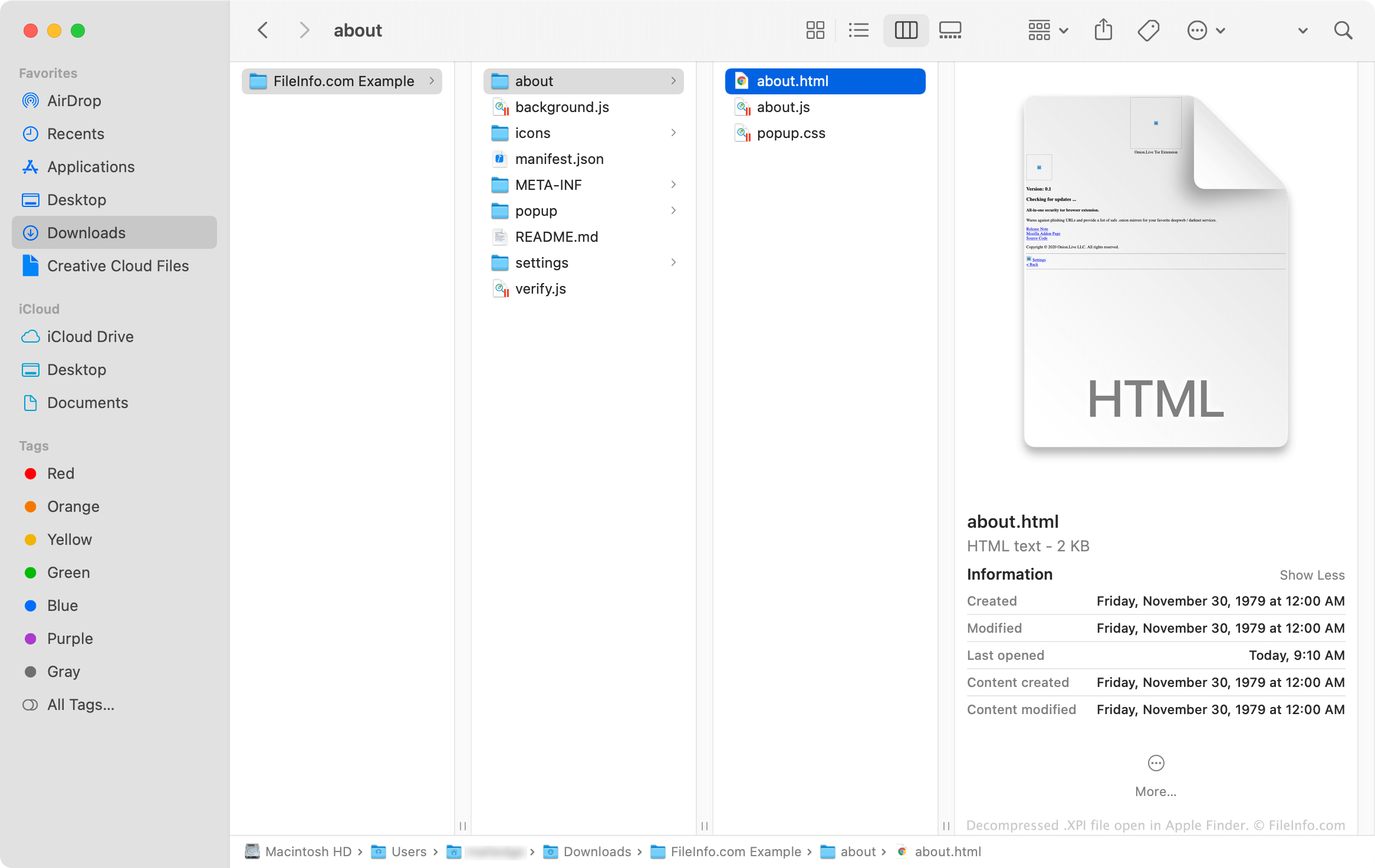
Apple Finderで開いた.xpiファイルのスクリーンショット
Apple Finderで開いたXPIファイル

XPI files are essentially renamed .ZIP archives that Mozilla applications use to install add-ons. These archives often contain .JS, .CSS, .HTML, and .JSON files that, combined, comprise the code needed to install an add-on. Add-ons that use icons and other images also contain .PNG files.

XPIファイルの開き方

Some versions of Mozilla Firefox allow you to install an XPI file by dragging and dropping the file onto an open browser window. Firefox then uses a component called XPInstall to install the add-on your XPI file contains.

If dropping your XPI file onto Firefox does not work, you can manually install the file using the instructions below:

  1. In Windows, select the Menu (three horizontal line) icon in Firefox's upper-right corner and click Add-ons. (In macOS, select Tools → Add-ons.)
  2. Select Extensions, Themes, or Plugins (depending on the type of add-on your XPI file contains).
  3. Click the Gear icon dropdown menu and select Install Add-on From File....
  4. Navigate to and select your XPI file. Then, click Open.

How do I install an XPI file in the mobile version of Firefox?

On Android devices, you can install the add-on an XPI file contains by locating the file in an Android file manager (such as File Viewer Plus or ES File Explorer), tapping it, and opening it with Firefox.

The iOS version of Firefox does not allow users to install XPI files.

How do I install an XPI file in Mozilla Thunderbird?

To install an XPI file in Mozilla Thunderbird:

  1. In Windows, select the Menu (three horizontal lines) icon, click Add-ons, and then click Add-ons again. (In macOS, select Tools → Add-ons.)
  2. Select Extensions, Themes, or Plugins (depending on the type of add-on your XPI file contains).
  3. Click the Gear icon dropdown menu and select Install Add-on From File....
  4. Navigate to and select your XPI file. Then, click Open.

How do I view an XPI file's contents outside Mozilla applications?

Since an XPI file is a Zip-compressed archive, you can manually extract and view its contents by:

  1. Renaming the file to use the .zip extension.
  2. Extracting the file's contents with a Zip compression utility, such as Corel WinZip (Windows, Mac), 7-Zip (Windows), or Apple Archive Utility (Mac).
File Viewer Plusで400種類以上のファイル形式を開けます。無料ダウンロード

XPIファイルを開く、または参照するプログラム

検証者 FileInfo.com

FileInfo.comチーム は、このページに掲載されているCross-platform Installer Packageファイル形式とMac, Windows, Linux, and Androidアプリについて独自に調査しました。 私たちの目標は100%の正確性であり、検証済みのファイルタイプに関する情報のみを公開しています。

このページへの追加や更新をご提案いただける場合は、お知らせください。